Frequent flashcard clip makers
If you repeatedly record short pronunciations, definitions or prompts, focus on starting a take, reviewing it and moving the file into your flashcard workflow without unnecessary setup.


For repeated short flashcard clips, choose a recorder with a recording, playback and file-transfer routine that works for you; a straightforward voice recorder may be enough for self-narration. Consider a handheld recorder with USB-microphone or external-input capability if you expect to record into another device or use a separate microphone, but check the exact connection, storage media and accessories before buying.
If you repeatedly record short pronunciations, definitions or prompts, focus on starting a take, reviewing it and moving the file into your flashcard workflow without unnecessary setup.
If your speaking volume or distance from the microphone varies, compare recording-level options. Zoom specifies 32-bit-float recording for the H1essential, but that feature does not replace a quiet recording space.
If you may later add a microphone or record directly into a computer, an expandable handheld recorder is worth considering. Tascam specifies an external microphone input and USB-microphone use for the DR-07XP.
For spoken flashcards in a small booth, decide which matters most to you: a repeatable clip workflow, flexibility when recording levels vary, or connections for future projects.
| Concern | What to check | Who this matters to |
|---|---|---|
| Capture, review and transfer | Check how you start and replay a take, then confirm that you can transfer files in a format your flashcard software accepts. | If I make many short clips, I want to check each take and get it into my flashcards without a cumbersome routine. Around 42% of consumers would put that workflow first. |
| Recording levels and booth noise | Compare recording-level features and make a test recording in your booth; check whether any noise-processing feature requires particular firmware. | When my voice level or microphone distance changes, I want room to manage uneven takes without relying on processing to fix the space. That would be the main concern for around 33% of consumers. |
| Microphone and USB flexibility | Confirm the external input and its power requirements, plus the recorder’s USB role and connections for your device. | If I plan to add a compatible microphone or use the recorder for other narration, those connections matter more than keeping the setup simple. Around 25% of consumers would prioritise that flexibility. |
Zoom promotes 32-bit-float recording and describes a noise-reduction feature in an Essential-series firmware update. Neither claim establishes how a recording will sound in your particular booth.
Make a short test clip in the space where you intend to record, using the settings and firmware you plan to keep.
Recorder packages differ. Tascam says microSD-family cards are not included with the related DR-07X; do not assume that statement establishes the contents of a DR-07XP package.
Check the exact model’s box contents, compatible card type, battery arrangement and required cables.
A compatible memory card may be an additional item to obtain, depending on the recorder and package.
External inputs and advanced capture options offer flexibility, but they do not remove the need to review clips and move them into your flashcard software.
For short self-narrated clips, check the record control, playback and import steps before deciding whether you will use the extra connections.
GOV.UK explains that copyright exceptions permit limited uses of protected material; an educational purpose alone does not establish permission to record or share a particular passage.
Use your own narration and wording where possible. Before using third-party text, check the relevant licence or seek permission, particularly if you plan to share the recordings.
Zoom’s H1essential is a compact handheld option to examine if you want standalone flashcard recording alongside a USB-microphone workflow.
The DR-07XP is relevant if flashcard narration may grow into recording with an external microphone or a USB-microphone setup.
Sony’s UX570 series is relevant if your priority is straightforward voice recording and reviewing takes on the recorder rather than planning around external inputs.
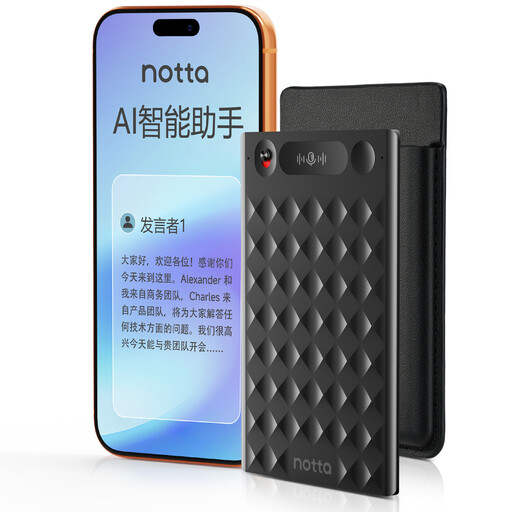
This voice recorder is relevant to repeated spoken clips if one-press capture suits your routine. Check how its files reach your flashcard software before choosing it for that workflow.
 No image available
One-press recording may suit repeated short narration takes.
The product name specifies 32GB storage, up to 2,000 hours of recording storage and a case.
Before buying, confirm the file format and transfer steps for your flashcard software. If you need to review takes on the recorder or place it in a confined booth, check its playback controls and dimensions.
Not necessarily: for one person making short spoken clips, start with the recording, playback and transfer routine you need. Mybest UK distinguishes mono voice recorders for note-taking from stereo recording for a more dynamic sound; choose stereo for a purpose you expect to use.
It can do so only when its connection mode works with your device and application. Zoom says the H1essential can act as a USB microphone with PC, Mac, iOS and Android devices while recording to an SD card; confirm whether your flashcard software accepts that input or the files you plan to import.
That depends on the exact recorder and package. Tascam states that microSD, microSDHC and microSDXC cards are not included with the DR-07X, so check the contents and compatible media for the model you intend to buy.
Do not assume that an educational use permits recording or sharing a particular passage. GOV.UK explains that copyright exceptions allow limited uses of protected material; check the applicable licence or permission before using third-party text, especially in flashcards you will share.