What matters when choosing?
Decide whether the main recording is close-miked speech, narration through changing levels, deliberate ambience or a script you can quickly review. Then check the exact recorder's microphone connections and file workflow.
| Concern |
What to check |
Who this matters to |
| Clear shared-desk narration |
Check for a compatible 3.5 mm or XLR/TRS microphone input and a workable close-mic position. |
If colleagues are talking nearby, I want my voice close to the microphone rather than relying on noise reduction to remove theirs. Around 31% of consumers would put close-mic flexibility first. |
| Changing narration levels |
Check whether the exact model and recording mode offer 32-bit float; consider wind protection separately. |
When I move between quieter and louder stops, I do not want every take to depend on resetting the input level. Roughly 25% of consumers would make changing-level recording their main concern. |
| Intentional location sound |
Check the built-in microphone configuration and whether separate voice and ambience sources are needed. |
If street or venue sound belongs in the tour, I want to capture it deliberately without losing sight of the spoken script. Around 25% of consumers would prioritise narration alongside ambience. |
| Review and transfer |
Check storage, playback controls, computer connection and the power needed for a recording day. |
For repeated script takes, I need to find, replay and move files without disrupting the next recording. Roughly 19% of consumers would put that workflow first. |
Joybuy products for script recording
These choices include a wireless microphone kit to assess for close-positioned narration and two portable voice recorders for spoken script takes. Check how each handles microphone placement, recording and file review before choosing between them.
 No image available
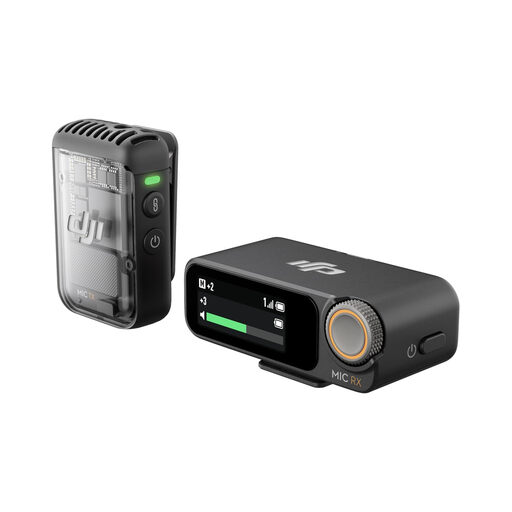
DJI Mic 2 wireless microphone kit, 1 TX + 1 RX
For narration with the microphone positioned close to your voice, check whether recording on the transmitter and transferring its files suit both desk and walking takes. The kit title specifies 1 TX, 1 RX and 32-bit-float recording; it does not establish that noise cancelling removes nearby conversations.
View on Joybuy
 No image available
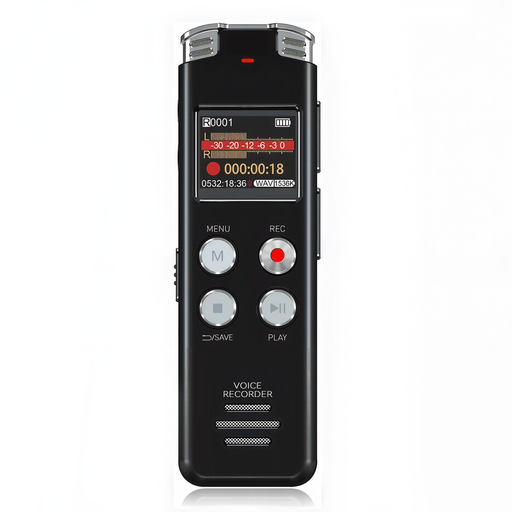
Rexsun L357 128GB digital voice recorder, grey
For spoken script takes you plan to review, assess its playback and file-transfer workflow. This is the 128GB L357 variant; if close-miked desk recording matters, confirm the external-microphone and monitoring connections before buying.
View on Joybuy
 No image available
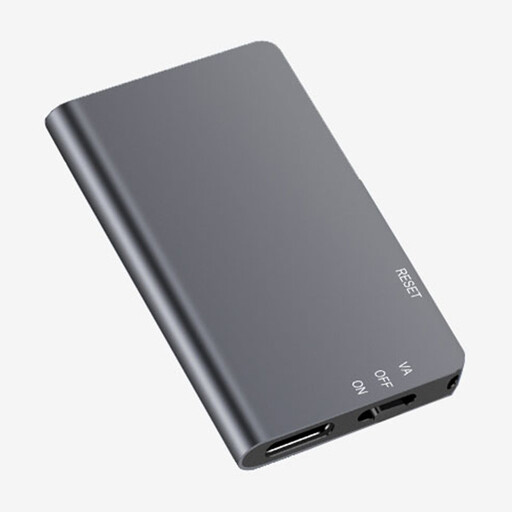
Rexsun L810 64GB digital voice recorder, grey
For portable spoken takes, check that its recording and review controls fit the way you rehearse a script. This is the 64GB L810 variant; confirm external-microphone and monitoring connections if you need a close-mic setup, and check how voice activation handles pauses if you intend to use it.
View on Joybuy
Common questions
Do I need 32-bit-float recording for a walking-tour script?
Not necessarily: it is worth considering when narration levels change and you cannot readily adjust input settings between takes. Zoom and Tascam specify it for the handheld models discussed here, but it does not replace suitable microphone placement or wind protection.
Are built-in microphones enough at a shared desk?
They may be convenient, but choose a compatible external-microphone route if placing the microphone close to your voice is the priority. Zoom specifies a lavalier-capable 3.5 mm input on the H1essential, while Tascam specifies an external-microphone mini-jack with plug-in power on the DR-07XP; check the microphone's connector and power needs before buying.
What should I check before planning how to review my takes?
Check the exact model's storage, playback, computer connection and power requirements against your recording routine. Sony specifies direct USB connection, 4 GB of built-in storage and microSD expansion for the ICD-UX570; Zoom says the H1essential can work as a USB microphone while recording to an SD card.
What if a shared-desk recording captures colleagues' voices?
Do not assume identifiable voices are irrelevant to data protection. The Information Commissioner's Office explains that information relating to an identifiable person can be personal data, and its guidance for organisations using surveillance systems calls for a documented lawful basis. That guidance does not decide every personal recording situation, so consider the recording purpose and applicable workplace policy before capturing or keeping colleagues' voices.


