Who each setup suits
Start with where you need to check on the child and whether a separate parent unit or phone access fits that routine.
In-home parent-unit users
If you mainly listen or look in from another room, an audio unit or dedicated video screen keeps the viewing device separate from your phone. Compare its controls, charging arrangement and claimed range against the rooms where you will use it.
Remote-viewing households
If a trusted carer needs access or you want to check in while away, an app-connected monitor or suitable smart camera offers a route to remote viewing. That choice also brings account permissions, updates and remote-access settings into the decision.
Privacy-first buyers
If limiting internet access matters more than app features, compare a local parent-unit setup with connected models whose remote viewing you can control. For any connected model, check the stated security-update period and the access settings available to you.
What matters when choosing
Decide whether sound is enough, whether you need a picture around the home, or whether viewing through an app solves a separate need. A general-purpose smart camera should meet the same placement, account-control and update-support checks as a connected baby monitor.
| Concern |
What to check |
Who this matters to |
| Privacy and software support |
For a connected model, check its stated minimum security-update period and whether you can control account access and remote viewing. |
If I allow a camera onto my home network, I want to know how access is controlled and how long important updates will continue. About 33% of consumers would put privacy and software support first. |
| Coverage around the home |
Compare the parent unit’s charging arrangement and the exact model’s claimed range with your intended rooms and floors. |
When I move between rooms, I need to keep hearing or seeing the child without using my phone as the main viewer. Roughly 27% of consumers would prioritise dependable in-home coverage. |
| Visual and multi-room checks |
Check the camera angle and night-viewing features; if you need two views, confirm the supported camera configuration. |
Sound alone may not tell me which child needs attention or whether the intended area is in frame. Around 20% of consumers would make visual coverage their primary concern. |
| Simple monitoring |
Decide whether audio alone meets your need, then check what units, power connections and accessories come with the chosen model. |
If I mainly need to hear a child wake, I may have little use for recording or remote app controls. About 20% of consumers would put straightforward monitoring first. |
The National Cyber Security Centre warns that unauthorised access to smart-camera feeds can occur in rare cases. Its guidance makes security settings relevant to both Wi-Fi baby monitors and smart cameras; it does not mean every household needs remote viewing.
Relevant brands to compare
These examples illustrate different monitor designs. Check the exact model rather than assuming a feature or support commitment applies across a brand’s range.
Philips Avent
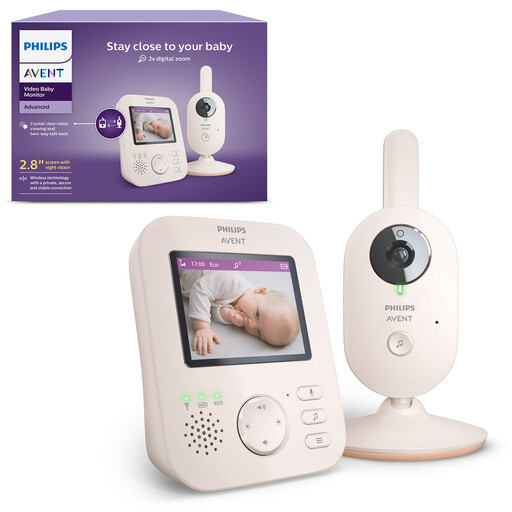
Philips Avent has a dedicated parent-unit video example in the SCD881 and separate support material for its connected SCD921 model.
- Philips lists a 2.8-inch screen, infrared night vision and paired 2.4 GHz wireless connection for the SCD881.
- Those SCD881 features do not establish the range, privacy controls or app functions of other Avent models.
LeapFrog
LeapFrog offers both dedicated-screen and Wi-Fi monitor routes, so the choice depends on whether you will use remote app access.
- LeapFrog specifies a 7-inch parent display and app access for its LF4917HD.
- If you use the LF4917HD’s connected features, account security and software updates become part of its setup and upkeep.
eufy
The eufy E21 is a hybrid example for households considering local parent-screen viewing alongside optional app access.
- eufy says the E21 works with or without Wi-Fi and provides a Wi-Fi switch and split-screen viewing of two feeds.
- Check the account controls, update support and chosen camera bundle before relying on connected or two-camera use.
Nanit
Nanit is relevant if you are comparing app-connected monitors and want to examine a model-specific security-support statement.
- Nanit’s UK statement says its listed Pro models N301, N311 and N322 receive security updates for at least two years from purchase.
- That manufacturer statement is limited to the listed models; check the documentation for any other Nanit product separately.
Joybuy monitor selections
These selections cover audio and video parent-unit monitoring at home, plus one camera option for households also considering app viewing. Choose the route you need before comparing individual models.
 No image available
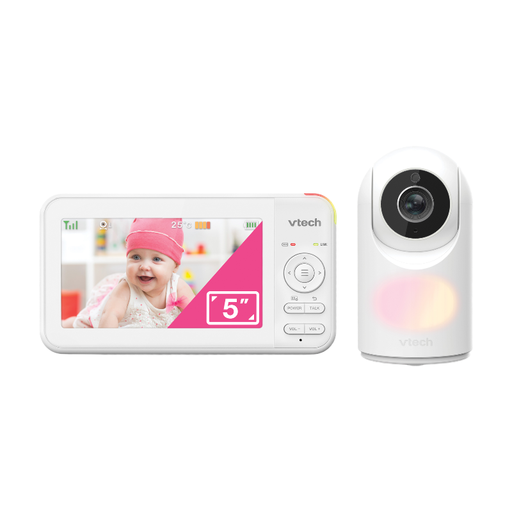
VTech VM5467 Pan & Tilt Video Baby Monitor, 5-inch, white
For checking a child from another room using a separate video parent unit rather than a phone. The named variant has a 5-inch display and pan-and-tilt camera; compare the intended camera position and the home’s walls and floors with the model’s range claim.
View on Joybuy
 No image available
Philips Avent Advanced Video Baby Monitor SCD881/05, Coral Cream
For local video checks with a parent unit rather than phone-led viewing. Philips specifies a 2.8-inch screen and infrared night vision for the SCD881; before buying this variant, confirm its plug and adapter arrangement suits your socket.
View on Joybuy
 No image available
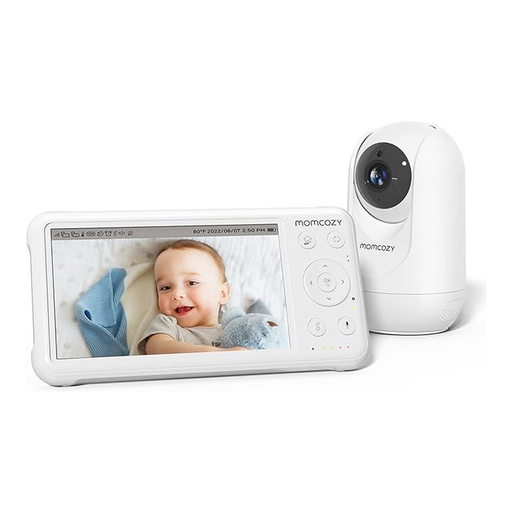
Momcozy BM01 1080P Video Baby Monitor with Wall Mount, Single Pack
For a household planning a wall-mounted camera and local parent-unit checks. The named single-pack variant lists a 5000mAh battery; if you need to watch more than one area, confirm the compatible camera configuration and what the bundle includes.
View on Joybuy
 No image available
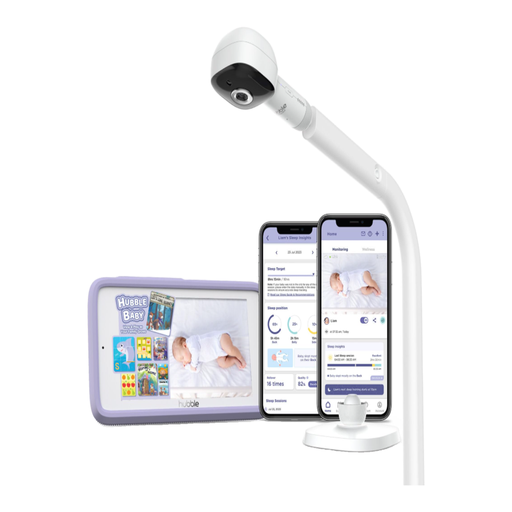
Hubble Pal SkyVision AI Pro Camera Baby Monitor, white
For households considering a parent-unit setup with optional app viewing. Before relying on its connected route, check the exact model’s stated security-update period, account controls and remote-viewing settings; position and mount the camera according to its instructions.
View on Joybuy
 No image available
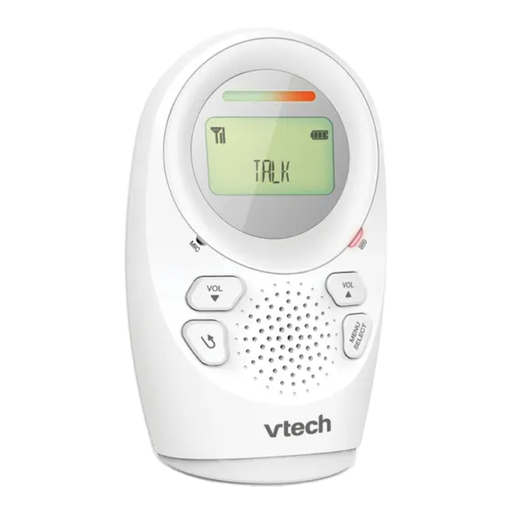
VTech DM1212 Digital Audio Baby Monitor, white
For hearing a child from elsewhere at home when you do not need a camera view. This is an audio monitor, so you will need to check in another way when sound alone cannot tell you what is happening; plan a safe position for the baby unit and its power cord.
View on Joybuy
Common questions
Can a baby monitor replace supervision?
No. The Lullaby Trust says a monitor cannot replace a parent’s or carer’s supervision. Use audio, video and alerts to support routine checks, not as a promise that they will prevent harm.
What security information should I check for a connected monitor?
Check the minimum period for important security updates stated for the exact model. The National Cyber Security Centre says manufacturers of affected connected devices must provide this information; also check the account and remote-access controls you would use.
How should I secure a Wi-Fi baby monitor or smart camera?
Use a strong, unique account password, enable two-step verification if available and install device and app updates. The National Cyber Security Centre advises switching off remote viewing when it is unnecessary, while noting that doing so can also affect alerts or smart-home functions.
How far should the camera and cable be from a child?
Follow the installation instructions for your exact model and keep equipment and cords out of reach. Tommee Tippee says the baby unit for its Dreamview monitor should be at least one metre from the baby; that distance is not a substitute for checking another model’s manual.
What should I check about warranty and support?
Check the warranty terms for the exact product and how to contact the seller if something goes wrong. Tommee Tippee states a two-year warranty for Dreamview when bought directly and directs customers who bought through another retailer to contact that retailer or website first.


