Parents who only need to listen
If sound tells you when to check on your baby, an audio monitor with a separate parent unit may be enough. You do not need to manage a camera view or a phone feed.


Choose audio if hearing your baby from another room answers your everyday question; choose a dedicated local-video monitor if seeing the room would help you decide when to go in. Wi-Fi viewing makes sense when phone access is useful enough to take on account, update and privacy checks. Whichever type you choose, test reception where you will use it and keep cables out of your child’s reach; a monitor does not replace supervision or safer-sleep practice.
If sound tells you when to check on your baby, an audio monitor with a separate parent unit may be enough. You do not need to manage a camera view or a phone feed.
A video monitor suits a routine in which seeing whether your baby has settled helps you decide when to enter the room. Check the picture in low light as well as the connection between the rooms you use.
An app-connected monitor may suit caregivers who want to view the feed on a phone or share access. That convenience comes with account-security, software-update and privacy decisions.
Decide whether sound, an in-home picture or phone access changes how you will respond. Then check the connection, power and placement in the rooms where the monitor will actually be used.
Choose it when: Hearing your baby is enough for routine checks from elsewhere at home.
Trade-off: Sound cannot show you what is happening in the room.
Choose it when: You want a picture on a dedicated parent unit but do not need internet viewing.
Trade-off: You still need a usable signal between rooms, and a local display does not provide away-from-home app access.
Choose it when: Phone viewing or access for another caregiver serves a regular purpose.
Trade-off: The National Cyber Security Centre warns that unauthorised access to smart-camera feeds can occur in rare cases, so account and update management matter.
| Priority | What to check | Your needs |
|---|---|---|
| Sound and picture | Check whether sound alone answers your routine question. For video, assess the picture in daylight and low light, and whether you can hear clearly when the screen is not in front of you. | I only need to hear when my baby wakes; or I want to see whether a noise means I should go into the room. |
| Reception | Check the connection from the baby’s room to each intended listening or viewing spot. A stated maximum range does not tell you how it will perform through your walls and floors. | The parent unit needs to remain usable in the rooms where I spend time, and in the garden if I plan to use it there. |
| Power and portability | Check parent-unit battery runtime against your longest likely period away from a socket. Confirm how the camera and display are powered and where their leads will run. | I move around the house while monitoring, so I need to know when the parent unit will need charging. |
| Phone access and privacy | For an internet-connected model, check who can access the account, the stated minimum security-update period and the manufacturer’s security-contact route. Use unique credentials and install available updates. | Phone access would help another caregiver, but I am prepared to manage the account and its privacy settings. |
| Safe placement | Plan a position that gives the view or sound pickup you need without putting leads within a child’s reach. Check the model’s mounting and cable instructions before installation. | I need a workable camera and socket position that keeps equipment away from my baby’s sleep space. |
The Lullaby Trust says there is no research showing that baby monitors prevent sudden infant death syndrome (SIDS). A feed or alert can help you notice what is happening, but it does not replace adult supervision.
Choose a monitor for routine room-to-room awareness and continue to follow NHS and Lullaby Trust safer-sleep guidance.
The National Cyber Security Centre warns that smart-camera images or live feeds can, in rare cases, be accessed by unauthorised users.
Before buying, check the manufacturer’s stated update period and security-contact details. Set a unique password and apply available updates during use.
Walls, floors and distance can affect whether sound or video remains usable where you need it.
Check the retailer’s applicable returns terms, then test the exact camera and parent-unit arrangement in your intended rooms promptly after delivery.
A useful view is not enough if the power lead can be reached from the sleep space. Electrical Safety First advises keeping appliance cables out of children’s reach.
Check the socket, mounting position and full cable route before you install the monitor; follow the model’s placement instructions.
These references describe particular monitor types or models; they do not mean that every product from a brand has the same connection or features.
The SCD713/26R1 is a dedicated DECT audio-monitor example for households considering a separate parent unit instead of app viewing.
VTech is among the brands covered by Which? in its July 2026 UK baby-monitor testing across monitor types.
The BM01 is a dedicated-display video option for buyers who do not need Wi-Fi viewing.
These options cover dedicated local-video monitors and models offering a parent-unit view alongside app access. If sound alone would meet your needs, compare the audio route before choosing among these video models.
 No image available
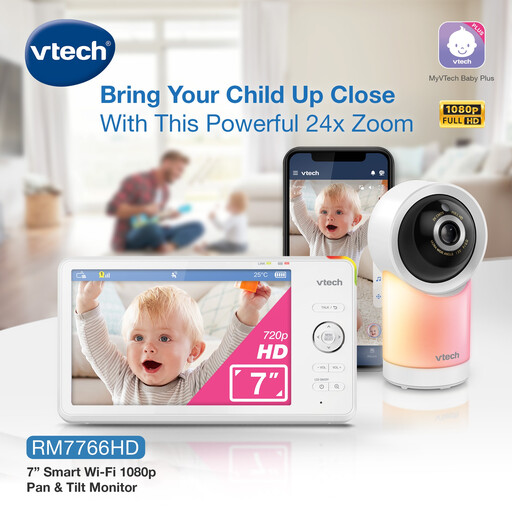
Consider this model if you want to check the nursery on a parent unit and also use phone viewing. Its name specifies a 7-inch display and pan-and-tilt design; check the app’s security-update information and test reception in your intended rooms. Follow the listing’s instruction to keep the camera and power cords at least 1 metre from the cot.
 No image available
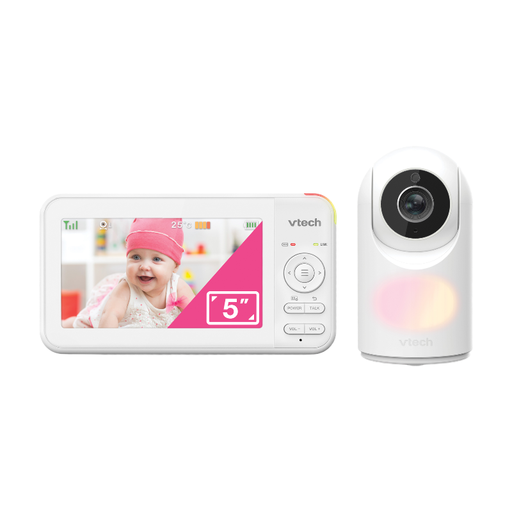
This is a parent-unit video option for checking the baby’s room from elsewhere at home. Its name specifies a 5-inch display and pan-and-tilt camera; check battery runtime if you expect to carry the display for long periods, and test reception between your rooms. The listing instructs users to keep camera and adapter cords at least 1 metre from the cot.
 No image available
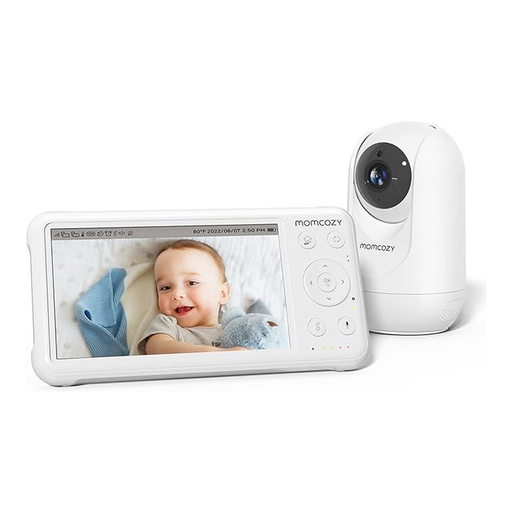
Consider the BM01 if you want a dedicated video display without Wi-Fi or app viewing. The product name lists a camera, wall mount, infrared night vision, two-way talk and a 5000mAh battery; treat its stated 960ft range as a specification to test in your own rooms. Secure the cords away from the cot.
 No image available
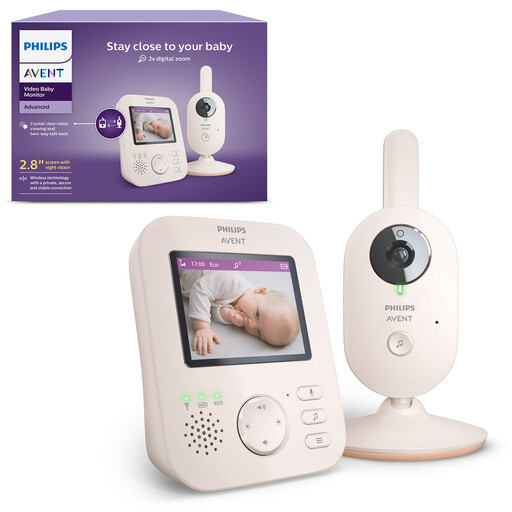
This dedicated video model suits an in-home view without app access. Test its reception where you plan to use the parent unit. The listing describes a UK 2-pin plug and says a suitable adapter is needed for three-pin sockets, so check your socket arrangement before buying; it also instructs users to keep the baby unit and power cords at least 1 metre from the cot.
 No image available
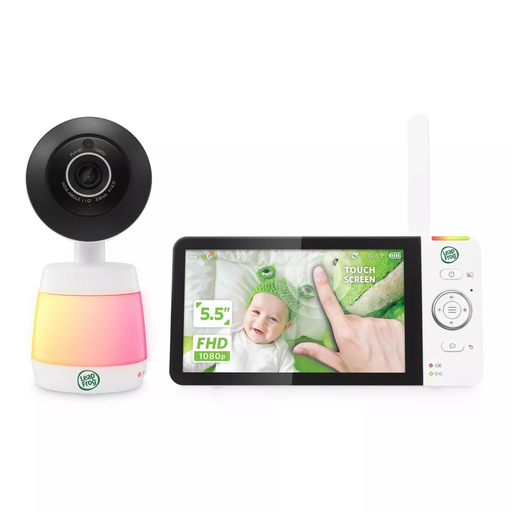
Consider this model if a local parent-unit view and phone access would both be useful. Its name specifies a 5.5-inch display; remote app use requires an internet connection and account setup. Check the stated security-update period and parent-unit battery runtime for your routine, then test the local connection between rooms.
No. The Lullaby Trust says there is no research showing that monitors prevent SIDS. Use a monitor for awareness, not as a replacement for adult supervision or safer-sleep practice.
Position them so the cable remains out of your child’s reach and equipment does not intrude on the sleep space. Electrical Safety First advises keeping appliance cables out of children’s reach; check your model’s mounting and cable-routing instructions before installation.
Check the manufacturer’s stated minimum security-update period and contact route for reporting security issues. The National Cyber Security Centre warns that unauthorised access to smart-camera feeds can occur in rare cases, so use unique account credentials and apply available updates.
No. A dedicated local-video monitor can show the baby’s room on its parent unit without app-based remote viewing. Choose a Wi-Fi or app-connected model when phone access has a clear use in your routine, and check its account and update requirements before buying.