Choose audio if hearing your child is your main need, a non-Wi-Fi video monitor if you want a dedicated viewer at home, or a Wi-Fi model if phone viewing is important. For use across rooms or in the garden, test the signal along the actual route and consider how long the parent unit lasts away from its charger. Connected viewing also calls for checks on app compatibility, account protection and security-update support; as The Lullaby Trust explains, no monitor replaces supervision.
Who needs which checks?
Garden and multi-room carers
If you carry a parent unit between floors or into the garden, test reception in each place you plan to use it. Which? highlights range and battery life as buying considerations, while Angelcare notes that household wireless devices can cause interference.
Families who want visual checks
A dedicated parent viewer lets you look into the room without opening a phone app. Check that the camera gives you a useful view of the sleep space, including in low light, and that the local connection works where you will carry the viewer.
Households wanting phone viewing
If you need access beyond a parent unit, check the exact model's app and remote-viewing features. The National Cyber Security Centre also advises against choosing smart devices whose manufacturer support has ended or will end soon.
What matters when choosing?
Decide whether sound, a dedicated picture or phone access is essential before comparing displays and extras. Whichever route you choose, check coverage between the nursery and every place you expect to use the monitor.
Audio
Choose it when: Hearing when your child may need attention is enough for your routine checks.
Trade-off: You cannot look into the room from the parent unit.
Non-Wi-Fi video
Choose it when: You want a picture on a dedicated parent viewer without using a phone app.
Trade-off: The viewer must remain within the monitor's effective local coverage.
Wi-Fi video
Choose it when: The exact model offers the phone or tablet viewing you need beyond a dedicated viewer.
Trade-off: Remote access brings app, internet, account-security and continuing software-support requirements.
| Concern |
What to check |
Who this matters to |
| Home and garden coverage |
Test reception from the nursery to the rooms and garden spots you will use; check out-of-range and battery indications. |
I need the feed to remain usable when I move upstairs or into the garden, rather than relying on a quoted range alone. Around 31% of consumers put dependable coverage first. |
| Seeing the room |
Check the view of the sleep space in daylight and low light, and whether you want a dedicated parent display. |
Hearing a sound is not enough when I want to look into the room before deciding whether to go in. For around 31% of consumers, visual checks are the primary need. |
| Phone viewing and security |
Confirm app compatibility, the stated security-update period and whether two-step verification is offered. |
I want to open the feed on my phone beyond the parent unit's reach, while managing access to the account. Phone viewing is the main priority for around 23% of consumers. |
| Sound-first monitoring |
Check audio clarity, the parent unit's battery arrangements and its out-of-range indication. |
If hearing when attention may be needed is sufficient, I would rather not set up a camera or app. Around 15% of consumers prioritise straightforward audio monitoring. |
Mistakes to avoid
-
Treating a quoted range as a garden guarantee
Walls, the layout of your home and nearby wireless devices can affect reception. Angelcare identifies routers, microwaves and other household devices as possible sources of interference.
Test the nursery-to-garden and nursery-to-upstairs routes with the parent unit on battery power and your usual household devices operating.
-
Overlooking connected-monitor support
A Wi-Fi monitor's account and software need attention after setup. The National Cyber Security Centre warns that devices without security fixes can become easier to compromise.
Before buying, check the exact model's stated security-update period. Use a strong, unique password and enable two-step verification if the app offers it.
-
Expecting a monitor to replace supervision
The Lullaby Trust says a baby monitor cannot replace a parent or carer's supervision and that research has not shown monitors prevent sudden infant death syndrome.
Choose monitoring features for the practical checks you need, while continuing to follow safer-sleep guidance and checking on your child directly.
Brands to consider for these monitor routes
VTech
VTech's UK range includes local video monitors and selected Wi-Fi models with parent displays and remote app viewing.
- Its own product information describes viewing on multiple devices away from home for selected Wi-Fi models.
- Check the exact model for app features, account protection and its stated support period; remote viewing is not a feature of every VTech monitor.
LeapFrog
LeapFrog's UK Baby Care range lists audio and video monitors, including models aimed at dedicated-viewer and app-based use.
- Selected Wi-Fi models offer parent-viewer use at home and remote viewing through the Baby Care+ app, according to LeapFrog.
- Confirm which viewing routes, app features and software support apply to the particular model you are considering.
Babysense
Babysense's non-Wi-Fi video range is relevant if you prefer a local parent viewer over an app route.
- Babysense lists a 5-inch 720p display and split-screen viewing for its HDS2 model.
- Its claims of up to 20 hours of battery life and up to 300 m of range for that model do not establish how it will perform in your home or garden.
Angelcare
Angelcare's support guidance is useful when planning where to place and test a wireless monitor at home.
- Its guidance identifies household devices that can interfere with wireless monitoring.
- That guidance does not establish a range advantage for any Angelcare model; test coverage in your own property.
Joybuy baby monitors
These video monitors cover dedicated parent-viewer choices and one model presented with app viewing. If sound-only monitoring is your priority, decide whether you need a screen before considering these products.
 No image available
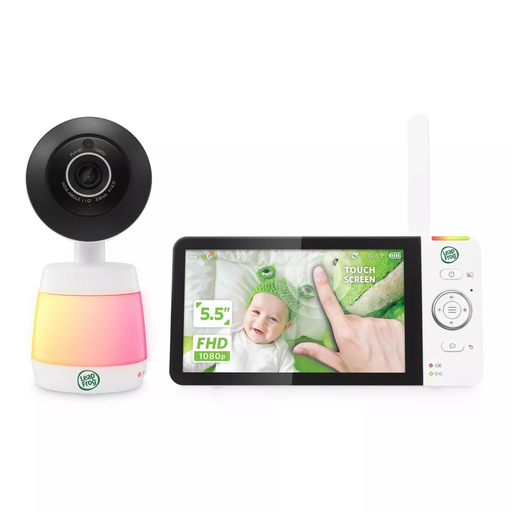
LeapFrog LF2936FHD Smart Video Baby Monitor, 5.5-inch, white
Consider this model if you want a dedicated parent viewer as well as the app-viewing route described for it.
The product name specifies a 5.5-inch display. Before relying on remote viewing, check app compatibility, account protections and the stated security-update period; test coverage and check parent-unit battery life for portable use.
View on Joybuy
 No image available
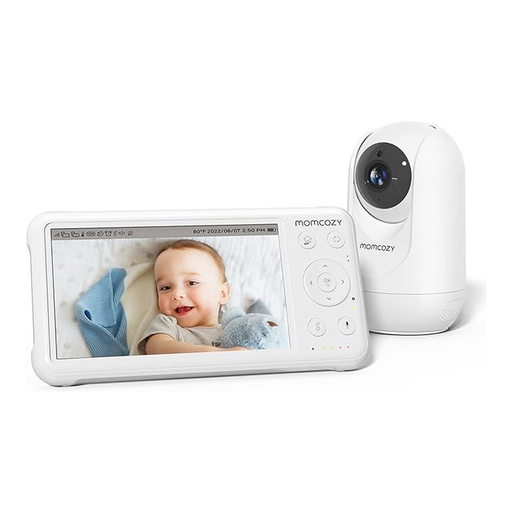
Momcozy BM01 1080P Video Baby Monitor, single pack
Consider this video monitor if you want a camera and parent viewer with the night-vision and two-way-talk features named for this variant.
The product name specifies 1080P video, infrared night vision and a 5000mAh battery, and claims a 960ft range. That range is not a garden-coverage result: test your intended route and confirm whether the connection needs Wi-Fi or internet.
View on Joybuy
 No image available
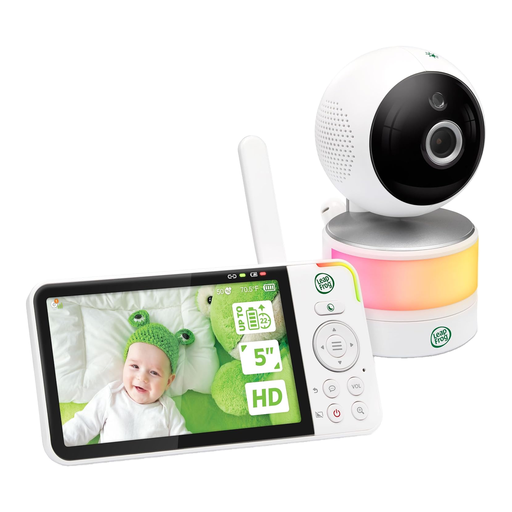
LeapFrog LF915HD PTZ Video Monitor, 5-inch, white
Consider this model if you prefer visual checks on a dedicated parent unit rather than routine phone viewing.
The product name specifies a 5-inch display. If you plan to carry the viewer around the home or garden, check its battery duration and test reception along that route.
View on Joybuy
 No image available
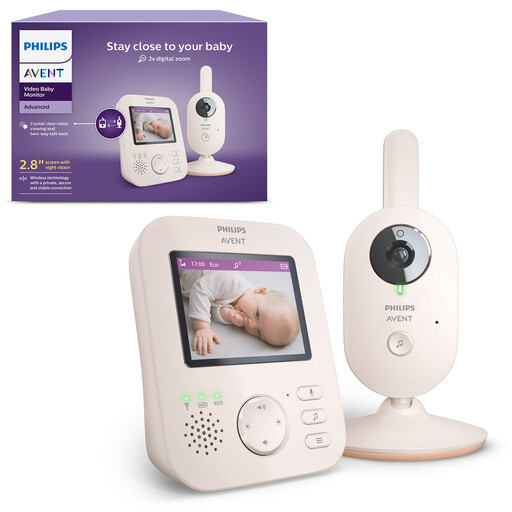
Philips Avent Advanced Video Baby Monitor SCD881/05, Coral Cream
Consider this model if you want local video viewing on a parent unit without making phone access part of your routine.
Check the supplied plug and adapter arrangement for your sockets before buying. Test reception where you will use the parent unit, and keep the camera and cords away from the cot as directed for this model.
View on Joybuy
 No image available
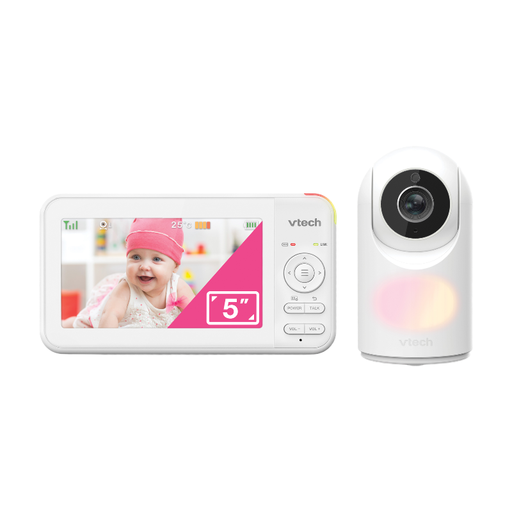
VTech VM5467 Pan & Tilt Video Baby Monitor, 5-inch, white
Consider this local-viewing model if you want to adjust the camera's direction from a dedicated parent unit.
The product name specifies a 5-inch display and pan-and-tilt controls. Check parent-unit battery duration if you will carry it away from its charger, and test the nursery-to-garden route rather than relying on a quoted range.
View on Joybuy
Frequently asked questions
Will a monitor's quoted range tell me whether it works in my garden?
No: a quoted range cannot establish reception along the route through your home and into your garden. Which? treats real-world range as an important buying consideration, and Angelcare notes that household devices can cause interference. Test the exact route you intend to use.
What security checks matter for a Wi-Fi baby monitor?
Check the exact model's stated security-update period and the protections offered by its app before buying. The National Cyber Security Centre advises avoiding smart devices that are unsupported or nearing the end of support; use a strong, unique password and enable two-step verification if available.
Do Wi-Fi baby monitors always require a subscription?
No; charges and included features depend on the model and service. VTech says remote access through MyVTech Baby Plus has no monthly subscription for selected models. Check the current terms for the exact monitor and any optional cloud features you want.
Can a baby monitor replace checking on my baby?
No. The Lullaby Trust says a monitor cannot replace a parent or carer's supervision and that research has not shown monitors prevent sudden infant death syndrome. Use monitoring as an aid alongside safer-sleep guidance and direct checks.
What should I do after setting up a connected monitor?
Keep the monitor's app and device software updated, and check that the model remains within its manufacturer-stated support period. The National Cyber Security Centre warns that smart devices without security fixes can become easier to compromise.


