What to check before choosing
Start by deciding how you will recover files after a problem, then confirm compatibility and leave room for the library to grow.
| Priority |
What to check |
Your needs |
| Separate recoverable copies |
Keep copies in more than one location; avoid leaving every copy connected to the same computer or account; test that original files can be restored. |
I want a local incident, ransomware event or accidental deletion not to affect every copy. The National Cyber Security Centre recommends planning for an offline backup and an off-site copy. |
| Device and format compatibility |
Check the intended backup method, drive file system, operating-system version, USB port and supplied cable before formatting or copying files. |
My household uses different devices, so the drive must work for the role I need, whether that is Mac Time Machine, Windows File History or manual file copies. |
| Capacity and account continuity |
Measure the current library and expected growth; check which services share a cloud quota; review sign-in recovery, renewal, cancellation and export terms. |
I need enough space for a growing photo and video library, and I want to retain access to an off-site copy if I change plan or provider. |
Joybuy product options
Joybuy product options for a portable local backup layer alongside a separately managed off-site copy.
 No image available
Lexar ES4 Portable SSD with Magnetic Set 2TB
For a larger local copy that moves between USB-C and USB-A devices.
Listed with 2TB capacity, USB 3.2 Gen 2 speeds up to 1,050MB/s read and 1,000MB/s write, plus USB-C and USB-A cables. Check the supplied file system and intended backup workflow before formatting; this is a local layer, not an off-site backup.
Joybuy
 No image available
Samsung T7 Shield Portable SSD 1TB Blue
For frequent local transfers when the drive travels with the household.
Listed with 1TB capacity, USB 3.2 Gen 2 performance and stated IP65 and up-to-3-metre drop resistance. Confirm the file system and backup method for Mac, Windows or mixed-device use, and retain a separate off-site copy.
Joybuy
 No image available
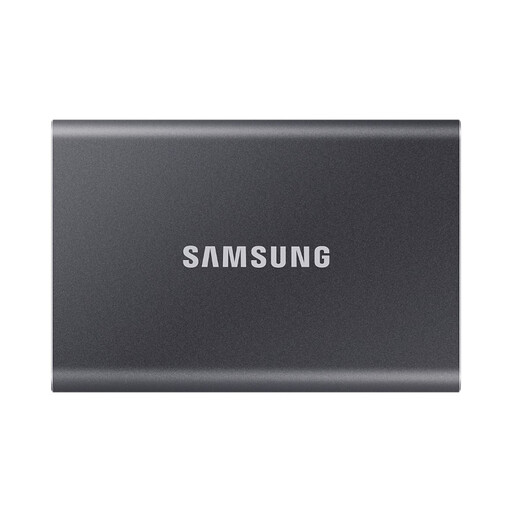
Samsung Portable SSD T7 1TB Grey
For regular photo-library or video-file transfers across compatible devices.
Listed with USB 3.2 Gen 2 speeds up to 1,050MB/s read and 1,000MB/s write, AES-256 hardware encryption and USB-C-to-C and USB-C-to-A cables. Confirm the supplied format and whether 1TB leaves sufficient room for future video growth.
Joybuy
 No image available
Western Digital My Passport Ultra Portable External Hard Drive 5TB Blue
For a mainly home-based archive that needs substantial local capacity.
Listed with 5TB capacity, USB 3.2 Gen 1 Type-C connectivity, a USB-A adapter and AES-256 hardware encryption. It is stated to be pre-formatted for Windows, with macOS use requiring reformatting; keep a separate off-site copy for irreplaceable files.
Joybuy
 No image available
SanDisk Portable SSD 2TB
For carrying a sizeable local photo, video and document copy away from the main computer.
Listed with 2TB capacity, read speeds up to 800MB/s, a 40g form and up-to-2-metre drop protection. Check the USB connector, supplied cable, write speed, file system and operating-system compatibility for every device before buying.
Joybuy
Frequently asked questions
Is iCloud Photos by itself a separate backup for family photos?
No. Apple states that iCloud Photos synchronises originals, edits and deletions across devices using the same Apple Account. Keep another separately managed location for files you cannot replace.
Can one external drive work for Mac Time Machine and ordinary shared files?
Potentially, but check the format first. Apple says Time Machine cannot back up to a Windows-formatted disk unless it is reformatted, which removes existing data; if general files are also needed on the same disk, consider a separate APFS volume rather than using the Time Machine volume as ordinary storage.
How should a Windows household use an external drive for backups?
Microsoft’s File History can use an external drive or network location. Confirm which folders are included, ensure the intended drive is available when backups run and restore a sample file before relying on the setup.
What UK consumer-rights checks matter before paying for cloud storage?
Read the renewal, price-change, cancellation, suspension, export and refund terms before subscribing. The Consumer Rights Act 2015 covers consumer contracts for services and digital content, while GOV.UK cloud-storage guidance advises checking renewal notices, service restrictions and the time needed to copy data elsewhere; check the current contract and applicable law before relying on cancellation rights.
What happens if a cloud subscription is cancelled or the account exceeds its allowance?
Check the provider’s terms before cancelling. Microsoft states that an over-limit OneDrive account cannot upload, edit or sync new files, while Google says a cancelled storage plan does not auto-renew. Download or make another local copy before changing plans rather than waiting until the account is full.


