Joybuy products for local storage
These products are portable external drives for keeping a local copy of selected photos and documents. An external drive alone does not establish versioned recovery, so check your backup process separately.
 No image available
Samsung Portable SSD T7 2 TB, Grey
A portable local-storage option for selected photos and documents.
2 TB capacity; USB Type-C; USB 3.2 Gen 2 (3.1 Gen 2).
The listing states that this drive is not a replacement for a comprehensive backup solution.
View on Joybuy
No image available
Samsung MU-PG4T0B 4 TB, Black
A portable external SSD for a growing collection of files.
4 TB capacity; USB Type-C; USB 3.2 Gen 2x2.
The listing says the drive is not waterproof or dustproof.
View on Joybuy
 No image available
Samsung Portable SSD T7 1 TB, Blue
A portable local-storage option for selected photos and documents.
1 TB capacity; USB Type-C; USB 3.2 Gen 2 (3.1 Gen 2). The listing describes USB Type-C to Type-C and Type-C to Type-A cables.
The listing states that this drive is not a replacement for a comprehensive backup solution and is not waterproof or dustproof.
View on Joybuy
 No image available
Samsung T7 Shield MU-PE1T0S 1 TB, Black
A portable external SSD for local copies where the listed enclosure rating is relevant to your use.
1 TB capacity; USB Type-C; USB 3.2 Gen 2 (3.1 Gen 2); IP65 rating.
The listing describes temporary water exposure, not long-term submersion. Samsung says the IP65 rating is based on controlled tests and liquid and dust damage are not covered by its warranty.
View on Joybuy
 No image available
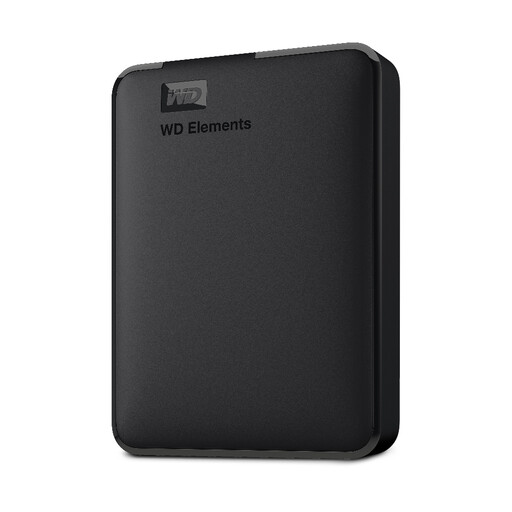
Western Digital Elements Portable 5 TB, Black
A portable external hard drive for a larger collection of photos and documents.
5 TB capacity; USB 3.0.
View on Joybuy
Frequently asked questions
Does a cloud folder that synchronises changes count as a separate backup?
Not unless you have checked that it can restore the files you need. Synchronisation can carry changes between locations, so check the service’s deleted-file and earlier-version retention and test restoring a file. Keep a distinct backup if you need protection beyond the service’s retention.
How can I check whether my files will open offline?
Check that the files are fully downloaded, then open representative originals with the internet disconnected. Microsoft Support explains that OneDrive Files On-Demand can leave files online-only or make selected files available offline; Apple distinguishes downloading originals to a Mac from optimising Mac storage.
Will a NAS automatically protect files if one is deleted?
Do not assume that it will. Check the configured backup task and its retained versions: Synology documents a multi-version Hyper Backup option and a single-version option that overwrites older backup data. Test restoring a file from a separate destination.
What should I check before paying for cloud backup?
Check the current plan’s capacity, covered devices and external drives, deleted-file retention, renewal terms and how to retrieve files if you stop paying. Backblaze’s documented retention conditions differ for disconnected external drives, so check the terms for the particular service and files you intend to protect.
What privacy checks matter when storing personal files in the cloud?
Check who may access your files and how the provider describes its security and availability. The UK Information Commissioner’s Office advises consumers to check these points and notes that a provider may use another organisation’s cloud services.


