An external drive gives you a local copy, while cloud storage can keep selected files available across devices; neither should be mistaken for a complete recovery plan without checking what it saves and how files can be restored. For household records that would be difficult to replace, use copies in separate locations and check folder coverage, backup-tool compatibility, version retention and account recovery. The National Cyber Security Centre cautions that neither local nor cloud backups resist destructive ransomware actions by default.
Who needs which kind of backup?
Households protecting hard-to-replace records
If losing documents, photos or scans would be highly disruptive, prioritise a copy stored separately from the original. The National Cyber Security Centre defines a backup as a copy of important data kept in a separate safe location.
People using several devices
If files move between your computer, phone or tablet, check which folders the service covers, what remains available offline and how you would regain access to the account. Microsoft, Google and Apple describe different folder, offline-access and recovery settings for their services.
People who prefer a local copy
An external drive keeps a copy under your physical control, but its format must suit the computer and backup tool you intend to use. Seagate, for example, distinguishes cross-platform file access from compatibility with built-in backup utilities.
What matters when choosing a backup setup?
Decide what loss you need to recover from, then check how each proposed copy is created, stored and restored. A local drive, a synchronised cloud folder and a dedicated backup service can serve different parts of that routine.
| Concern |
What to check |
Who this matters to |
| Recoverable separate copies |
Check which folders are copied, where the copy is kept and whether you can restore a file. The National Cyber Security Centre warns that local and cloud backups are not ransomware-resistant by default. |
If my computer fails or a file is deleted, I need a copy I can still restore. Around 33% of consumers would put that recovery need first. |
| Automatic multi-device access |
Check the selected folders and whether files are streamed, mirrored or retained as restorable versions. Google says mirroring stores a full local copy, while streaming uses less local space. |
When I switch devices, I want current files without remembering to copy them manually. Roughly 27% of consumers would prioritise that continuity. |
| Privacy and account recovery |
Check the encryption option and the recovery methods you would need if you lost access to a device or account. Apple requires an alternative recovery method before enabling iCloud Advanced Data Protection. |
For sensitive records, I want control over access without losing my own route back to the files. Around 20% of consumers would make that their primary concern. |
| Local access and compatibility |
Check the drive format against your operating system and backup utility, as well as how much space your files need. Seagate says exFAT suits cross-platform access but is not compatible with or recommended for File History or Time Machine. |
If my connection is unreliable, I want a copy I can reach locally. About 20% of consumers would put straightforward local access first. |
Backup mistakes to avoid
-
Assuming a synchronised folder is a complete backup
A change or deletion can affect synchronised files, and recovery depends on the service's settings and retention rules. The National Cyber Security Centre also cautions that cloud storage is not resistant to destructive ransomware actions by default.
Check that your important folders are covered, then try the restore procedure and confirm how earlier and deleted versions are handled. Keep another copy of records you cannot readily replace.
-
Choosing a drive format before choosing the backup tool
Seagate says exFAT can be used for Windows and modern macOS file access, but is not compatible with or recommended for Windows File History or macOS Time Machine.
Decide whether the drive is for files shared between computers or for one built-in backup utility. Copy existing files elsewhere before changing its format, as reformatting may erase them.
-
Turning on encryption without a recovery route
With iCloud Advanced Data Protection, Apple says recovery of end-to-end encrypted data depends on the account holder's configured methods; Apple cannot recover that data for them.
Set up the applicable recovery contact or recovery key before enabling the option, and keep the recovery information separate from the device you are protecting.
-
Sizing storage only for today's files
A backup routine may also need room for new files, mirrored copies or earlier versions. Recovery windows differ by provider and feature: Microsoft describes a 30-day OneDrive file-version history, while Backblaze describes several history options for Personal Backup.
Check expected file growth alongside the service's version and deletion rules before deciding whether the arrangement meets your recovery needs.
Relevant brands and services
Microsoft
Relevant when a household uses OneDrive for selected computer folders and may need earlier file versions.
- Microsoft says OneDrive can back up selected standard folders and make them available across devices.
- Microsoft describes 30-day file-version history; whole-OneDrive restoration is a separate Microsoft 365 feature. Check which recovery options apply to your account.
Google
Relevant for households using Drive for desktop that need to choose between local storage use and offline availability.
- Google documents streaming and mirroring modes; mirroring keeps a full local copy.
- Google warns that unsynchronised changes can be lost if modes change before uploads finish. Prepare account-recovery options as part of the routine.
Apple
Relevant to Apple-device households considering iCloud storage, backup and account recovery.
- Apple offers optional Advanced Data Protection for most iCloud data.
- With that option enabled, recovery of end-to-end encrypted data depends on the account holder's device credentials and configured recovery method.
Backblaze
Relevant when a household wants a dedicated computer-backup service with defined file-history choices.
- Backblaze describes 30-day, one-year and perpetual version-history options for Personal Backup.
- Check the conditions for the history option you choose and how continued access depends on maintaining the service.
Seagate
Relevant when comparing a drive for cross-platform file copies with one dedicated to a computer's built-in backup tool.
- Seagate says exFAT on its Expansion Portable supports access from Windows and modern macOS.
- Its guidance says exFAT is not compatible with or recommended for File History or Time Machine; choose the format for the intended utility.
External drives for local copies
These external drives are options for keeping local copies of household files. Choose the capacity and device fit for your own routine, and arrange a copy in another location if losing the drive would leave you without the records.
 No image available
Western Digital My Passport 2TB portable hard drive, black
Consider this for a separate local copy of documents and photos if 2TB suits the files you need to keep.
Portable external hard drive; 2TB. Before using it across computers, confirm compatibility with your exact operating systems and backup software, then decide where a separate-location copy will be kept.
Joybuy
 No image available
Western Digital My Passport Ultra for Mac 5TB portable hard drive, silver
This Mac-oriented drive is worth considering for a local copy when household files call for its stated 5TB capacity.
Portable external hard drive; 5TB. If you also plan to use Windows, check the driver and compatibility requirements for your exact system. Confirm the applicable warranty terms and how your backup software restores earlier files.
Joybuy
 No image available
DigiEra LPS2000M-3 1TB magnetic portable SSD, pink
Consider this portable SSD for a local copy if its 1TB capacity and USB-C connection fit your devices and files.
USB 3.2 Gen 2x2 external SSD. Check compatibility with the exact device you will use, particularly for the model-specific iPhone recording and magnetic-attachment uses named in the listing. Confirm the format and restore method needed for your backup routine.
Joybuy
 No image available
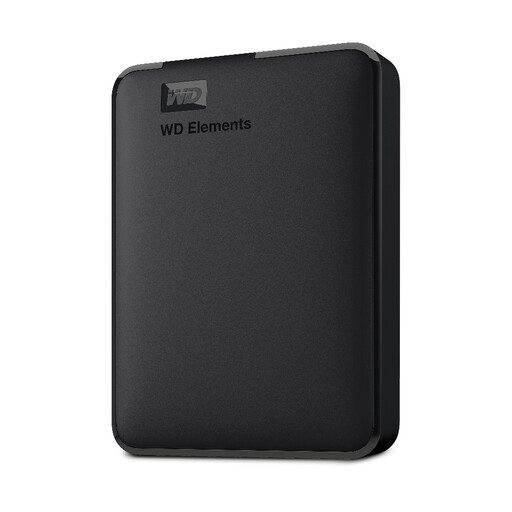
Western Digital Elements 1TB portable hard drive
This is an option for a straightforward local copy when 1TB covers the files you intend to back up.
Portable external hard drive; 1TB. Check the required format before using it with a Mac or a built-in backup utility, and plan how to keep another copy away from the computer.
Joybuy
Common questions
Is a synchronised cloud folder enough to back up household files?
Not on its own without checking recovery. Confirm which folders sync, whether earlier or deleted versions can be restored, and for how long. Google warns that unsynchronised changes may be lost during an incomplete change of Drive for desktop mode; the National Cyber Security Centre says cloud backups are not ransomware-resistant by default.
Can I use the same external drive with Windows and a Mac?
A suitable format can allow ordinary file access on both: Seagate cites exFAT for Windows and modern macOS. Seagate also says exFAT is not compatible with or recommended for File History or Time Machine, so check the format required by the backup utility you intend to use. Copy files elsewhere before reformatting a drive.
How long can I recover an older or deleted cloud file?
The window depends on the service and recovery feature. Microsoft describes 30-day OneDrive file-version history; Backblaze describes different Personal Backup history options; and Apple says deleted iCloud Drive files can be recovered within 30 days unless permanently removed. Check the terms of the feature you will rely on rather than treating any cloud folder as indefinite storage.
Do I need to plan account recovery if I enable stronger iCloud encryption?
Yes. Apple says that with Advanced Data Protection enabled, it cannot recover your end-to-end encrypted data for you. Set up an alternative recovery method, such as a recovery contact or recovery key, before enabling it and keep that method accessible if your device is lost.


