Joybuy options for local copies
These external hard drives and portable SSDs are options for keeping household photos and documents locally. Choose the capacity and connection for your computer, then plan a separate copy if losing the local drive would leave you without your files.
 No image available
Western Digital My Passport 2TB Portable External Hard Drive, Black
This portable drive suits a household wanting a 2TB local copy of photos and documents.
If scheduled copying matters, confirm that the backup software works with your computer; check macOS setup requirements before buying.
View on Joybuy
 No image available
Western Digital My Passport Ultra for Mac 5TB Portable External Hard Drive, Silver
This 5TB portable drive is a local-storage option for a larger household archive, particularly when choosing a drive for a Mac.
Check setup requirements if you intend to use it with Windows, and confirm the applicable warranty terms before purchase.
View on Joybuy
 No image available
Samsung Portable SSD T7 2 TB, USB Type-C 3.2 Gen 2 (3.1 Gen 2), Grey
This 2 TB portable SSD suits a household that regularly moves a local copy between compatible devices.
Check the computer connection and how you will copy files regularly; a portable local copy does not replace an off-site backup.
View on Joybuy
 No image available
Western Digital Elements Port. 4TB External Hard Drive, Black, USB 3.0
This 4TB local drive is an option for a household keeping a sizeable photo, video and document library.
Check whether your computer needs reformatting before use, and decide how you will keep its copies up to date.
View on Joybuy
 No image available
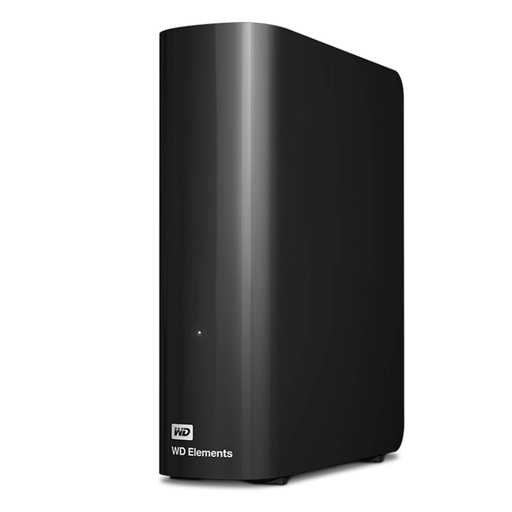
Western Digital Elements Desktop 10TB External Hard Drive
This desktop drive suits a household seeking a stationary 10TB local archive.
Allow space and power for a desktop drive, check the intended computer’s formatting needs, and keep another copy of files you cannot replace.
View on Joybuy
Common questions
Is cloud synchronisation the same as a backup?
No, you should not assume they cover the same data or offer the same recovery options. Apple distinguishes synchronised iCloud services from iCloud Backup snapshots; check how your chosen service handles deleted files and practise restoring what matters to you.
Can an iPhone or Android phone back up automatically?
Yes, when the relevant feature is enabled and its conditions are met. Apple says automatic iCloud device backups require power, Wi-Fi and a locked screen; Google describes automatic Android backup separately from Google Photos. Check the included data and the date of the last successful backup on each phone.
How much backup capacity should a household allow?
Start by measuring the photos, videos, documents and device data you intend to protect, then leave room for growth and any versions you need. For cloud storage, check what else uses the allowance: Google says Drive, Gmail, WhatsApp backups and Photos share account storage.
What should I check before renewing a cloud-storage subscription?
Check the renewal and cancellation terms, continued access to your files and how you would export them. GOV.UK consumer guidance advises watching for renewal or service-change notices and allowing time to transfer data or make another copy before leaving a provider.
Does a NAS remove the need for another backup?
No: a NAS can manage shared local storage and backup versions, but one kept at home is not an off-site copy. Synology describes multiple destinations for Hyper Backup; choose an independent destination and test that you can restore files from it.


