What to check before choosing
Start by deciding where the separate copy will live, then check storage limits, sharing rules and how you would regain access if a device or account becomes unavailable.
| Priority |
What to check |
Your needs |
| Separate recovery copy |
Keep copies on separate media; retain an off-site destination; disconnect a local drive when it is not needed. |
I want to restore files if a phone, computer or home-stored equipment is lost, damaged or affected by malware. |
| Storage capacity |
Measure the existing library; allow room for new photos and videos; check whether email and other files share the same quota. |
My archive needs to fit before automatic uploads begin, without unexpected interruptions when the allowance is full. |
| Access and sharing |
Check supported devices; review family-plan eligibility; set folder and album permissions separately from account access. |
I need the archive on the devices that matter, while keeping private household files separate from material I choose to share. |
| Account recovery |
Use strong, unique passwords; set up alternative verification; store recovery information away from the primary phone. |
I want access to remain recoverable if the only sign-in phone is lost or an account needs to be recovered. |
Joybuy product options
These Joybuy options cover external-drive and NAS routes for a separate local household archive. They are most useful as part of a wider arrangement that also includes an off-site recovery copy for irreplaceable files.
 No image available
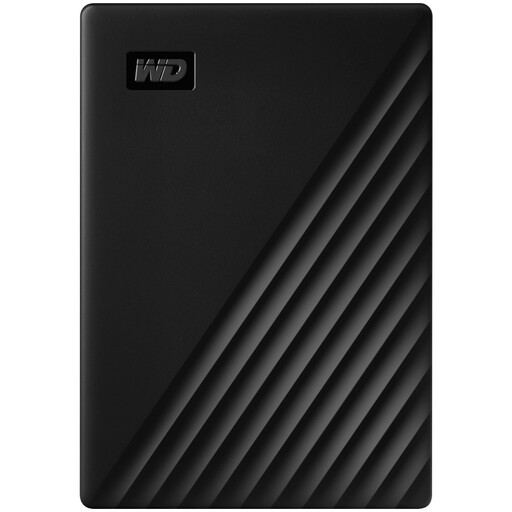
Western Digital My Passport 1TB Black
A portable local destination for a computer-based household archive, with stated scheduled backups through Acronis True Image for Western Digital.
1 TB capacity; USB 3.2 Gen 1 connection; stated 256-bit AES hardware encryption and password setup.
It is pre-formatted for Windows; macOS read/write use requires a downloadable driver. Keep a separate off-site copy for irreplaceable files and disconnect the drive when it is not backing up.
Joybuy
 No image available
Samsung Portable SSD T7 2 TB Blue
A 2 TB local copy option for households moving photo and video archives between compatible Windows, Mac and Android devices.
Stated 2 TB capacity; USB-C connection; supplied USB-C-to-C and USB-C-to-A cables; optional password protection and AES-256 hardware encryption.
Check the backup software and restore process you plan to use. This portable SSD is a local destination, not an off-site backup arrangement on its own.
Joybuy
 No image available
Synology DS225+ 2-Bay Diskless NAS
A central local archive option for several household computers, with stated file sharing, photo storage and personal-cloud functions.
2-bay diskless design; stated automated backup destinations include cloud services, external drives and remote NAS; stated RAID and snapshot features.
Storage drives are required before it can hold files. Plan the usable capacity, home-network setup and a separate external or cloud destination rather than treating the NAS as off-site recovery.
Joybuy
 No image available
Samsung T7 Shield Portable SSD 1 TB Blue
A portable local copy for files carried between compatible Macs, PCs and Android devices or stored away from the main computer.
1 TB capacity; USB 3.2 Gen 2 connection; stated AES-256 password setup; stated IP65 rating and up-to-3-metre drop resistance.
The IP65 statement is for temporary water exposure and does not permit submersion. Confirm the backup software and test a restore, then keep an additional off-site copy for irreplaceable files.
Joybuy
 No image available
Samsung MU-PG2T0B 2 TB Black Portable SSD
A 2 TB portable local archive for large files copied from compatible USB-C equipment.
2 TB capacity; USB Type-C and USB 3.2 Gen 2x2 connection; stated 256-bit AES hardware encryption, password authentication and up-to-3-metre drop protection.
The supplied cable is USB-C to USB-C, so check household computer ports and any adapter requirements. Confirm the backup and restoration workflow before relying on it.
Joybuy
Frequently asked questions
Is syncing photos to one cloud account enough to count as a backup?
It can provide a separate off-site copy, but it is not automatically resilient against every failure. The National Cyber Security Centre defines a backup as a separate copy that can be restored and warns that ransomware incidents have affected connected USB, network and cloud storage locations. Keep more than one recovery path for irreplaceable files, with at least one copy offline or digitally disconnected when not in use.
How much free cloud storage do the main household ecosystems include?
Google states that a Google Account includes up to 15 GB shared across Gmail, Drive and Photos. Apple states that iCloud includes 5 GB free, while Microsoft states that a personal Microsoft account includes 5 GB shared across OneDrive files and photos, Outlook attachments and Microsoft 365 apps. Check current availability and existing use before enabling automatic photo backup.
Can family members share storage without seeing each other’s private files?
Often, yes, but the service and setup matter. Apple says Family Sharing can share an iCloud+ plan while each person’s files and documents remain private, although members can see storage use. Google says family-plan members can see shared-storage use but cannot access one another’s files without permission. Do not share a personal login simply to share capacity.
What should be set up before enabling stronger iCloud encryption?
Set up a recovery route first. Apple says Advanced Data Protection requires arrangements such as a Recovery Contact or Recovery Key and that the user is responsible for recovering protected data if access is lost. Store the recovery information separately from the primary device and make sure it can be used when needed.
What should I do if the phone used for two-step verification is lost?
Use a recovery method that is not only on that phone. Google lists options including another signed-in phone, an additional phone number, saved backup codes, a hardware security key or a passkey on another device. Set up and protect at least one alternative before a device is lost.


