Choose a backup arrangement by the copy you need to restore, not just where your files appear. An external hard drive suits a local archive, an SSD suits a working collection moved between devices, and network-attached storage (NAS) suits a household willing to manage shared storage; cloud storage can add an off-site copy, but you must check which files remain available offline. Keep important material in more than one independent destination rather than relying on a single drive, synced folder or RAID array.
Who needs a backup plan?
People protecting irreplaceable memories
If family photos, videos and documents would be difficult to recreate, plan for a recoverable copy beyond the device used every day. Synology recommends a separate backup destination even for files held on a NAS.
Households needing offline access
If you need to open files when the internet is unavailable, check whether they are stored locally. Microsoft Support explains that online-only OneDrive files can appear on a computer but cannot be opened offline.
People managing a growing library
When photos and files accumulate across devices or household members, compare the collection's size with the storage capacity you can manage and back up. Seagate lists portable and desktop drive capacities, while Synology documents shared NAS backup options.
What matters when choosing?
Decide which copy must survive a loss, then check where it will be stored and how you will open or restore it. The routes below can also be combined: a convenient working location need not be the only backup.
External hard drive
Consider it when: You want a directly connected local archive that you can copy to and disconnect.
Trade-off: One drive remains a single destination, so important files need another independent copy.
External SSD
Consider it when: You regularly carry or move a working collection between compatible devices.
Trade-off: Check that the chosen capacity fits the collection; an SSD alone is still only one copy.
Network-attached storage
Consider it when: Several people or devices need a central household archive and you can manage its backup jobs.
Trade-off: Synology cautions that RAID does not remove the need for a separate backup destination.
Cloud storage
Consider it when: Access away from home or an off-site copy is important to you.
Trade-off: A visible file may be online-only; Microsoft Support says such OneDrive files require internet access to open.
Local and cloud copies
Consider it when: Important files need both a local restore option and a copy away from the same location.
Trade-off: You must check that copies complete and that you can restore a file from them.
| Concern |
What to check |
Who this matters to |
| Recoverable copies |
Look for a separate backup destination, version history and a way to test restoration. |
If my family archive cannot be recreated, I want to recover it even if one device or copy is lost. Around 31% of consumers put recoverability first. |
| Offline access |
Check the cloud service's file-status indicators and which folders are kept on the device. |
I need to open essential files without an internet connection, not merely see their names in a folder. For around 25% of consumers, offline access is the primary concern. |
| Room to grow |
Compare the current library and expected additions with the exact capacity variant. |
My collection keeps expanding, and I do not want to split or clear it just to make the next backup. Capacity leads the decision for around 25% of consumers. |
| Portable transfers |
Match the drive's connector and supplied cable to the ports on the devices you will use. |
When I move a working collection between devices, carrying and connecting the drive easily matters most. Around 19% of consumers prioritise that transfer workflow. |
Backup mistakes to avoid
-
Assuming a synced folder is fully available offline
Microsoft Support says online-only OneDrive files can remain visible in File Explorer while requiring an internet connection to open.
Inspect file-status indicators, mark essential folders to stay on the device and check that the device has room for them.
-
Using a NAS or RAID array as the only backup
Synology warns that a RAID crash or hard-drive failure can still cause data loss. Shared storage and recoverable backup copies serve different purposes.
Set up a separate backup destination and try restoring a small sample of files.
Maintaining that separate destination requires additional storage or cloud capacity.
-
Assuming an account export captures every recent change
Google warns that changes made while an export archive is being created may not appear in that archive.
Keep the source account available until you have downloaded and unpacked the export, then open representative files from the new copy.
-
Choosing a drive by its connector or capacity alone
Seagate says its Expansion Portable drive runs at slower USB transfer rates through a USB 2.0 port or hub. Stated capacity also needs to accommodate the actual collection.
Check the ports and cables used for both backup and restoration, then allow capacity for the library to grow.
Brands to consider for these storage routes
Seagate
Its Expansion range includes directly connected portable and desktop storage for local archives.
- Seagate UK lists 2 TB and 4 TB Expansion portable variants and desktop options from 4 TB to 30 TB.
- Check the exact drive's connection and compatibility; one drive does not provide an independent second copy.
Samsung
Its Portable SSD T7 family is relevant to a compact, directly connected working copy.
- Samsung UK lists T7 variants in 500 GB, 1 TB, 2 TB and 4 TB capacities.
- Confirm the exact model, cable and host connection; keeping files on one SSD alone does not create an independent backup.
Synology
Its NAS documentation is relevant to households considering shared storage and configured backup jobs.
- Synology documents backup destinations including USB storage, another NAS, remote servers and public clouds.
- Synology warns that RAID failures can still cause data loss, so plan a separate backup destination.
Joybuy product choices
These directly connected hard drives and SSDs suit local archives or portable working copies. Compare each capacity with your collection, and arrange another independent destination for files you cannot replace.
 No image available
Western Digital My Passport Ultra portable hard drive, 5 TB, blue
Consider this portable drive for a local copy of a photo and file collection if 5 TB leaves enough room for growth.
Check the required Mac setup and connection for your computer before buying. Keep another independent copy of important files.
View on Joybuy
 No image available
Samsung Portable SSD T7, 2 TB, grey
Consider this portable SSD for a working collection moved between compatible devices, provided 2 TB fits the files you need to carry.
Its stated interface is USB 3.2 Gen 2; check your computer's port and cable rather than assuming a particular transfer speed. Retain a separate backup copy.
View on Joybuy
 No image available
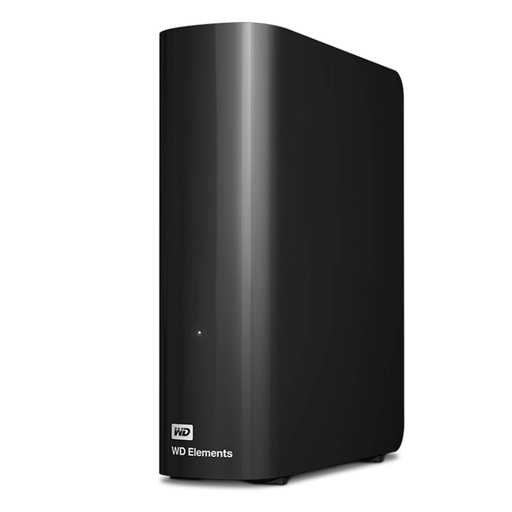
Western Digital Elements desktop hard drive, 10 TB
Consider this desktop drive for a largely stationary local archive if 10 TB suits your current collection and expected growth.
Plan space near the computer and a power outlet. Check the intended filesystem before Mac use, and keep a separate copy of important files.
View on Joybuy
 No image available
Western Digital Elements portable hard drive, 4 TB, black
Consider this portable drive for a local photo and file copy if its 4 TB capacity accommodates the collection and future additions.
Its product name specifies USB 3.0. Check the connection and whether your intended Mac setup requires reformatting; do not make it your only copy.
View on Joybuy
 No image available
Samsung T7 Shield portable SSD, 1 TB, blue
Consider this portable SSD for a smaller working collection carried between devices, after checking that 1 TB is sufficient.
Its stated interface is USB 3.2 Gen 2; check host compatibility. Treat it as one storage destination, not the only backup for important files.
View on Joybuy
Common questions
How can I tell whether cloud files are stored on my computer?
Check the service's file-status indicator and offline setting, not just whether a filename appears. Microsoft Support says online-only files in OneDrive Files On-Demand cannot be opened without an internet connection; mark essential folders to stay on the device and make sure there is enough local space.
Does downloading a Google data archive remove my photos from Google?
No. Google Photos Help says downloading your data does not delete it from Google's servers. Keep the source account available while the archive is created, and check for changes made after requesting it.
Can I download a whole Amazon Photos album through a web browser?
Not directly through the method described in Amazon's UK customer-service guidance: open the album, select the pictures you want and download them. For a large collection, try a small selection and inspect the downloaded files before relying on that process for a move.
Is RAID in a NAS a backup?
No: RAID should not be the only protection for files on a NAS. Synology warns that a RAID crash or hard-drive failure can still cause data loss; configure a separate backup destination and test that you can restore files from it.
What support terms should I check for an external drive?
Check the terms for the exact model and seller, including what support or recovery service is included and where it applies. Seagate notes that warranty periods can vary by region and that stated recovery services may not be available in every country.


