Joybuy product choices for local backups
These products cover portable SSDs and removable microSD cards for keeping a local copy of photos, videos and documents. Check device compatibility and test the file-copy and restore process before relying on any storage device.
 No image available
Samsung Portable SSD T7 2 TB, Blue
A portable local-storage option for keeping photos, videos and documents together or moving files between compatible devices.
2 TB; USB 3.2 Gen 2; USB-C and USB-A cables listed; Windows, Mac and Android use listed. Optional AES 256-bit encryption is described for this model.
Joybuy
No image available
Samsung Portable SSD T7 1 TB, Blue
A portable local-storage option for photo libraries, videos and documents when the selected files fit the available capacity.
1 TB; USB 3.2 Gen 2; USB-C and USB-A cables listed; Windows, Mac and Android use listed. Optional AES 256-bit encryption is described for this model.
Joybuy
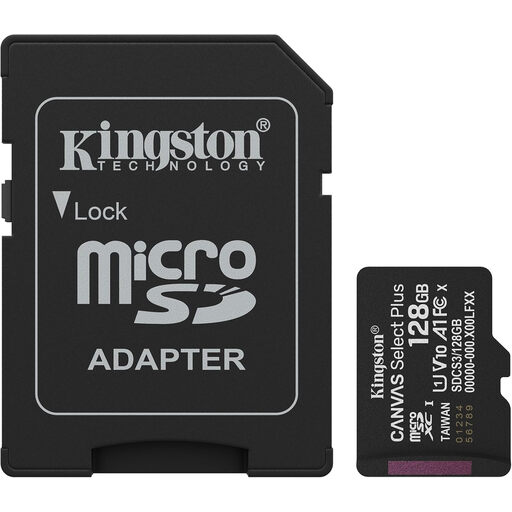 No image available
Kingston Canvas Select Plus 128 GB microSDXC with Adapter
A removable-media option for saving photos and videos when the source device supports microSD cards.
128 GB; Gen 3; A1; read speeds up to 150 MB/s; SD adapter included. Check device support and the file system needed for your files.
Joybuy
 No image available
Samsung MU-PE1T0S 1 TB USB Type-C 3.2 Gen 2, Black
A portable SSD option for keeping a local copy of important files; retain another copy and test restoring from it.
1 TB; USB 3.2 Gen 2; read speeds up to 1,050 MB/s and write speeds up to 1,000 MB/s. The description advises against long-term submersion and recommends keeping a separate backup.
Joybuy
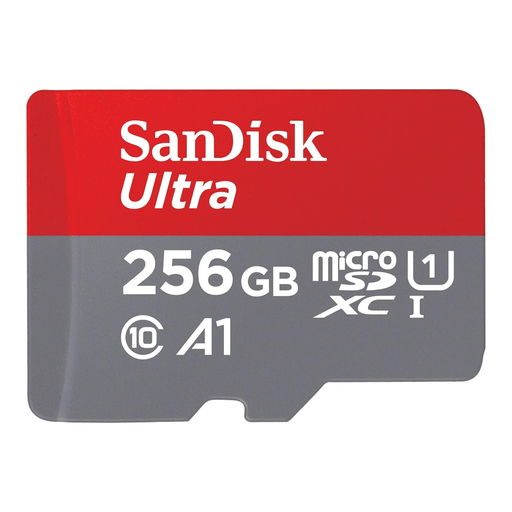 No image available
SanDisk Ultra 256 GB microSDXC with SD Adapter
A removable-media option for Android-device storage when the device supports microSDHC or microSDXC cards.
256 GB; read speeds up to 150 MB/s; SD adapter included. Check the host device’s card format support before choosing this card.
Joybuy
Frequently asked questions
What should I check before wiping or trading in my old device?
Check which data categories and folders are included, confirm the backup has completed and practise restoring representative files. Google Android Help notes that a backup from a higher Android version cannot be restored to a phone running a lower version, and not every app restores all its data.
How do I size a backup without guessing from the number of photos?
Measure the files you intend to preserve using consistent units, then account for other use of the same storage allowance and any versions you retain. Google storage is shared across services. For Time Machine specifically, Apple Support ideally recommends a disk with at least twice the Mac’s storage capacity, while noting that a smaller disk may still work and older backups are removed as space runs low.
Why will a large video not copy to a USB drive with plenty of free space?
A FAT32-formatted drive cannot store an individual file of 4 GiB or larger. Use a file system supported by both the source and restore devices; formatting erases existing data, so preserve anything you need before reformatting.
Does unplugging a drive make me ransomware-proof?
No; unplugging a drive does not guarantee protection. The National Cyber Security Centre recommends keeping a backup offline and not connecting every copy at once, because connected USB, network and cloud locations have been affected in ransomware incidents. Maintain the copy and test restoring from it; being disconnected does not verify its contents.
Will exported photos open on my replacement device?
Check the file formats and test them in the destination apps before relying on an export. Apple Support documents HEIF and HEVC support on iOS 11 and later and macOS High Sierra 10.13 and later, with limitations on some older devices. The Most Compatible camera setting creates new photos and videos as JPEG and H.264; it does not mean existing files have been converted.


