Households protecting family photos
If photos and videos on phones or computers would be difficult to replace, check that your storage has room for the collection and that another copy will remain available if devices at home are lost.


Choose an external drive for local restores when broadband is unreliable, cloud storage when access away from home matters, or a network-attached storage device (NAS) when several devices need a shared local destination. For photos or work files you cannot recreate, combine a local copy with one kept away from home, and check that you can restore both. File sync is useful for current files, but changes and deletions can sync too; it should not be your only recovery plan.
If photos and videos on phones or computers would be difficult to replace, check that your storage has room for the collection and that another copy will remain available if devices at home are lost.
If coursework or documents move between a laptop, phone and tablet, access away from home matters. Check which files remain available offline and how to recover an accidental deletion.
Work files and business records need a recovery plan as well as secure account access. If the files include client personal data, consider the relevant data-protection responsibilities before choosing a provider.
Decide first whether you need rapid local recovery, access across devices, or both. Then check whether the arrangement protects a separate copy when a drive fails, an account is compromised or a file is deleted.
Choose it when: You need a local copy or cannot depend on broadband for a large upload; the National Cyber Security Centre recommends external storage where internet access is unreliable.
Keep in mind: A drive kept beside the computer is vulnerable to the same local incident, and one left connected may be affected by malware.
Choose it when: Several household or home-office devices need a shared local place for files and backups.
Keep in mind: A NAS needs compatible drives, configuration and maintenance; one in your home is not an off-site copy.
Choose it when: An automatic copy away from home matters more than restoring directly from a local drive, and your connection can handle uploads.
Keep in mind: Check which computers, attached drives and files are covered, and how a full restore works.
Choose it when: You need current coursework or work files on several devices, including when away from home.
Keep in mind: Edits and deletions can spread between devices, so check recovery options and keep an independent backup.
Choose it when: You need both a local restore route and a copy away from home for photos, coursework or work files you cannot recreate.
Keep in mind: Both copies need to complete reliably, and you must be able to restore from each.
| Concern | What to check | Who this matters to |
|---|---|---|
| Independent recovery | Check for a separate off-site copy, a local copy that can be disconnected, and a workable restore procedure. | If losing a computer or its connected drive could take my only copy with it, I need another way to recover the files. Around 33% of consumers would put independent recovery first. |
| Access across devices | Check supported devices, included folders, offline-file settings and deleted-file recovery. | Coursework or work files need to be available when I switch devices or leave home. For around 27% of consumers, that access would be the primary concern. |
| Capacity and photo quality | Measure the library and allow for growth; check shared account storage and the selected photo-upload quality. | If my photo and video collection is growing, I want room for it without unintentionally changing the quality of files I intend to keep. Preserving that collection would come first for around 20% of consumers. |
| Security and records | Check account recovery, two-step verification and sharing controls; assess provider terms if storing client personal data. | When my backup contains work records or client information, I need to control access and retain what my business requires. Around 20% of consumers would make those responsibilities their main priority. |
The National Cyber Security Centre warns that a connected backup can be affected by the same incident as the computer. A drive kept at home also cannot protect against the loss of everything stored there.
Keep another copy away from home, disconnect a local backup drive when it is not in use, and try restoring a file rather than relying only on a completed-backup message.
A deletion or unwanted edit may sync to other devices. Microsoft provides OneDrive recovery features, but its stated deleted-file window for personal accounts is limited.
Check the service's version and deleted-file rules, then use a separate backup destination for files you cannot recreate.
Google says Drive, Gmail, WhatsApp backups and Photos can share account storage. When an account is full, new uploads and photo backups can stop.
Add up existing files and device backups, allow for a growing photo library, and check whether your chosen upload setting preserves the quality you need.
A cloud copy is difficult to use if you lose account access. Where a self-employed person acts as a controller and a provider processes client personal data, Information Commissioner's Office guidance says the arrangement needs an appropriate written contract.
Use a unique password and two-step verification where available, secure recovery details, review sharing permissions and assess provider terms before uploading client data.
iCloud and iCloud+ are relevant when iPhone or iPad backup and access across Apple devices are central to your plan.
Google Photos, Drive and Google One are relevant to households already using Google accounts across phones and computers.
OneDrive is relevant to Windows and Microsoft 365 users who want selected working folders available across devices.
Synology NAS devices, including its two-bay DS225+, are relevant when several devices need a central local destination.
Backblaze Personal Backup is relevant to people seeking automated computer backup rather than a folder-sync service.
These portable drives can provide the local-storage part of a backup plan for photos or work files. Choose capacity against your actual collection, decide how files will be copied and restored, and keep a separate copy away from home for protection against a local loss.
 No image available
A portable local copy to consider for a sizeable collection of photos or work files.
5TB external hard drive. Check that your files fit and that your chosen backup method can restore them; keep another copy away from home.
 No image available
A portable local destination if your files fit within its stated capacity.
2 TB SSD with USB Type-C 3.2 Gen 2 (3.1 Gen 2). Confirm your device connection and backup-and-restore routine; this drive alone is not an off-site copy.
 No image available
A portable local copy to consider when 1TB is sufficient for the files you intend to protect.
USB Type-C 3.2 Gen 2 (3.1 Gen 2) SSD. Check the restore process and maintain another copy away from home.
No image available
A portable local destination for work files or photos that fit within 1 TB.
USB Type-C 3.2 Gen 2 (3.1 Gen 2) SSD. Plan how you will copy and recover earlier files, and keep a separate off-site copy.
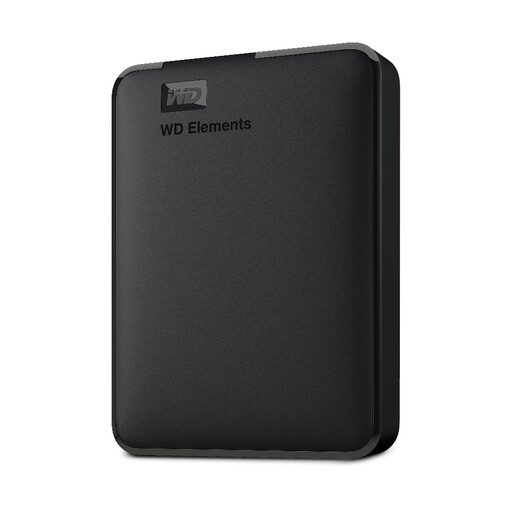 No image available
A portable local copy to consider after checking the size of your photo and document collection.
2TB external hard drive with USB 3.0. Confirm the capacity of the selected variant and your intended backup and restore method; use another destination for an off-site copy.
No: sync keeps current files available across devices, but unwanted changes and deletions can spread too. Microsoft says deleted files in personal OneDrive accounts can generally be restored within 30 days; check the applicable recovery features and keep an independent copy of files you cannot replace.
Use an external drive or NAS for a local backup rather than depending on every upload completing over an unreliable connection. The National Cyber Security Centre recommends external storage in this situation; disconnect a backup drive when it is not in use and arrange a copy away from home as well.
Measure the files and device backups you intend to protect, then leave room for the collection to grow. If you use a Google account, include the storage shared by Drive, Gmail, WhatsApp backups and Photos, and check the photo-upload quality setting before choosing a capacity.
Use a unique password and enable two-step verification where available, as the National Cyber Security Centre recommends. Review account-recovery methods and sharing permissions before relying on that account to retrieve your files.
If you act as a controller and a cloud provider processes client personal data for you, Information Commissioner's Office guidance requires an appropriate written contract or other legal act covering the processing. Separately, GOV.UK says self-employed people must keep relevant business records for at least five years after the 31 January submission deadline for the relevant tax year; choose a backup arrangement that lets you retain and recover those records.