What matters when choosing?
Decide whether you primarily need recoverable copies, room for an archive, frequent portable transfers or access across devices; then check the requirements of that workflow.
| Concern |
What to check |
Who this matters to |
| Recoverable backups |
Check how copies are scheduled and how you would restore an earlier file version. Plan where a disconnected or off-site copy will be kept. |
If losing or changing a document would leave me without a usable copy, I need a repeatable backup and a restore I can test; around 36% of consumers put recovery first. |
| Archive capacity |
Compare the space your files use now with expected growth, and decide whether the drive will hold a working library or its backup. |
As my photo and video folders grow, I want room to keep copying them without repeatedly clearing the archive; capacity is the primary need for around 29% of consumers. |
| Portable transfers |
Check the computer port, drive interface and cable together; quoted maximum speeds depend on a compatible connection. |
When I move large files often or take a drive between places, transfer time and ease of carrying it matter most; roughly 21% of consumers prioritise this need. |
| Access across devices |
For a physical drive, check each device’s connector and file-system support. For cloud storage, review sharing, account recovery and cancellation terms. |
If I need files on more than one device or away from home, I care most about access without losing control of the account; around 14% of consumers put this first. |
Portable drives for local storage
These Joybuy portable SSDs and hard disk drives offer local storage for laptop files and photo archives. Choose a separate backup routine and off-site copy where recovery from a lost or damaged drive matters.
 No image available
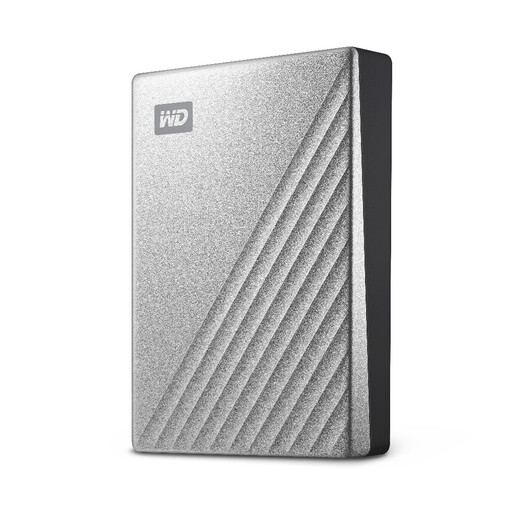
Western Digital My Passport Ultra 4TB Silver
Consider this portable hard disk drive when a sizeable local copy of laptop files or photos matters more than frequent large-file transfers.
Capacity: 4TB. Check its format and backup-software compatibility with your computer, then test how you would restore a file.
View on Joybuy
 No image available
Samsung Portable SSD T7 2 TB Grey
This portable SSD suits a local copy that you also need to carry or update with large files regularly.
Capacity: 2 TB; interface: USB 3.2 Gen 2. Check your computer’s USB connection and set up a repeatable backup and restore process.
View on Joybuy
 No image available
Samsung MU-PG4T0B 4 TB Black portable SSD
Consider this model if you want a larger portable local archive and expect to transfer files regularly.
Capacity: 4 TB; interface: USB 3.2 Gen 2x2. Check whether your computer supports that interface, and arrange scheduled copies and a restore test separately.
View on Joybuy
 No image available
Samsung T7 Shield MU-PE1T0S 1TB Black
This portable SSD is worth comparing if you carry a local copy between locations and need 1TB of storage.
Interface: USB 3.2 Gen 2. Samsung’s T7 Shield speed and resistance claims depend on specified test or connection conditions; check the exact host, cable and protection terms. The drive still needs a backup routine.
View on Joybuy
 No image available
Western Digital My Passport Ultra 5TB Blue
This portable hard disk drive is a capacity-led option for a growing local photo or document archive.
Capacity: 5TB. Check the file format required by your computer before use; formatting can erase existing files. Handle the drive carefully and test your intended restore process.
View on Joybuy
Common questions
Does moving files off my laptop count as a backup?
No, not if the external drive then holds your only copy. Set up regular copies of the folders you need, check that you can restore a file and keep an off-site or disconnected copy of irreplaceable material. Microsoft Support says Windows File History can make regular copies and restore earlier versions.
Which format should I use to exchange files between a Mac and Windows PC?
For ordinary file exchange, Apple Support identifies ExFAT as an option for a disk over 32GB used with Windows computers. Back up existing files before formatting. A Time Machine backup has different requirements: Apple says APFS or APFS Encrypted is preferred and a Windows-formatted disk cannot be used for that backup.
Can my external Mac Photos library share a drive with Time Machine?
No: Apple Support says a Photos library cannot be stored on a storage device used for Time Machine backups. Apple also advises against keeping that library on removable storage such as a USB flash drive or SD card; choose storage for the library separately from its backup.
What should I check before choosing cloud storage?
Check the allowance, which files are actually copied, sharing controls, account recovery and what happens to access if you cancel or exceed the storage limit. Google One Help says the standard Google Account’s allowance of up to 15GB is shared across Drive, Gmail and Photos. The Information Commissioner’s Office advises checking whether a provider’s security and availability suit your files.
Should I encrypt a portable drive containing personal files?
Encryption is worth assessing if a drive containing personal information could be lost or stolen. The Information Commissioner’s Office says encryption can protect stored personal information against unauthorised access. Check how the exact drive enables it, and keep the password somewhere you can recover it without storing it on the drive.


