Backup buying priorities
Start by mapping essential records and where they are stored, then match the backup route to recovery, retention and access-control requirements.
| Priority |
What to check |
Your needs |
| Recovery coverage |
List where contacts, invoices, documents, email and shared files are held. Check that the chosen service or device covers each location, supports earlier restore points where needed, and allows a representative restore test. |
I need the files and services that keep work moving to be recoverable after disruption, not simply a copy of one computer. |
| Protection from deletion |
Use separate backup administration credentials and MFA for destructive actions. For removable media, disconnect and store it separately; for cloud services, check version recovery and documented deletion controls. |
I do not want one compromised everyday account or connected device to reach every recovery copy. |
| Retention and personal data |
Calculate capacity for protected data, growth, backup frequency and version history. Set and review retention by data type, and check the processor contract when a supplier handles personal data. |
I need backup history that supports recovery without keeping staff, customer or contact data longer than necessary. The ICO says retention must be justifiable. |
| Access and supplier location |
Check role-based access, separate accounts, MFA and the provider’s processing and support locations. Review transfer documentation if a separate organisation outside the UK can access personal data. |
I need authorised staff to restore data without giving unnecessary access to backup contents or administration settings. |
Joybuy product options
Joybuy product options for local NAS and separately stored external backup copies within a small-organisation backup arrangement.
 No image available
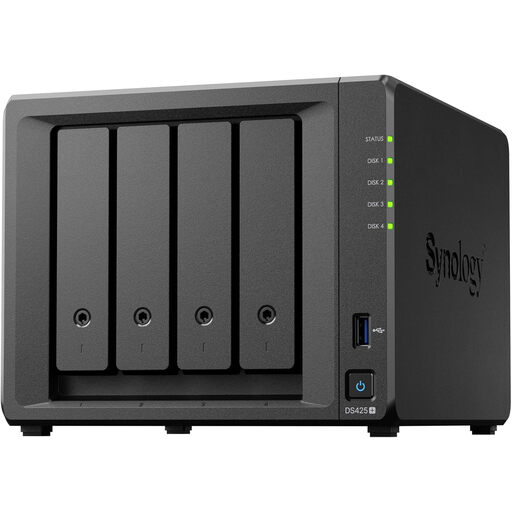
Synology DS425+ 4 Bay NAS
For a small office that needs centralised storage for shared operational files and a local backup destination.
Stated features include granular access controls, audit logs, automated backups and snapshots. Check installed drives, RAID configuration, backup destination, restore procedures and administrator safeguards; retain a separate offline or offsite copy.
Joybuy
 No image available
Western Digital My Passport 2TB Portable External Hard Drive
For rotating a portable, separately stored copy of documents and operational files between locations.
2TB capacity, USB 3.2 Gen 1, USB bus power and scheduled local backups through Acronis software are stated. The listing states Windows 10+ compatibility and macOS 11+ use with a downloadable driver; check device compatibility and capacity for retained versions.
Joybuy
 No image available
Samsung MU-PE1T0S 1TB USB Type-C External SSD
A compact option for a disconnected additional copy moved between compatible PCs and Macs.
Stated specifications include 1TB capacity, USB 3.2 Gen 2 Type-C connectivity, IP65 protection and drop resistance. Confirm host USB capability, backup scheduling, retention, encryption setup and restore workflow before deployment.
Joybuy
 No image available
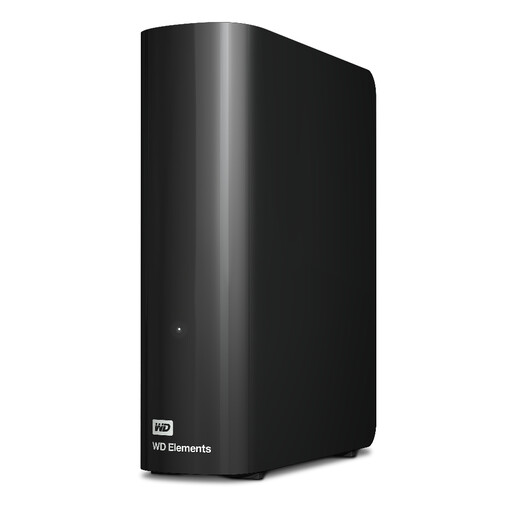
Western Digital WD Elements 12TB External Desktop Hard Drive
For a fixed office location that needs a higher-capacity local backup or archive copy.
The drive has stated 12TB capacity, USB 3.2 Gen 1 connectivity, an external power supply and a USB cable. It is pre-formatted for Windows, so macOS use requires reformatting; set a backup process and maintain a second protected copy.
Joybuy
 No image available
Lexar ES5 1TB Portable SSD
Best suited to a portable additional copy for supported phone media alongside laptop transfers, rather than a general office backup system.
Stated features include 1TB storage, USB 3.2 Gen 2x2 connectivity and IP65 protection. The Lexar App auto-backup is for media and does not support iCloud backup; check document coverage, host compatibility and restoration procedures.
Joybuy
Frequently asked questions
How long should a UK small organisation retain backup copies containing personal data?
There is no single UK GDPR backup-retention period. The organisation should justify how long personal data is retained for its purposes, use standard retention periods where appropriate, review data periodically, and erase or anonymise it when it is no longer needed; separate legal or contractual duties may require different retention for business records.
Does UK GDPR require a backup provider contract?
Yes, where the organisation is a controller and the backup supplier processes personal data on its behalf as a processor. The ICO says a written contract or other legal act is required and should cover processing details, security, sub-processors, assistance, end-of-contract handling and audits or inspections.
Do cloud backups need to remain in the UK?
Not necessarily, but the organisation must assess the arrangement. The ICO explains that making personal data accessible to a separate organisation outside the UK can be a restricted transfer, so check processing locations, support access and transfer documentation before signing.
How often should a small organisation test restores?
Test restores regularly and match the interval to how quickly essential processes must resume and how often their data changes. The National Cyber Security Centre advises daily or weekly copies of essential information and regular testing that a backup can restore it.
Is an external SSD enough as the organisation’s backup?
No. An external SSD can be a useful separately stored copy, particularly where cloud-only backup is unsuitable, but it should not be the only recovery copy. Keep it secure and disconnected when not in use because connected devices can be affected by malware.


