What to check before choosing
Start with the files the business must recover, then decide how copies will be separated, restored and protected.
| Priority |
What to check |
Your needs |
| Recovery of essential files |
Confirm every essential folder, invoice, contact export and business record is included. Test restoration of representative files and set a backup interval that reflects how often records change. |
I need the business to recover files after a device failure, theft, loss or malware-related loss of access. |
| Separation from an incident |
Keep at least one copy offline or digitally disconnected when not needed. For cloud services, check earlier-version recovery, protection from deletion or overwriting, and account access controls. |
I do not want every recovery copy exposed when a computer, network or account is compromised. |
| Media and workload fit |
Match capacity and transfer needs to the data volume. Check port, cable and power requirements, and consider whether several devices need central management. |
My choice needs to suit how much data changes, how quickly files must be restored, whether staff travel and whether several computers are involved. |
| Protection of personal data |
Assess access controls, encryption where appropriate and password or key recovery arrangements. Set retention rules that match documented business and data-protection needs. |
Where backups contain customer or contact information, I need safeguards that suit the sensitivity and risk of that information. The Information Commissioner’s Office identifies encryption as a relevant measure for removable media where appropriate. |
Joybuy product options
Joybuy options for local backup copies and a centralised NAS setup within this small-business backup planning topic.
 No image available
Western Digital My Passport Portable External Hard Drive, 2TB, Black
Suitable as a portable local copy for operational documents where it is stored securely and disconnected after backup use.
Check that the backup setup covers all essential folders and that a restoration can be completed before relying on it. Keep a separate recovery destination for resilience.
Joybuy
 No image available
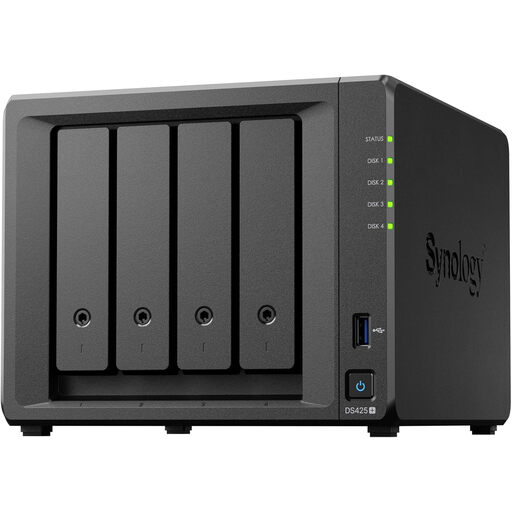
Synology DS425+ 4-Bay NAS
Consider this route for shared operational files and central backup administration across several staff devices.
Confirm included drives, usable capacity, RAID configuration and the separate backup destination. A NAS, snapshots and RAID should not be the only recovery layer.
Joybuy
 No image available
Samsung MU-PE1T0S 1TB USB Type-C External SSD, Black
A compact local-copy option for staff who move files between locations or need to work with unreliable connectivity.
Samsung states speeds up to 1,050/1,000MB/s under compatible USB 3.2 Gen 2, cable and UASP conditions. Check password recovery, separate-copy arrangements and restore steps.
Joybuy
 No image available
Western Digital Elements Portable External Hard Drive, 4TB, Black
A larger-capacity option for a manually managed local copy of documents and business files.
Verify backup scheduling, encryption needs, restoration testing and operating-system compatibility before use. Keep it as one controlled copy rather than the only backup.
Joybuy
 No image available
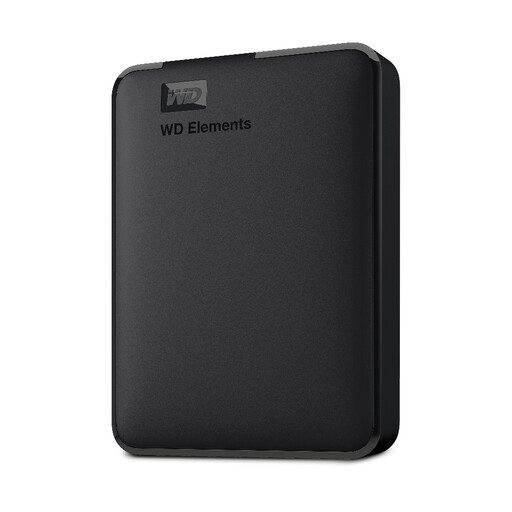
Western Digital Elements Portable External Hard Drive, 1TB
A straightforward portable option for a smaller operational file set and a defined manual backup routine.
Check current data volume, expected growth, encryption requirements and compatibility with each computer. Store the drive separately and disconnect it outside backup activity.
Joybuy
Frequently asked questions
Is one external hard drive enough for a UK small-business backup?
Usually not when the files are important to continued operations. An external drive can be a useful local copy, particularly without reliable internet, but the National Cyber Security Centre advises considering both online storage and a storage device so that one loss, theft or device failure does not remove every recovery option. Keep the drive secure and disconnected when not in use.
What should I check before choosing a cloud backup service?
Check whether the service protects backups from deletion, overwriting and malicious editing, and whether it can restore an earlier version after later corruption. Also confirm account administration, included data, restore delivery, UK pricing, tax, retention and service terms.
Does UK GDPR require every backup to be encrypted?
No. The Information Commissioner’s Office states that UK GDPR does not specifically require encryption of all personal information, but it does require security measures appropriate to the risk. Encryption can be an appropriate technical measure, including for removable media where relevant.
Is a NAS with RAID the same as a backup?
No. A NAS can centralise storage and support fast local recovery, but Synology’s guidance notes that RAID crashes and hard-drive failure can still cause data loss. Back up the NAS to a separate destination, such as external media, another NAS in another location or suitable cloud storage.
How long should business backups be retained?
There is no single retention period for every UK small business. For personal data, the Information Commissioner’s Office says organisations must justify how long information is kept, set standard retention periods where possible and review or erase or anonymise data that is no longer needed. Check sector rules, tax and accounting obligations, contracts, insurer conditions and litigation-hold requirements separately.


