What should you check before choosing?
Start with what you need to recover and where another copy will live; then match the storage and backup software to your devices.
| Priority | What to check | Your needs |
|---|
| Separate copies |
Decide whether a portable drive can be disconnected and stored elsewhere, or whether cloud storage and a local copy fit your routine. For shared home storage, arrange a backup outside the appliance. The National Cyber Security Centre describes the 3-2-1 approach as at least three copies on two devices, with one off-site. |
I want to recover my records even if the computer, account or one storage device is unavailable. |
| File history |
Check which files the backup tool covers, how earlier versions are restored and how long they remain available. Microsoft Support says OneDrive sync passes file changes and deletions between the computer and cloud; Windows File History can save earlier file versions to external or network storage. |
If I change or delete a photo by mistake, I want a way to retrieve an earlier copy—not just another view of the synchronised folder. |
| Capacity and routine |
Add up the files or devices you will protect and allow room for new files and retained backups. Apple Support recommends a Time Machine disk with at least twice the Mac’s storage capacity. Check how backups will run and when you will test a restore. |
My photo library may grow, and I need a backup routine I can keep up rather than a drive that only holds today’s files. |
| Devices and format |
Check the computer port, supplied cable, file system and intended backup software. Apple Support identifies APFS or APFS Encrypted as preferred for Time Machine and says it cannot back up to a Windows-formatted disk. Samsung says the T7’s stated maximum USB 3.2 Gen 2 speeds require a compatible host, cable and UASP. |
I need the drive to work with my actual computer and backup tool; if I move files between devices, I also need to plan the format. |
| Access control |
For a portable or shared copy, check available encryption, passwords and user permissions, and keep the information needed to restore encrypted files. Decide who can change or delete backups on shared storage. |
Other people may use our home storage, or I may carry a drive containing personal records. |
Portable drives on Joybuy
These portable hard drives and SSDs are options for making a local copy that you can disconnect and store separately. Choose one for your backup scope and devices, then plan the other independent copy your arrangement needs.
 No image available
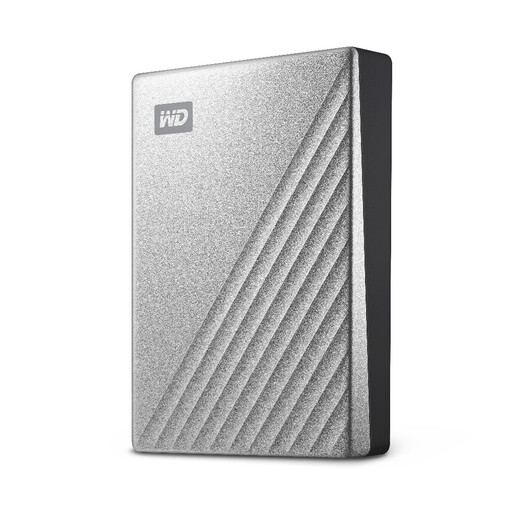
Western Digital My Passport Ultra 4TB, Silver
A portable local destination for a large personal file library. The product information specifies USB-C, scheduled backup software and password-activated 256-bit AES hardware encryption. For Mac backup, check the required format and software: the product information describes Mac use with a downloadable NTFS driver. If you need earlier file versions, confirm how the software restores them.
View on Joybuy
 No image available
Samsung Portable SSD T7 4TB, Grey
A carryable local copy for a photo or document library. The product information specifies USB 3.2 Gen 2, AES 256-bit hardware encryption and USB-C-to-C and USB-C-to-A cables. Its stated speeds of up to 1,050 MB/s read and 1,000 MB/s write depend on a compatible host and connection; choose backup software and formatting for the restore method you need.
View on Joybuy
 No image available
Western Digital My Passport 4TB, Black
A portable hard drive for a sizeable local archive. Its product information specifies USB 3.2 Gen 1, scheduled backup utilities, password protection and 256-bit AES hardware encryption. For Mac use, check the format required by your chosen backup tool; the product information describes access using an NTFS compatibility driver. Check the utility’s restore options if earlier versions matter.
View on Joybuy
 No image available
Samsung MU-PE1T0S 1TB, Black
A portable SSD to consider for selected files if 1TB accommodates your backup scope and retained copies. The product information specifies USB-C, USB 3.2 Gen 2 and an IP65 rating; observe its stated limits on water exposure rather than treating it as suitable for submersion. Check the format and backup software needed by the devices you intend to use.
View on Joybuy
 No image available
Western Digital Elements Portable 4TB, Black
A portable local destination for photos, videos and documents. The Joybuy listing specifies 4TB and USB 3.2 Gen 1/USB 3.0 connectivity. Check the backup scheduling and file-history features of the software you intend to use; the product information says Mac or other operating-system use may require reformatting.
View on Joybuy
Common questions
Is cloud synchronisation an independent backup?
Not by itself. Microsoft Support says OneDrive passes changes and deletions between a synced computer folder and its website; its version history can restore earlier versions of supported files, with a stated 30-day retention period. The National Cyber Security Centre advises keeping an independent copy in another safe place or service rather than relying only on provider recovery features.
How much capacity should a backup drive have?
Base capacity on everything you intend to protect, with room for new files and retained backups. For Time Machine specifically, Apple Support recommends a disk with at least twice the Mac’s storage capacity; that is not a universal requirement for other backup methods.
Can the same drive hold Windows files and a Mac Time Machine backup?
It needs careful formatting. Apple Support says Time Machine cannot back up to a Windows-formatted disk and identifies APFS or APFS Encrypted as preferred for its backup disk. Plan separate storage or suitable separate volumes for the intended uses, and copy existing files elsewhere before reformatting a drive.
Does shared home storage remove the need for another copy?
No. Synology says BeeStation’s internal restore points are not a replacement for full backups and recommends backing up its data to an external location. Include that additional copy when planning a shared household destination.
How often should I check that a backup works?
Update it often enough for the amount of recent files you could afford to lose, and periodically restore a file or folder to check the process. UK government preparedness guidance recommends understanding how to restore your data and practising occasionally.


