What to check before choosing a backup route
Start by deciding what must be recoverable, then check storage capacity, restore coverage and whether a separate copy is needed for files that cannot be replaced.
| Priority |
What to check |
Your needs |
| Available storage |
Check total account use, not just the camera roll. Google storage is shared across Drive, Gmail, Google Photos and WhatsApp backups; Microsoft storage is shared across OneDrive, Outlook.com attachments and Microsoft 365 apps. Check what happens when the allowance is full. |
I need enough room for photos, videos, documents and other services using the same account. A headline free allowance is not necessarily dedicated backup capacity. |
| Restore coverage |
Confirm which photos, documents, settings and app data are copied. Google says an Android backup can restore to the original or some other Android phones, but not every app can back up or restore all settings and data. |
I want the backup to work with the replacement device I am likely to use, and I need a separate plan for essential apps or authentication information. |
| Independent copies |
Check whether edits and deletions synchronise across devices. Apple Support says iCloud Photos changes are reflected across devices and its photo library is not duplicated in iCloud Backup; Google Photos says deletion can remove items from backed-up devices. |
I want important photos and documents to survive a library tidy-up, so I need another copy that I can open independently. |
| Account access and privacy |
Maintain recovery information before a lockout, secure the device screen and protect local backups with encryption where needed. The Information Commissioner's Office advises checking whether a cloud provider's security and availability suit the files uploaded. |
I need to regain access if my phone is lost or I cannot sign in, while choosing a service that suits the sensitivity of my documents and photos. |
Joybuy external-storage options
These Joybuy options support the external-storage route for copying selected photos and documents from compatible phones or tablets. They are additional file-storage choices, not replacements for checking device, app-data and restore coverage.
 No image available
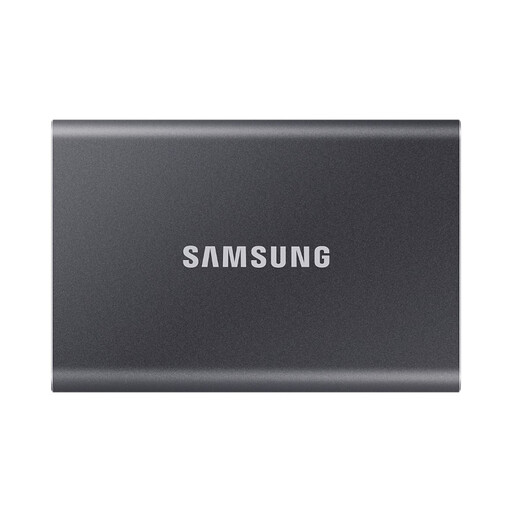
Samsung Portable SSD T7 1 TB USB Type-C
A separate local location for selected photos and documents, with stated Android compatibility.
1 TB capacity; USB Type-C 3.2 Gen 2 connection; Type-C-to-C and Type-C-to-A cables included; stated AES 256-bit hardware encryption and password protection.
Check that the intended phone or tablet supports the required connection, power and file system. This is a file-storage route, not evidence of a complete device or app-data backup.
Joybuy
 No image available
MOVESPEED 512 GB Dual USB-A and Type-C Flash Drive YSUSP05-512GSR
A compact option for moving selected files between compatible phones, tablets and computers without an account connection.
512 GB capacity; USB 3.2 Gen 1 and Type-C dual interface; stated 570 MB/s read speed; 3D NAND flash and zinc-alloy housing.
The iPhone claim is limited to Type-C models, including iPhone 15/16 models stated in the listing. Confirm mobile read/write, power and file-system compatibility before buying; it is not a complete phone-system backup.
Joybuy
 No image available
Lexar ES5 Portable SSD 1 TB
A phone-focused external SSD for compatible users who regularly copy large media files.
1 TB capacity; USB 3.2 Gen 2x2; stated up to 2,000 MB/s read and write speed; IP65 protection; stated 3 m drop resistance.
The listing states model-specific Apple ProRes 4K support for iPhone 15/16 Pro and Galaxy S25 8K workflows, and says iCloud backup is not supported. Check the app's media scope and your exact phone compatibility.
Joybuy
 No image available
Lexar ES4 Portable SSD with Magnetic Set 2 TB
A higher-capacity local copy option for compatible iPhone 15/16 and Android file-transfer workflows.
2 TB capacity; USB 3.2 Gen 2; stated up to 1,050 MB/s read and 1,000 MB/s write speeds; USB-C-to-C and USB-A-to-C cables included; stated AES encryption software.
The magnetic attachment is stated for iPhone 15/16 series and disables MagSafe wireless charging while attached. The drive may need formatting, which erases existing content; check the required file system first.
Joybuy
 No image available
Samsung MU-PE1T0S 1 TB USB Type-C External SSD
A portable separate-storage option for Android users copying selected photos, videos and documents.
1 TB capacity; USB Type-C 3.2 Gen 2; stated 1,050 MB/s read and 1,000 MB/s write speeds; IP65 rating; stated 3 m drop resistance.
The listing describes temporary water exposure only and advises against long-term submersion. Confirm that the intended phone or tablet can power, recognise and copy files to the SSD.
Joybuy
Frequently asked questions
When does a free cloud-storage tier become insufficient?
It becomes insufficient when the services sharing the account approach the allowance, rather than at one universal number of photos. Apple Support lists 5 GB of free iCloud storage, Google One Help lists up to 15 GB shared across Drive, Gmail, Google Photos and WhatsApp backups, and Microsoft Support lists 5 GB shared across OneDrive, Outlook.com attachments and Microsoft 365 apps. Check the account breakdown before relying on automatic backup.
Is iCloud Photos or Google Photos alone an independent archive?
No, treat either as synchronised cloud storage rather than an automatically separate archive. Apple says iCloud Photos edits and deletions apply across devices and recommends backup copies of the library; Google says deleted Google Photos items can also be removed from backed-up devices. Keep another copy of irreplaceable files on a computer or compatible external storage.
Can an Android backup restore every app and setting?
No. Google states that not all apps can back up or restore all settings and data. Confirm the backup status and check critical apps separately, especially those holding important documents, authentication data or work information.
What should iPhone and iPad users check before choosing computer backup?
Use a Mac or Windows PC with suitable Apple software and enough available disk space. If Health and Activity data are needed in a Windows local backup, Apple Support says the backup must be encrypted; retain the encryption password securely because it cannot be recovered.
Can a USB drive back up files directly from an iPhone?
It can transfer selected files where the iPhone, connector or adapter, drive and app support the workflow. Apple says an iPhone may need a cable adapter and a supported app such as Files or Pages to copy files. This does not mean every drive provides a complete device backup.


