Calls-and-texts-only users
If calling and SMS cover your everyday contact, physical keys and fewer menus may matter more than access to apps.


Choose a 4G basic phone if calls, texts and physical controls are the main requirements; choose a simplified smartphone or smart flip if familiar apps or video calls are essential. Have the intended user try the controls where possible, then check the exact model’s app support, network compatibility and any assistance-button setup.
If calling and SMS cover your everyday contact, physical keys and fewer menus may matter more than access to apps.
If you rely on WhatsApp or video calls, look for an app-capable phone with an interface you can use comfortably, rather than assuming any basic handset will run those services.
Readable text, suitable keys or touch controls, hearing-aid compatibility where needed, and a configured assistance button can each affect whether a particular handset works for you.
Decide whether essential contact means calls and texts alone or also includes apps. Then try the controls and check the selected phone against the network and accessibility needs that matter to its user.
Choose it when: Calls, SMS and physical keys take priority over app access.
Trade-off: A conventional feature phone may not provide the WhatsApp or video contact the user relies on.
Choose it when: Familiar apps are essential but a simpler interface or flip format would be easier to use.
Trade-off: Apps need setup and internet access; Age UK notes that video calls can use substantial mobile data away from Wi-Fi.
| Concern | What to check | Who this matters to |
|---|---|---|
| Simple calling and texting | Try dialling, ending a call and sending a text; check key spacing and access to contacts. | I mainly call and text, so I want to reach contacts without working through app menus. Around 31% of consumers put straightforward calling and texting first. |
| Familiar apps | Confirm each essential app on the exact model and arrange Wi-Fi or suitable mobile data for video calls. | If WhatsApp keeps me in touch, losing it would make a simpler handset the wrong choice. Keeping familiar app contact comes first for around 25% of consumers. |
| Accessible controls | Try the screen, keys or touchscreen and charging method; check hearing-aid compatibility if required. | I need to see, hear and operate the phone comfortably, whether that means larger text, tactile keys or touch controls. Around 25% of consumers prioritise this individual fit. |
| Trusted-contact assistance | Check the button’s actions and recipients on the exact model, then configure and test it with those contacts. | When I need help, I want a manageable way to alert someone I trust rather than search through contacts. That reassurance is the primary need for around 19% of consumers. |
Ofcom says UK 3G networks have switched off and 2G networks are being retired on provider-specific schedules. A 2G-only handset is therefore a poor choice for ongoing mobile use.
Look for 4G or 5G support, then check compatibility with the intended network and coverage at the user’s postcode.
Keys that help one person may be harder for another to press or use for texting. Screen readability, hearing and dexterity also need separate consideration.
Ask the intended user to unlock the phone, answer and end a call, choose a contact, send a short text and put the handset on charge.
Doro describes the Leva L10 button as alerting trusted contacts and sharing location. An assistance button’s behaviour depends on the model and its setup; it should not be treated as a monitored emergency-response service.
Confirm who receives an alert, agree the arrangement with those contacts and test the configured button.
If regular contact depends on WhatsApp or video calls, a calls-and-texts handset may not preserve that routine.
List the required apps and confirm support on the exact model. Check how the user will connect to the internet for calls and messages.
Age UK notes that video calls can use substantial mobile data away from Wi-Fi, with charges possible if the allowance is exceeded.
Doro offers large-button feature phones as well as simplified smartphones. Its Leva L10 is positioned around calls and texts, while the Aurora A20 offers apps in a flip-smartphone format.
emporia offers calls-focused large-button phones and Android smartphones with an optional easy mode on the SMART.ME7 line.
TTfone offers 4G big-button phones and smart flips. Its TT760 is a basic flip model, while its TT970 listing includes WhatsApp.
These handsets focus on calls and texts in physical-key formats; one also combines a keypad with a touch display. If an app is essential, confirm it works on the exact handset before choosing.
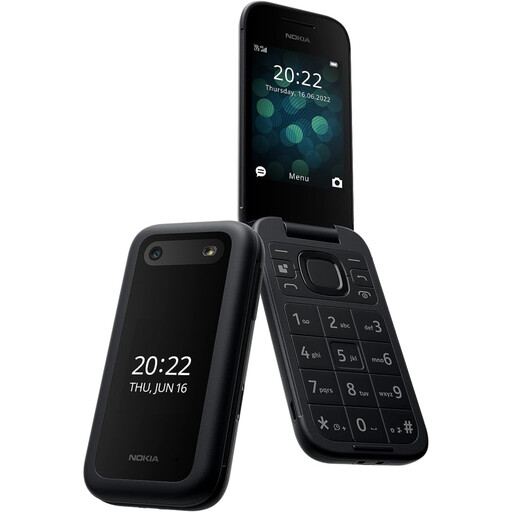 No image available
Consider this model for calls and texts with physical controls. Try the controls with the intended user, check the chosen network and any essential apps, and configure and test its preset-contact button before relying on it.
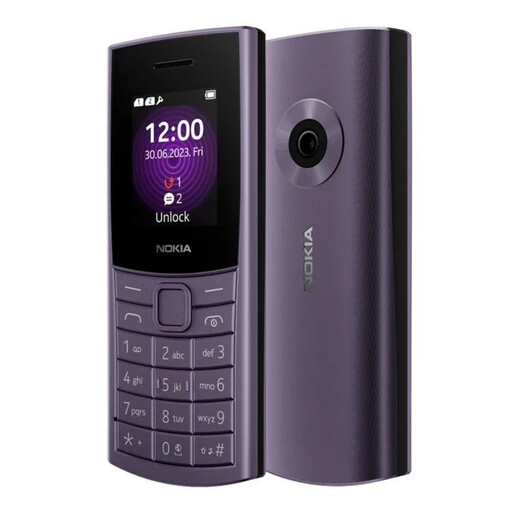 No image available
Consider this 4G model if calls and texts with a physical keypad are the priority. Check compatibility and coverage with the intended network, and confirm any required apps on this exact model.
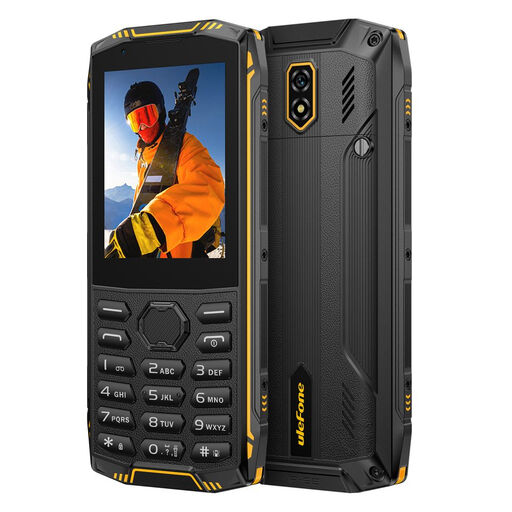 No image available
Consider this model if you want to try both keypad and touch operation for everyday contact. Its stated configuration is 1GB+8GB, a 2.8-inch touch display and 4G LTE; no charger is included. Check network compatibility and try the screen and keys with the intended user.
Yes, for ongoing UK mobile use, choose a 4G or 5G handset rather than a 2G-only model. Ofcom says UK 3G networks have switched off and 2G retirement is proceeding on provider-specific schedules; check the intended network’s coverage at the user’s postcode too.
Do not assume it can: choose a model that explicitly supports the app and the type of call needed. TTfone lists WhatsApp voice and video calling for its TT970 smart flip, while Age UK notes that video calling uses internet data.
Not necessarily. Doro says the Leva L10 button alerts trusted contacts and can share location; check what the exact handset does, agree the setup with recipients and test it before relying on the feature.
Set up their contacts and preferred display settings, then practise answering, making and ending a call together. If the phone has essential apps or a trusted-contact button, configure and test those functions with the intended user as well.
Check the exact handset if receiving alerts is important. GOV.UK says Emergency Alerts work on UK 4G and 5G phone networks, but network capability alone does not establish that every simple-phone model can receive them.