Platform-first basketball players
If you mainly play on one console or device, start with a controller listed for that platform. Confirm that your basketball game accepts controller input before comparing extra features.


Choose a controller that supports the device you use most, then confirm that your basketball game accepts it. The Xbox Wireless Controller covers listed Xbox and Windows devices, DualSense suits PS5 and supported PC play, Nintendo Pro Controllers serve their respective console generations, and the 8BitDo Ultimate 2C is listed for Windows and Android. In a student room, weigh a clear desk against charging or battery management, and check game-specific features before paying attention to extras.
If you mainly play on one console or device, start with a controller listed for that platform. Confirm that your basketball game accepts controller input before comparing extra features.
If you play from a Windows laptop or desktop in a student room, the connection method and battery routine matter alongside device compatibility. Decide whether you would rather keep a cable handy or manage wireless power.
Remapping, additional buttons and tactile features are worth considering only after checking the particular game and connection method. PlayStation, for example, says DualSense haptic feedback on PC requires USB.
For basketball games in a student room, settle device and game compatibility first; then choose a connection and power routine that fits your space before weighing optional controls.
| Concern | What to check | Who this matters to |
|---|---|---|
| Device and game compatibility | Check the exact controller model against your console, PC operating system or mobile device, and confirm controller support in the basketball game. | If I mainly play on one device, I need the controller and game to work together before extra features matter. Around 50% of consumers in this situation might put compatibility first. |
| Connection and power | Check the supported connection for your device, any required USB port or receiver, and whether the controller uses rechargeable power or replaceable batteries. | At a small desk, I want to avoid either a cable in the way or a game interrupted by flat batteries. Roughly 30% of consumers might make that practical setup their main concern. |
| Extra control features | Confirm that the game and connection method support the buttons or tactile features you want; PlayStation says DualSense PC haptics require USB. | If I want remapping or tactile feedback, I need those functions to work in my basketball game rather than just appear on the controller’s feature list. Approximately 20% of consumers might prioritise those extras. |
The 8BitDo Ultimate 2C Wireless Controller is listed for Windows and Android, while Nintendo’s Pro Controller models serve Nintendo hardware. Extra controls will not resolve a device mismatch.
Identify where you play most often, check that controller model’s listed devices, and confirm that the basketball game accepts controller input.
PlayStation says DualSense haptic feedback on PC requires USB, while feature availability also depends on the game.
If haptics or adaptive triggers influence your choice, check the game’s support and the required connection before buying.
Xbox lists AA batteries and compatible rechargeable battery packs as power options for its standard Xbox Wireless Controller. Rechargeable AA cells do not charge inside that controller.
Decide whether replaceable cells, separately charged AA cells or a compatible battery pack fits the way you play.
Rechargeable AA cells need a separate charger and somewhere to charge between sessions.
GOV.UK says electrical products and batteries bearing the crossed-out wheeled-bin symbol should not go in household rubbish.
Use an appropriate electrical recycling or battery collection point, following local guidance if the controller’s battery cannot be removed.
The standard Xbox Wireless Controller is a route for players using Xbox consoles, Windows PCs or supported mobile devices.
DualSense is the PS5 route and can connect to supported PCs, Macs and mobile devices by USB-C or Bluetooth.
The Ultimate 2C Wireless Controller is a Windows and Android option for players who want a choice of connection methods.
Nintendo’s Pro Controller models are relevant when the basketball game is played on the matching Switch generation.
These choices include controllers listed for Xbox or PS5, Xbox and Windows PC play, and a Machenike tri-mode model. Match the specific variant to your device and basketball game rather than choosing by control features alone.
 No image available
Consider this variant if you play on a listed Xbox console or PC and want to assess a controller from the Elite Series 2 range. Confirm your basketball game’s controller support and the connection method you intend to use.
 No image available
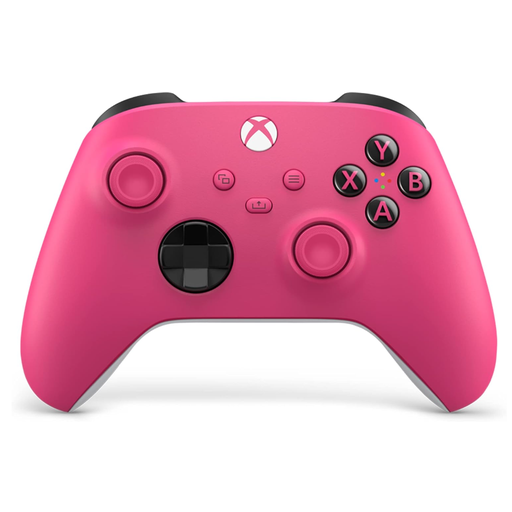
For play on a listed Xbox console or supported PC or mobile device, check this standard Xbox controller against your game. Xbox lists Bluetooth, button mapping and a 3.5 mm headset jack for the standard model; plan how you will manage its AA batteries or a compatible rechargeable pack.
 No image available
This wireless variant is listed for Xbox Series X|S, Xbox One and Windows 10/11 PC. If you want configurable controls for a basketball game, check which functions that game accepts and how the controller connects to your device.
 No image available
Choose the PS5 route if that is where you play, or check this DualSense variant’s connection for a supported PC. PlayStation says PC haptic feedback requires USB, and haptic and adaptive-trigger features depend on the game.
 No image available
If choosing among connection methods matters in your room, check which of this tri-mode variant’s modes works with your device and available ports. Confirm support in your basketball game before relying on a particular mode.
Choose your main gaming device first. Xbox, PlayStation, Nintendo and the 8BitDo Ultimate 2C have different listed device routes; even after matching a controller to your console, PC or phone, confirm that your basketball game accepts it.
No: the useful connection depends on your PC, available ports and the features you want. 8BitDo lists 2.4G and wired Windows connections for the Ultimate 2C, while PlayStation says DualSense haptic feedback on PC requires USB.
No. PlayStation says those features depend on game support and that PC haptic feedback requires USB. Check the individual basketball game before making either feature a reason for choosing DualSense.
Check the power arrangement of the exact controller model. Xbox lists AA batteries or a compatible rechargeable pack for its standard Xbox Wireless Controller, and rechargeable AA cells need charging outside the controller; Nintendo says a USB charging cable comes with the Switch 2 Pro Controller.
Electrical products and batteries displaying the crossed-out wheeled-bin symbol should not go in household rubbish, according to GOV.UK. Use an appropriate electrical recycling or battery collection point and follow local guidance for a battery that cannot be removed.