Platform-first basketball players
If you mainly play on one console or computer, establish that the controller works with your platform and game before weighing its additional controls.


Choose a controller that works with your gaming platform and basketball game before deciding which layout or extra controls you prefer. At a small desk, the next choice is whether you can route a USB cable clear of your playing area or would rather manage wireless pairing and charging; PC features such as DualSense haptics also depend on the game and connection.
If you mainly play on one console or computer, establish that the controller works with your platform and game before weighing its additional controls.
Your desk layout makes the connection choice practical as well as technical: a wired controller needs a clear cable route, while wireless play involves pairing and battery management.
Once compatibility is settled, you may want to compare stick layout, remapping or feedback features. Check whether the particular game and connection support any feature that influences your choice.
Start with your console or computer and the basketball game's controller support. Then consider the cable route at your desk and the controls you would actually use.
| Concern | What to check | Who this matters to |
|---|---|---|
| Platform and game compatibility | Check your exact console or operating system and the basketball game's controller support. | If I play on one platform, I need to know the pad will work with my game before its extra buttons matter. Around 42% of consumers put compatibility first. |
| Connection at a small desk | Check for a reachable USB port and clear cable route, or confirm the wireless method your device supports. | I need room to play without a cable crossing my desk, or I would rather avoid pairing and charging. For around 33% of consumers, that connection choice is the main concern. |
| Layout and supported features | Compare familiar stick and button layouts; check game support and connection conditions for remapping or feedback. | Once the controller works with my setup, I care most about its controls and whether the features I want work in my game. Around 25% of consumers make those features their priority. |
Similar-looking pads can have different supported platforms. For example, 8BitDo states Windows and Android compatibility for its Ultimate 2C Wired Controller; its layout alone does not establish console support.
Check the exact model against your platform and basketball game rather than relying on its appearance or retailer category.
PlayStation says PC haptic feedback requires USB, while adaptive triggers depend on support from the individual game. A Bluetooth connection does not establish that those features will work.
If either feature affects your choice, check the game's compatibility information and the connection it requires.
A USB cable still needs a clear route between the device and your seat. Wireless play removes that controller cable from the immediate area but brings pairing and battery or charging decisions.
Identify an accessible port and trace the cable route before choosing wired; for wireless, check the host device's supported connection method.
UK government guidance directs consumers to take unwanted electrical products and batteries to an appropriate recycling collection point rather than putting them in household rubbish.
Use a suitable electrical-waste collection route for the controller and an appropriate battery collection route for any removable batteries.
Microsoft's Xbox Wireless Controller is a reference point for Xbox console and Windows PC setups.
Sony's DualSense is a PS5 controller that can also connect to supported computers and mobile devices.
The Ultimate 2C Wired Controller offers a wired route for Windows and Android setups.
Nintendo's original Switch Pro Controller is a traditional-pad option for Nintendo Switch and Switch 2 players.
These controllers address different platform and cable preferences, including Xbox or PC, PS5, Switch 2 and older PlayStation setups. Match a model to your device and game before deciding whether its wired or wireless arrangement suits your desk.
 No image available
For an Xbox One, Xbox Series X/S or PC basketball setup, consider this wireless Series 2 model if you prefer not to keep a controller cable across the desk. Check support in your game and the connection method you plan to use.
 No image available
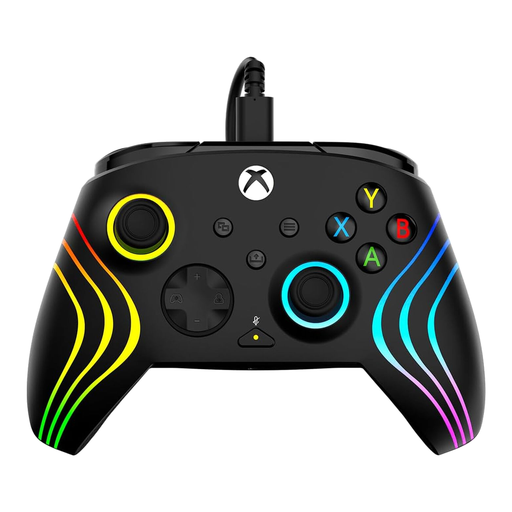
For an Xbox desk setup where a cable can stay clear of your other controls, this wired model avoids wireless pairing. Confirm your exact device, available connection and basketball game support.
 No image available
For PS5, or a supported PC, Mac or mobile setup where you want a PlayStation layout, this DualSense offers USB-C and Bluetooth connection choices. PlayStation says PC haptics require USB and adaptive triggers require game support, so check your basketball game before buying for either feature.
 No image available
For basketball games on Switch 2, this is the Switch 2 Pro Controller rather than the original Switch Pro Controller. Confirm support in your game, and allow for charging if you plan to play wirelessly.
 No image available
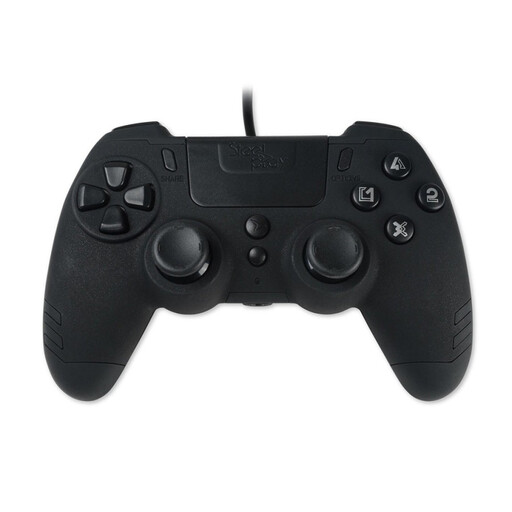
If you play on PS4, PS3 or PC and can route a cable clear of your desk, consider this wired controller. Check the connection on your device and support in your particular basketball game; do not assume it works with PS5.
Choose wired if your device has a suitable port and the cable can run clear of your playing area; choose wireless if avoiding that cable matters more to you. For wireless play, confirm the connection method your device supports and plan for pairing and battery management.
They depend on the game and connection, rather than working in every PC game. PlayStation says PC haptic feedback requires USB and adaptive triggers require a supported game, so check the game's compatibility information for the feature you want.
Do not assume console compatibility for this model: 8BitDo states Windows 10 or later and Android compatibility. Check for an official, model-specific compatibility statement before considering it for another platform.
Take unwanted electrical products and batteries to an appropriate recycling collection point rather than putting them in household rubbish, in line with UK government guidance. If the battery cannot be removed, use a suitable electrical-waste collection route for the controller.