Players sharing a compact bedroom
Both players need a view of the puzzle without the TV taking over the available furniture or wall space. LG UK and Samsung UK each list a 42-inch OLED model as a compact size to consider.


Choose a bedroom TV by checking its physical fit and whether both players can see the screen comfortably. A 42-inch OLED is a compact option if you prefer that display type for darker-room play; a larger Mini LED is worth considering if you have the space and want to assess brightness for a lighter room. Prioritise 4K 120Hz and variable refresh rate (VRR) when your console, games and the TV’s relevant HDMI input can use them, rather than paying for a refresh-rate label alone.
Both players need a view of the puzzle without the TV taking over the available furniture or wall space. LG UK and Samsung UK each list a 42-inch OLED model as a compact size to consider.
If you also play games that support higher frame rates, check the console, game and TV input together. PlayStation says PS5 120Hz output requires a compatible TV and game; Sony specifies 4K120, VRR and automatic low-latency mode (ALLM) for its K-55XR5.
A larger Mini LED model may be on the shortlist if its dimensions fit and you want to compare brightness for your room. TCL UK lists its C6K-UK range from 50 inches; check the exact size and model rather than applying one variant’s claims to the range.
Settle the placement and two-player viewing positions first, then compare the picture you want in your room and the gaming modes your equipment can use.
Consider it when: space is tight and you prefer an OLED for darker-room play; LG UK and Samsung UK each list a 42-inch option.
Trade-off: there is less screen area to share than on a larger set, and gaming-input features need checking for the exact variant.
Consider it when: the room accommodates a larger screen and you want to compare models for play in daylight.
Trade-off: placement takes more planning. Sony UK lists its 55-inch K-55XR5 at approximately 122.8 cm wide with its stand; TCL UK’s C6K-UK range starts at 50 inches.
| Concern | What to check | Who this matters to |
|---|---|---|
| Fit and shared view | Check the exact width and stand depth or mounting pattern, then assess the view from both playing positions. | If we share a small bedroom, I need a screen both of us can see without crowding the furniture. Around 31% of consumers would put fit and shared viewing first. |
| Dark-room picture | Compare the exact panel type and how you expect to use the TV with the bedroom lights on or off. | For games played mostly in a darkened room, I care most about the picture character I prefer. Roughly 31% of consumers would make dark-room picture their primary concern. |
| Console modes | Check the game’s frame-rate mode and the required HDMI input’s 4K 120Hz, VRR and ALLM support. | If I play other compatible console games too, I want the TV to accept the modes my setup can output. Around 23% of consumers would prioritise console-mode compatibility. |
| Daylight viewing | Assess light and reflections at your usual playing time, then compare the exact model’s display information. | With daylight reaching the screen, I want to judge whether a larger, brightness-oriented option suits the room. Roughly 15% of consumers would put daylight viewing first. |
Samsung UK and TCL UK advertise 144Hz capabilities for the cited models, while PlayStation describes PS5 120Hz output as dependent on a compatible TV and game. A TV refresh-rate claim does not establish the console’s output mode.
Check the games you play and the console’s supported output before treating 144Hz as a reason to choose a particular TV.
Gaming support can differ by input. Sony UK specifies VRR on HDMI 3 and 4 of the K-55XR5, although it lists ALLM for all four HDMI inputs.
Identify the input that supports your intended console mode before routing cables or connecting a sound system.
Diagonal size will not tell you whether a TV and its stand fit the intended position. Sony UK gives the 55-inch K-55XR5 a width of approximately 122.8 cm with its stand.
Measure the usable width and depth, allow for cables, and check the exact model’s stand or mounting requirements.
A different stand, wall mount or installation arrangement may add work if the planned position cannot accommodate the TV.
LG UK, Samsung UK and TCL UK describe the picture technologies of their own models. Their brightness or contrast language does not, by itself, establish how those TVs compare under the same viewing conditions.
Use model specifications to narrow your choices, then assess the room lighting and look for comparable independent measurements if picture performance will decide the purchase.
LG UK lists the 42-inch OLED evo AI C5, model OLED42C55LA, as a compact OLED option to assess for bedroom play.
Samsung UK lists the 42-inch OLED S90F, model QE42S90FAEXXU, for buyers comparing compact OLED TVs.
Sony UK’s 55-inch K-55XR5 BRAVIA 5 is a larger Mini LED option with documented console-oriented features.
TCL UK lists its C6K-UK QD-Mini LED range from 50 inches, for buyers considering a larger bedroom screen.
These choices span compact 42- and 43-inch TVs and 50-inch alternatives. Compare their placement requirements before deciding whether a larger shared screen works in your bedroom.
 No image available
Consider this 42-inch model where a larger TV would crowd the bedroom. Its title identifies an OLED 4K display; check the stand footprint and the exact HDMI input’s gaming modes for your console before buying.
 No image available
Consider this 50-inch model if both players want a larger screen and the bedroom can accommodate it. The title identifies a QD-Mini LED 4K TV, but its refresh-rate descriptions differ; confirm the resolution and refresh mode available for your intended device and HDMI input.
 No image available
This 43-inch option is worth measuring for a bedroom that cannot take a 50-inch set. Its advertised 120Hz Game Accelerator is specified for Full HD (FHD), so do not treat that feature as confirmation of 4K 120Hz gaming.
 No image available
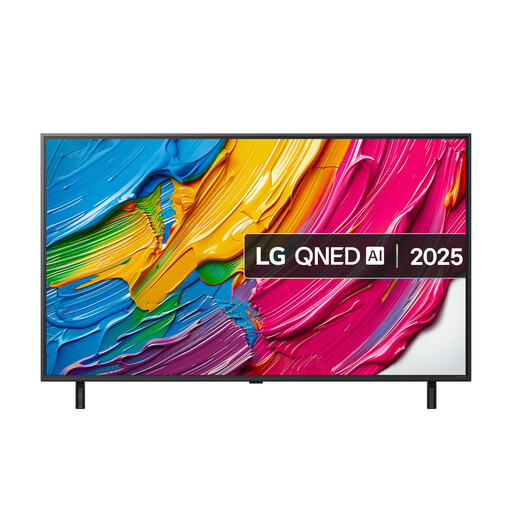
Consider this 50-inch model if the larger shared image fits your planned position. The title lists VRR, ALLM and eARC; the detailed information describes a 60Hz native refresh rate and VRR up to 60Hz, so do not assume it offers 4K 120Hz.
 No image available
Consider this 50-inch set if the room has space for a larger two-player view. As with the 43-inch V6C, its stated 120Hz Game Accelerator applies to FHD; check the console mode you need rather than assuming 4K 120Hz support.
Not necessarily: choose around the games and equipment you actually use. PlayStation says PS5 120Hz output requires both a compatible TV and game, so a higher refresh-rate claim alone is not a reason to compromise on bedroom fit or your preferred picture.
Check the console’s video output settings and the modes reported for the connected TV, then check whether the game supports the mode you want. PlayStation’s guidance places these controls under Settings, Screen and Video, then Video Output; the TV must also support the relevant mode on the connected HDMI input.
No; VRR can be input-specific. Sony UK lists VRR on HDMI 3 and 4 of the K-55XR5, while listing ALLM for HDMI 1 through 4, so check the specification for the exact TV before connecting your console.
Check collection or recycling options with the seller or your local authority. GOV.UK’s guidance on waste electrical and electronic equipment describes rules intended to support recovery, reuse and recycling rather than disposal with general waste.