For local basketball video-game matches, choose the TV around the output your console and games can use, then check that it fits the bedroom and shared seating. A compact OLED is worth considering for play in a dim room; a 43-inch LCD-based TV offers another compact route, while a simpler display may suffice if 120Hz play is not a priority. Whatever the screen type, confirm the intended resolution, refresh mode and HDMI input on the exact model.
Who is this for?
Competitive local-match players
If timing and responsive controls matter most, check whether the TV, connected HDMI input, console and game can use the same high-refresh mode. VRR and a low-latency Game Mode are separate features to check, not substitutes for refresh-rate support.
Compact-bedroom gamers
Shared viewing calls for enough screen space without overlooking furniture width or seating distance. Samsung describes 43 inches as suitable for a bedroom and gives 1.32 m as its own viewing-distance guideline, rather than a rule for every room.
Dark-room picture-quality buyers
If you usually play in a dim bedroom, compare contrast alongside gaming modes. LG lists a 42-inch OLED C6 with up to 4K at 165Hz, but those specifications belong to that model, not every compact OLED TV.
What matters when choosing?
For local matches in a bedroom, start with the feature you would least want to compromise: responsive play, room fit or the picture in your usual lighting. Then check the exact TV model against your console and installation space.
| Concern |
What to check |
Who this matters to |
| Responsive play |
Check 4K at 120Hz if your console and game can use it, plus VRR, Game Mode and the HDMI input carrying those modes. |
If I rely on quick inputs and want to follow fast camera movement, I would put the supported gaming mode ahead of the panel type. Around 44% of consumers would make responsiveness their primary concern. |
| Bedroom fit and shared viewing |
Measure furniture width, stand depth and seating distance; compare the TV’s full dimensions, not just its diagonal size. |
When two people share a small room, I need both a clear view and a screen that fits the furniture. For around 33% of consumers, room fit and shared viewing would come first. |
| Picture in room lighting |
Compare contrast and screen reflections in your usual lighting, then check the exact model’s energy label and gaming modes. |
If most matches happen in a dim room, I may care more about contrast; daylight on the screen would change what I compare. Picture quality in the usual lighting would lead the decision for around 23% of consumers. |
Buying pitfalls
-
Taking a headline refresh rate as proof of 4K at 120Hz
A faster mode may depend on the resolution, HDMI input and connected device. Sony’s gaming guidance, for example, calls for the appropriate HDMI port and Enhanced Format setting when using supported 4K/120Hz modes.
Check the exact model’s resolution-and-refresh combinations, VRR support and port requirements before buying.
-
Choosing a ranked TV before measuring the bedroom
An external gaming-TV ranking answers a different question from whether a screen fits your furniture and works for both players’ seats.
Measure the available width, stand space and seating positions before comparing screen sizes.
-
Overlooking energy information
Screen technology alone does not tell you how the particular TV’s stated energy use compares with another model.
Read the exact model’s UK energy label and product information sheet alongside its gaming specifications.
Brands with relevant models to consider
LG
LG’s 42-inch OLED C6, model OLED42C64LA, is a compact OLED example for comparison.
- LG lists up to 4K at 165Hz, G-SYNC compatibility and FreeSync Premium for this model.
- Its UK product page lists Energy Grade G. Check the exact variant and console-compatible HDMI mode rather than applying its specifications to all LG TVs.
Samsung
Samsung offers 43-inch Neo QLED models to compare with compact OLED TVs.
- Samsung lists 4K 144Hz motion support for its 43-inch QN90D.
- Gaming modes vary by model and year; check the exact TV’s refresh modes, VRR and HDMI ports.
Sony
Sony’s BRAVIA guidance is useful when comparing gaming settings on compatible models.
- Sony explains how Game Mode, Enhanced Format and supported VRR settings relate to console setup.
- Its 43-inch X89J specification lists 4K120, VRR and ALLM, but that is a 2021 model; check features and availability on the exact TV you are considering.
Joybuy product choices
These compact 42- and 43-inch TVs offer different starting points for bedroom matches. Compare each model’s stated gaming modes with your console, and measure the complete TV before choosing a position for shared play.
 No image available
Sony BRAVIA A90 XR42A90K 42-inch OLED 4K TV
Consider this 42-inch OLED model if a compact screen and dim-room viewing are priorities. Its title specifies 4K and HDR; confirm the HDMI input and gaming modes needed by your console, as well as the full dimensions.
View on Joybuy
 No image available
TCL 43V6C 43-inch Direct LED 4K TV
Consider this 43-inch model if its full dimensions suit your bedroom. The title specifies a 120Hz Game Accelerator at FHD, not 4K at 120Hz; check the supported modes and HDMI input against the output you intend to use.
View on Joybuy
 No image available
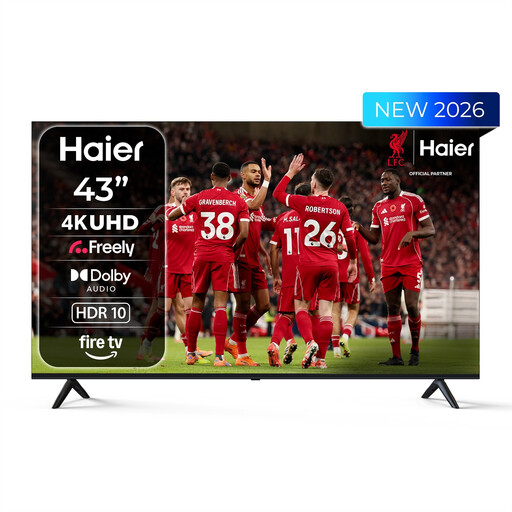
Haier H43K85GUF 43-inch 4K LED TV
This 43-inch option is worth comparing if a compact 4K display matters more to you than a confirmed 120Hz mode. Its title lists HDR10 and Energy Rating E; check the precise refresh and gaming modes before choosing it for your console.
View on Joybuy
 No image available
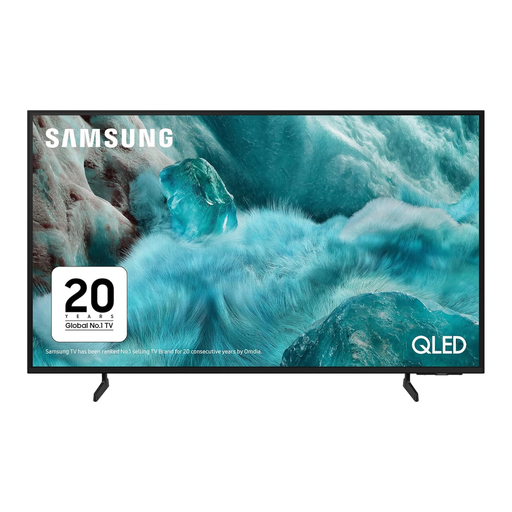
Samsung Q7F QE43Q7FAAU 43-inch 4K TV
Consider this 43-inch screen where bedroom fit is the main constraint. If high-refresh matches matter, confirm the native refresh rate, VRR support and HDMI modes for this exact model before buying.
View on Joybuy
 No image available
Haier H43S80GUF 43-inch 4K QLED TV
Compare this compact QLED model if you want a 43-inch screen for local matches without making 120Hz play a requirement. Its title lists HDR10+ and Energy Rating E; check the full dimensions and the gaming modes your console needs.
View on Joybuy
Frequently asked questions
Do I need HDMI 2.1 for bedroom gaming?
Check HDMI capability if you want 4K at 120Hz from a compatible console and game; the TV must support that mode on the input you use. If you play at 4K and 60Hz instead, confirm that your intended console output works rather than choosing by the HDMI label alone.
Why might a 120Hz TV not display a game at 4K and 120Hz?
The advertised mode may apply at another resolution, or the connected port and settings may not be configured for 4K at 120Hz. Sony advises enabling Enhanced Format on the appropriate HDMI port for supported modes; also check the console and game settings.
What should I check after connecting a PS5 or Xbox?
Check the console’s reported TV capabilities and compare them with the mode you intended to use. PlayStation says 120Hz output requires a compatible TV and game; on Xbox, the connected-TV details can help identify supported display modes.
Is 43 inches automatically the right size for a bedroom?
No. Samsung describes 43 inches as suitable for bedroom use and offers a 1.32 m viewing-distance guideline, but your furniture, seating positions and available space still determine whether a particular TV fits. Compare its full dimensions before purchase.
Should energy information affect my choice?
Yes, compare the exact models’ energy labels and product information sheets alongside their gaming features. A screen-size or panel-technology label by itself does not establish how the TVs’ stated energy use compares.


