What to check before buying
For bedroom couch co-op, settle screen placement and shared sightlines first. Then match the TV’s gaming modes to your console and games, and compare picture features under the lighting you actually use.
| Concern |
What to check |
Who this matters to |
| Shared-screen fit |
Measure the TV location and viewing distance; check the sightline from every usual playing position. |
If we play from different seats, we need to see the same action without squeezing an oversized screen into the room. Around 36% of consumers would put shared-screen fit first. |
| Console responsiveness |
Check Game Mode and which HDMI inputs support the console modes you want, particularly 4K/120Hz and VRR. |
When our games offer higher-frame-rate modes, we want the connected TV to display them as intended. For around 29% of consumers, supported console responsiveness would be the primary concern. |
| Room-lighting picture quality |
Compare model-specific contrast, anti-reflection and off-centre viewing features against the room’s lamps and windows. |
Evening play makes dark-scene detail important to us, while reflections can be distracting when the lights are on. Around 21% of consumers would prioritise picture quality under their room lighting. |
| Energy and purchase terms |
Read the exact model’s energy information and check the seller’s delivery, returns and warranty terms. |
We do not want gaming features we will leave unused, and we need to understand the practical terms of the purchase. Those checks would come first for around 14% of consumers. |
Bedroom TV options on Joybuy
These 42–43-inch TVs give you compact-screen options to compare for bedroom couch co-op. Check placement and each model’s console modes separately; a gaming feature in one listing does not establish the same capability in another.
 No image available
TCL 43V6C 43-inch Direct LED 4K TV
Consider this size if a 43-inch screen fits the bedroom and every player’s sightline.
The listing names HDR and a 120Hz Game Accelerator mode specified as FHD. Check the exact HDMI input and console output you need rather than assuming 4K/120Hz support.
View on Joybuy
 No image available
Sony BRAVIA XR42A90K 42-inch OLED 4K TV
This is a compact OLED option to compare if you mostly play in a dim bedroom.
The listing names HDR and Dolby Vision. Check the stand footprint and the HDMI inputs needed for your console’s preferred modes.
View on Joybuy
 No image available
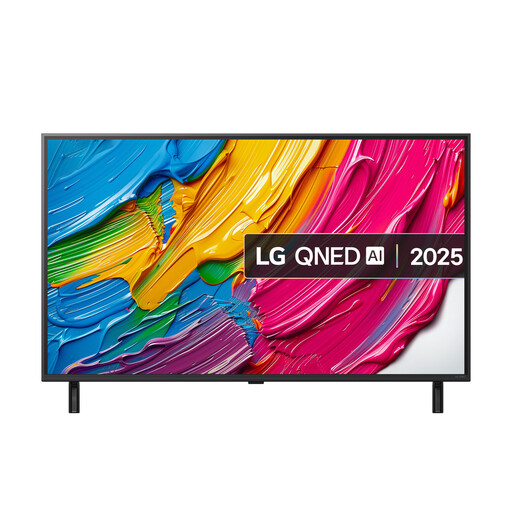
LG 43QNED80A6A 43-inch QNED 4K TV
Compare this 43-inch model where shared-screen fit is the starting point and you want to check variable-refresh features.
Its listing names VRR, ALLM and eARC. Confirm the supported refresh modes and HDMI-port allocation for your console before buying.
View on Joybuy
 No image available
Haier H43S80GUF 43-inch QLED 4K TV
Consider this 43-inch option if the room fits it and your priority is checking the essentials for your own games.
The listing names HDR10+. Confirm the current energy label, stand dimensions and gaming modes for the exact model rather than relying on its QLED designation.
View on Joybuy
 No image available
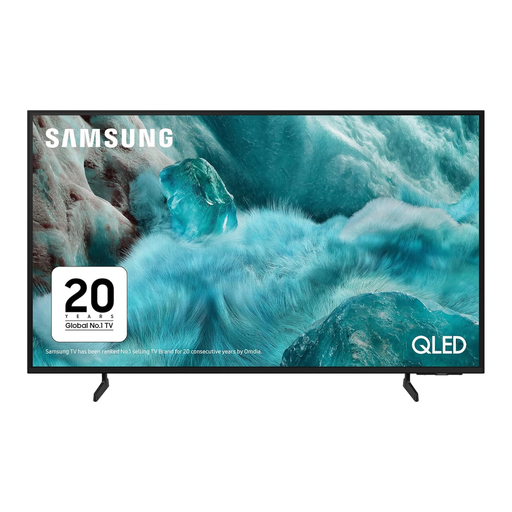
Samsung Q7F QE43Q7FAAU 43-inch 4K TV
This is another 43-inch screen to assess against your available furniture space and co-op seating positions.
Check its exact Game Mode, refresh-rate and HDMI specifications before deciding whether it meets your console requirements.
View on Joybuy
Frequently asked questions
Do couch co-op platformers need a 120Hz TV?
No: choose 120Hz for games and a console that support a higher-frame-rate mode, not simply because the TV advertises it. PlayStation says PS5 120Hz output requires a compatible display and a game that supports 120Hz.
Which gaming features should I check on the exact TV?
Check Game Mode, the HDMI inputs available for your devices, and whether the required inputs support your preferred resolution, refresh rate and VRR. If you use multiple consoles or a soundbar, check port allocation and audio connections too; a general gaming label does not settle those details.
How do I choose a size that works for several players?
Measure the installation space and check the screen position from every normal playing seat before choosing a diagonal. Samsung UK describes 43 inches as suitable for bedroom use, but that guidance cannot account for your particular seating distance or furniture.
How should I compare a TV’s energy information?
Compare the energy label for each exact model rather than assuming that OLED, QLED or Mini LED determines its energy use. GOV.UK says products covered by the applicable energy-labelling rules must be supplied with an accurate printed label.
What should I do with a TV I replace?
Check your retailer’s collection arrangements or your local authority’s current electrical-recycling service rather than putting the TV in ordinary household waste. GOV.UK describes the UK’s waste electrical and electronic equipment rules as supporting recovery, reuse and recycling.


