Families working with limited bedroom space
Measure the intended screen position and usual seating distance, then make sure everyone can read questions without choosing a TV too large for the furniture or wall space.


Choose a bedroom TV by checking where everyone will sit and how much space the screen has: a 32-inch set may suit a tight room, while a 43-inch set is worth considering when several people need to read quiz prompts and it fits safely. For quiz play, prioritise access to the game and, if using a console, a suitable Game Mode; consider 4K/120Hz and variable refresh rate (VRR) if you will also play compatible faster-paced games.
Measure the intended screen position and usual seating distance, then make sure everyone can read questions without choosing a TV too large for the furniture or wall space.
A suitable screen and straightforward game access come first for quizzes. Households that also play faster games may want to check Game Mode, auto low latency mode (ALLM) and the exact model’s supported gaming modes.
A compatible smart TV may provide access to streamed games without a console, provided the chosen service carries the game and the household has the required connection, account and controller.
Start with room fit and readable quiz prompts, then decide how the family will launch games; check advanced gaming features only against the other games and equipment you intend to use.
| Concern | What to check | Who this matters to |
|---|---|---|
| Room fit and readability | Measure from the usual seats to the screen position, plus the space available for the TV and its stand or mount. Which? gives about 2 metres as a guide for a 32-inch TV, not a rule for every room. | If several of us need to read small answer choices, I want a screen we can all see without crowding the bedroom. Around 36% of consumers would put room fit and shared readability first. |
| Getting into the game | Check that your quiz game works with the intended console or smart-TV service, and leave enough HDMI inputs for connected devices. Samsung says Gaming Hub on compatible TVs needs an account, internet and a compatible controller; some services also require a subscription. | I want everyone to be able to start our chosen quiz without discovering that it needs a different device or service. For around 29% of consumers, straightforward game access would be the primary concern. |
| Gaming beyond quizzes | Check the exact TV’s Game Mode or ALLM. If other games need 4K/120Hz or VRR, confirm support across the TV, relevant HDMI port, connected hardware and game. | Our quiz nights are relaxed, but I also use the console for games where responsiveness matters. Around 21% of consumers would prioritise those broader gaming needs. |
| Secure placement | Check that the unit supports the TV or that the proposed wall and mount suit the installation. Follow the manufacturers’ instructions, particularly where children can reach the TV or furniture. | In a bedroom children use, I need the screen positioned securely rather than balanced on a narrow unit. Secure placement would come first for around 14% of consumers. |
A small screen may leave players struggling to read prompts, while a larger one may not sit securely on the available furniture.
Measure from the usual eye position to the proposed screen position, as well as the TV’s available wall or unit space. Use viewing-distance guides as a starting point, not a substitute for those measurements.
On TVs that offer higher-bandwidth gaming modes, the supported mode can depend on the port, settings and connected equipment.
If you need 4K/120Hz or VRR for other games, check the exact model’s port specifications before purchase and follow its setup instructions when connecting the console or PC.
A compatible TV’s gaming service does not establish that your preferred game is in its catalogue. Samsung says Gaming Hub also depends on an account, internet connection and compatible controller, with a subscription required for some services.
Check the specific game, service and controller requirements before deciding to play without a console.
A TV or its supporting furniture can tip, particularly where children may climb or reach near it.
Use suitable, stable furniture or a compatible wall mount, and follow the TV, furniture and mount manufacturers’ installation instructions. Safe Kids Worldwide advises securing flat-screen TVs appropriately.
Relevant if you are considering a compatible smart TV with Gaming Hub, or comparing gaming features on specific Samsung models.
Relevant when comparing a mainstream smart TV with an LG model offering gaming-focused features.
Relevant to households connecting a compatible PlayStation and using the TV for other games as well as family quizzes.
These 43-inch TVs are options for shared bedroom quiz play if their dimensions work in your room. Compare their stated features with your chosen game and equipment rather than assuming they offer the same gaming modes.
 No image available
Consider this for shared quiz prompts if a 43-inch screen fits your bedroom and your chosen game works with the intended device.
The product name states Direct LED, 4K HDR, Dolby Atmos and a 120Hz Game Accelerator specified for FHD. Do not treat that FHD mode as confirmation of 4K/120Hz; check the exact gaming modes if you need them.
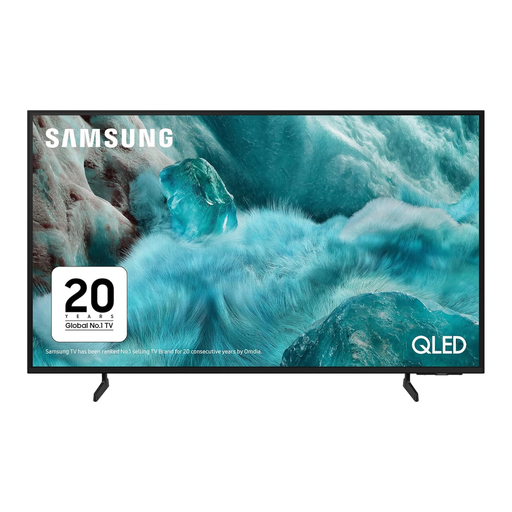 No image available
This is a 43-inch option for a family that has room for a larger quiz screen; confirm that your preferred game works with the device or service you plan to use.
The product name specifies 4K Ultra HD, smart-TV functionality and Wi-Fi. Check the exact model’s gaming modes and connections if the TV will also serve a console.
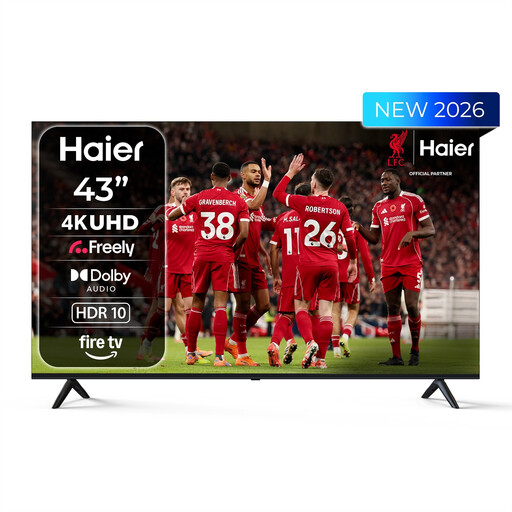 No image available
Consider this 43-inch option where the bedroom can accommodate it and your quiz game is accessible through your intended setup.
The product name specifies an LED smart TV with Freely, Fire TV, HDR10, Dolby Audio and an Alexa Voice Remote. Confirm the exact gaming modes and the space needed for placement before choosing it for console use.
Choose a size that lets players read prompts from their usual seats and still fits the intended unit or wall. Which? uses about 2 metres as a guide for a 32-inch TV; measure your own room before deciding whether a larger screen is practical.
A 120Hz mode is not the starting requirement for family quiz play. Check screen readability and game access first, then consider higher refresh rates and VRR if you will also play compatible faster-paced games on equipment that supports those modes.
Gaming Hub can provide access to supported cloud games on compatible Samsung TVs, but it will not necessarily carry your chosen quiz. Samsung says it requires an account, internet and a compatible controller; some services also require a subscription, so check the game and service before relying on this route.
Buying a TV for games is not itself the viewing activity covered by a TV Licence. TV Licensing says a licence covers watching live TV and using BBC iPlayer, so consider how the household will use the screen, not just why it was bought.