Natural-motion ballet viewers
If slow camera pans, ensemble movement or turns draw your attention to stutter or artificial smoothing, look for motion settings you can compare with a recording you know.


Choose a screen size that suits the distance from your usual viewing position, then try a familiar ballet recording on the TV before deciding how much motion smoothing you want. A compact OLED is worth considering for a dim bedroom, while Mini LED offers another route for a brighter room that can accommodate a larger screen. Neither panel type guarantees that slow pans and turns will look natural to you: RTINGS explains that fast response can make low-frame-rate stutter more apparent, while motion interpolation can introduce artefacts.
If slow camera pans, ensemble movement or turns draw your attention to stutter or artificial smoothing, look for motion settings you can compare with a recording you know.
If you watch from a fixed position in a dim bedroom, the distance to the screen and the space it occupies may matter as much as its picture characteristics.
If recordings come from a streaming app, laptop, media player or USB drive, check the connections and playback formats needed for your particular setup.
Settle the viewing distance and recording source before comparing picture settings. For an OLED versus Mini LED decision, judge motion and dark scenes using the kind of footage and room lighting in which you will actually watch.
Consider it when: You watch mainly in a dim bedroom and a compact screen fits your viewing position.
Bear in mind: RTINGS notes that fast response can make stutter in lower-frame-rate footage more visible; try slow pans before choosing a motion setting.
Consider it when: The bedroom is often bright and your measured viewing position has room for a larger screen.
Bear in mind: Compare reflections, dark-scene blooming and motion in person where possible; the panel label alone does not settle how ballet footage will look.
| Concern | What to check | Who this matters to |
|---|---|---|
| Natural movement | Play familiar footage with interpolation off, then compare the lowest available setting, particularly during slow pans. | If turns and camera movement look either jerky or unnaturally smooth, I want control over that compromise. Around 42% of consumers put natural-looking movement first. |
| Bedroom fit and contrast | Measure from your usual eye position to the screen, and check the stand footprint or wall space in the lighting you normally use. | Watching from close to the screen in the evening, I want to follow stage detail without the display dominating the room; around 33% of consumers make room fit their main concern. |
| Playback and sound | Check the exact model's required app or input, recording codecs and audio connection against your source equipment. | If my recordings come from several devices, I need them to play and to work with my listening setup. Reliable playback is the first priority for around 25% of consumers. |
A 120Hz, 144Hz or 165Hz specification does not tell you whether you will like a TV's treatment of a 24 or 25fps recording. RTINGS explains that fast response can make stutter more apparent, while interpolation can smooth movement but introduce artefacts.
Compare a familiar dance sequence with interpolation off and at its lowest available setting, ideally before any applicable return window ends.
The wall is not your viewing position. A large display can feel intrusive when you watch from close by, even if there is room to mount it.
Measure the eye-to-screen distance as well as the TV unit, stand footprint or mounting space. TCL's UK size guide places 43 inches at about 1.3 metres and 55 inches at about 1.7 metres as starting points, not fixed rules.
USB file systems, video and audio codecs, apps and outputs depend on the exact model. Support for a file container does not by itself establish that the recording inside it will play.
Identify your source device and a representative file, then check every required format and connection in the model's manual.
If direct playback does not suit your files, you may need a compatible HDMI media player or adapter.
The Joybuy listing for the Sony XR-48A90K gives different warranty durations in different places, so one line on the page does not establish the applicable coverage.
Ask the seller to clarify the duration, responsible party and terms in writing before ordering, and keep a copy of the response.
LG's UK OLED evo AI C6 range includes the 42-inch OLED42C66LB, a compact OLED option to assess for a bedroom.
Samsung offers its UK S90F OLED in a 42-inch QE42S90FAEXXU variant.
Sony's 48-inch XR-48A90K OLED is an older, 2022 model to consider if its size and documented connections meet your setup.
TCL's C6K-UK range offers a QD-Mini LED route for bedrooms that can accommodate a screen of at least 50 inches.
These choices include compact OLED TVs for a closer bedroom setup and 55-inch Mini LED TVs to consider when the room and viewing distance suit a larger screen. Compare each model with your own recording source and preferred motion settings rather than treating panel type as a verdict on ballet footage.
 No image available
Consider this 48-inch OLED if it fits your bedroom viewing distance and you need several ways to connect recording sources.
Sony lists four HDMI inputs and USB playback support for the exact XR-48A90K model; check your files against its supported formats. It is a 2022 model, and the Joybuy listing gives conflicting warranty durations, so obtain written clarification.
 No image available
Consider this Mini LED model if a 55-inch screen fits your viewing distance and you want to assess a larger-screen alternative.
The product information lists MEMC motion processing, but that feature does not establish how your ballet recordings will look. Check its motion controls and the formats required by your recording source.
 No image available
This 42-inch OLED is a compact option if you watch from relatively close by and have measured the space available.
Its listed 4K resolution and OLED panel do not settle how slow camera pans will appear. Try a familiar recording and check the inputs and playback formats your setup needs.
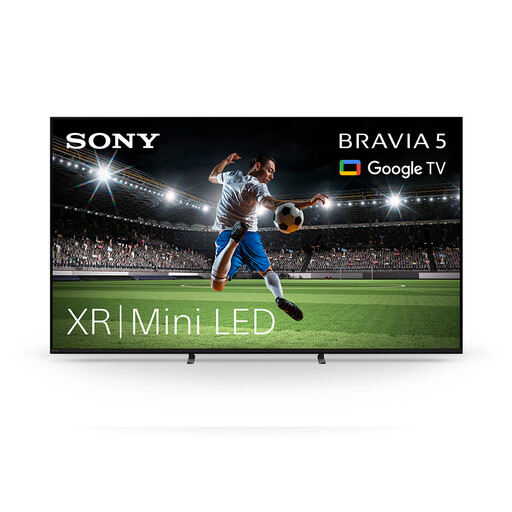 No image available
Consider this 55-inch Mini LED if the larger size fits your bedroom and Google Cast is part of how you play recordings.
The product name lists Google Cast. Confirm that your intended source works with the TV, and compare its motion settings using familiar footage before deciding.
Start with interpolation off, then try the lowest available setting if slow pans look too stuttery to you. RTINGS explains that interpolation can smooth movement but may introduce artefacts or a soap-opera effect, so compare settings with a familiar recording.
Choose from the distance between your usual eye position and the screen, not from wall space alone. TCL's UK guide uses about 1.3 metres for 43 inches and 1.7 metres for 55 inches as reference points; your room layout and viewing comfort may lead you to a smaller screen.
Check the exact TV and recording before relying on USB playback. Sony, for example, lists supported file systems and codecs for the XR-48A90K, but the file's container, video codec, audio codec and any playback restrictions must still match what your chosen model supports.
Check the energy label for the exact television model on the retailer's product page. GOV.UK states that products within the applicable energy-information rules must display an energy label at the point of sale, including on a website; panel type alone is not a substitute for comparing labels.
Ask for written clarification before ordering that Joybuy listing. It shows a one-year manufacturer's warranty in one place and five years in another, so confirm which terms apply, who provides the cover and what those terms include.