
24/7 Customer Support

Free returns

Same-day & Next-day Delivery

Quality Guaranteed

Unlock Your Welcome Offers: FREE Delivery | Up to 80% OFF | Free 30-day JoyPlus trial
Download the APP
The standard 60Hz monitor has served us well, but for anyone spending significant time in front of a screen, the difference a higher refresh rate makes is immediately noticeable. A 27 inch 100Hz monitor represents a significant upgrade, offering smoother scrolling, clearer motion in videos and a more responsive feel for both work and casual gaming. This refresh rate hits the sweet spot, providing a tangible improvement over 60Hz without the premium price tag of high-end gaming displays.
Navigating the market can be tricky, with a wide array of features and technical terms. This guide is designed to help you understand the key considerations and highlight some excellent options available, so you can find the right display for your desk setup, whether you're a home office professional, a student or a casual gamer.
Choosing the right 100Hz computer monitor involves more than just the refresh rate. For a 27-inch screen, a few key specifications can dramatically alter your experience.
The clarity of your display is determined by its resolution. On a 27-inch screen, this choice is particularly important.
The panel technology dictates colour performance and viewing angles, while the shape can affect immersion.
For modern workflows, a monitor with USB-C is a game-changer. A single USB-C cable can transmit video from your laptop, transfer data and even deliver power to charge your device. This simplifies your desk setup, reduces cable clutter and makes connecting and disconnecting your laptop effortless.
Here are a few 27-inch 100Hz monitors that cater to different needs and budgets, from productivity powerhouses to immersive entertainment displays.
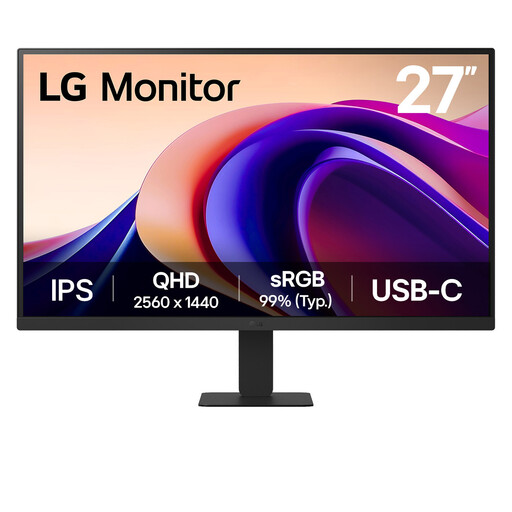
Why It Stands Out: This LG monitor combines a sharp QHD (1440p) resolution with a vibrant IPS panel. The result is a display that delivers crisp text and accurate colours, making it an excellent choice for detailed work. The inclusion of USB-C connectivity allows for a clean, single-cable connection to a laptop for video and power.
Pros:
Who is it for? This is a great fit for home office professionals, students and content creators who need a high-resolution screen for multitasking and colour-sensitive work and who value the convenience of USB-C.
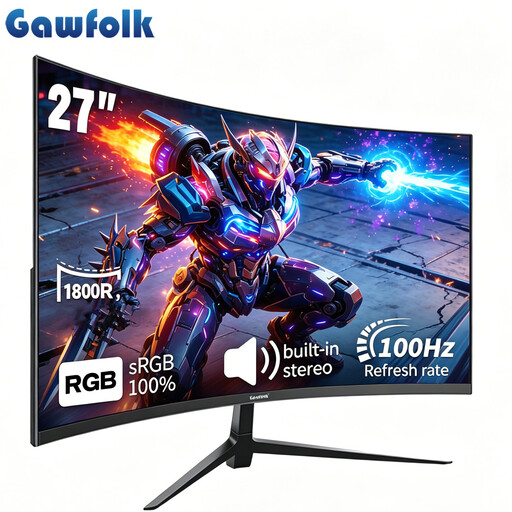
Why It Stands Out: The Gawfolk monitor focuses on delivering an immersive experience. Its 1800R curvature wraps the display around your vision, while the VA panel provides deep blacks and a high contrast ratio. With built-in speakers and Adaptive Sync for tear-free gaming, it's a strong contender for a best budget 100Hz monitor that prioritises entertainment.
Pros:
Who is it for? Ideal for casual gamers, students and anyone looking for an engaging media experience. Its combination of a curved screen, high-contrast panel and affordable price point makes it a compelling choice for entertainment.
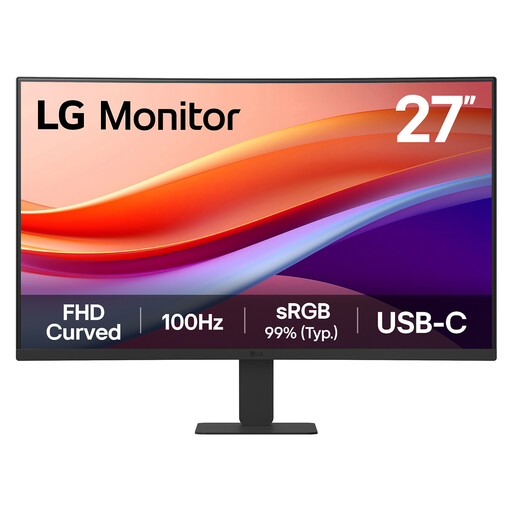
Why It Stands Out: This model offers a balanced feature set, combining the immersive feel of a 1500R curved screen with the modern convenience of USB-C connectivity. The VA panel ensures rich contrast for enjoying videos and games, while the 100Hz refresh rate keeps everything from spreadsheets to action scenes looking smooth.
Pros:
Who is it for? A superb all-rounder for users who want a 27 inch monitor for work and gaming. The curved screen is great for focus during the day, while the high-contrast panel and smooth refresh rate are perfect for relaxing with a film or game in the evening.
If these specific models aren't quite what you're looking for or if you need a different set of features, there are many other displays to consider. Your setup is unique and finding the right monitor is key to a great user experience.
? Explore our full range of HDMI PC monitor options to find the perfect fit for your desk.
1. Is 100Hz good enough for both work and gaming? Absolutely. For work, the 100Hz refresh rate provides noticeably smoother scrolling and window management compared to a standard 60Hz screen, which can reduce perceived choppiness and feel more responsive. For casual gaming, 100Hz offers a fluid, tear-free experience that is a clear step up from 60Hz, making it a great middle ground for a versatile, mixed-use display.
2. Is a curved 27-inch monitor better for office work? This often comes down to personal preference. Some users find that a gentle curve on a 27-inch monitor helps reduce eye and neck movement, as the edges of the screen are brought slightly closer. This can enhance focus and comfort during long work sessions. However, for tasks that require precision with straight lines, such as graphic design or architecture, a flat screen is often preferred.
3. Do I need QHD resolution on a 27-inch monitor? While not strictly necessary, QHD (2560x1440) resolution is highly recommended for a 27-inch monitor, especially for productivity. The higher pixel density results in sharper text and more screen real estate for multitasking, allowing you to see more of your work at once without scaling. For general media consumption or if you are on a tighter budget, a Full HD (1920x1080) screen is still a very capable option.