
24/7 Customer Support

Free returns

Same-day & Next-day Delivery

Quality Guaranteed

Unlock Your Welcome Offers: FREE Delivery | Up to 80% OFF | Free 30-day JoyPlus trial
Download the APP
Choosing a new gaming monitor can feel like navigating a minefield of technical specifications. With terms like refresh rate, response time and panel type being thrown around, it’s easy to feel overwhelmed. The 27-inch screen size has become a popular choice for many gamers in the UK, offering an immersive experience without dominating your entire desk. It's the sweet spot for both competitive focus and cinematic gameplay.
This guide is designed to cut through the clutter. We’ll break down the essential features to look for in a modern display and present a few of our top recommendations to help you find the right 27 inch gaming monitor for your setup.
Before diving into specific models, understanding a few key concepts will help you make a more informed decision.
The two most important specifications are resolution (clarity) and refresh rate (smoothness). For a 27-inch screen, you have several options:
The panel is the heart of the display, and the technology used affects everything from colour accuracy to response time.
Screen tearing occurs when your monitor’s refresh rate is out of sync with the frame rate from your graphics card. Adaptive Sync technology solves this.
Here are a few standout models that cater to different types of gamers, from competitive players to those seeking cinematic immersion.
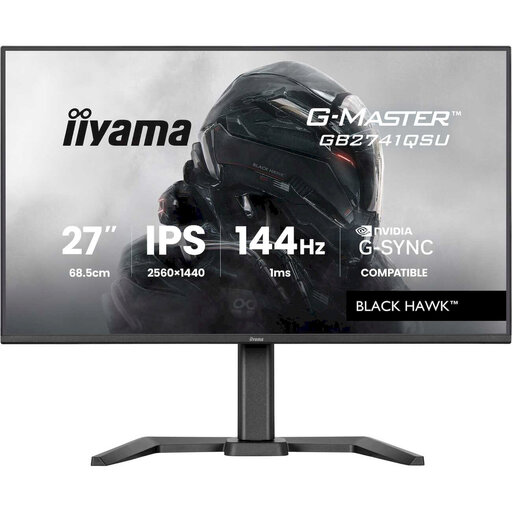
Why It Stands Out: The iiyama Black Hawk strikes an excellent balance between performance, features and price. It combines the clarity of a WQHD monitor with the smoothness of a 144Hz refresh rate, making it a superb all-rounder for a wide range of games.
Pros:
Who is it for?: Gamers and content creators looking for a high-performance 1440p gaming monitor that delivers on all fronts without an excessive price tag. It’s a reliable workhorse for both competitive and casual play.
View the iiyama G-MASTER Black Hawk
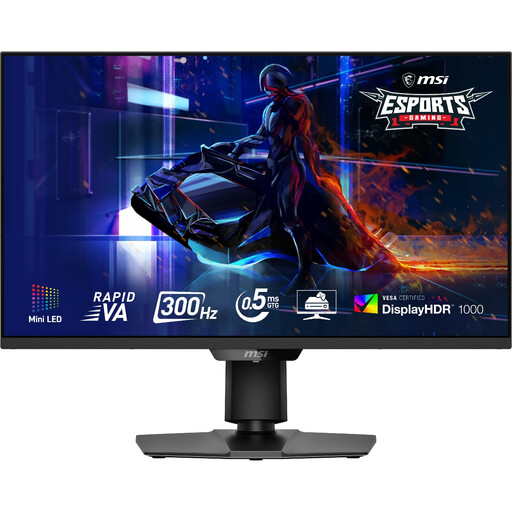
Why It Stands Out: This MSI monitor is engineered for the competitive elite. With a blistering 300Hz refresh rate and Mini-LED backlighting, it offers both top-tier speed for esports and stunning HDR visuals. The Mini-LED technology with 1,152 dimming zones provides deep blacks and brilliant highlights, earning it a VESA DisplayHDR 1000 certification.
Pros:
Who is it for?: The serious esports monitor seeker and HDR enthusiast. If your priority is gaining a competitive edge in fast-paced shooters while also wanting a premium cinematic experience, this monitor is built for you.
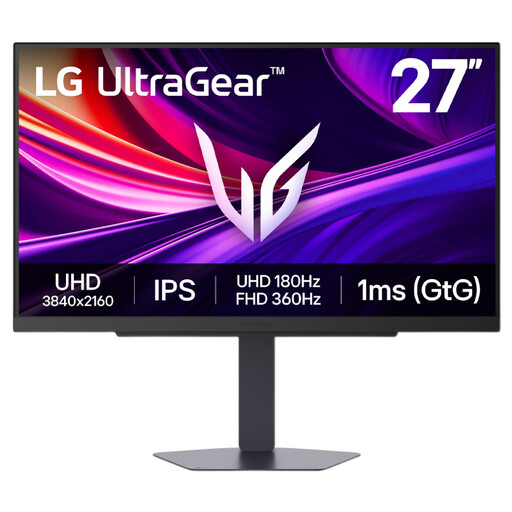
Why It Stands Out: The LG UltraGear 27G810A-B offers remarkable versatility with its innovative Dual Mode technology. You no longer have to choose between resolution and refresh rate. Switch to 4K UHD at 180Hz for breathtaking cinematic games or flip to Full HD at 360Hz for maximum smoothness in competitive titles.
Pros:
Who is it for?: The versatile gamer who does it all. If you jump between graphically intense single-player adventures and fast-paced online multiplayer, this monitor provides the flexibility to have the ideal setup for any game you play.
View the LG UltraGear 27G810A-B
Our recommendations cover a range of needs, but the world of gaming monitors is vast. If you're looking for a different size, panel type or feature set, there are many other excellent displays to consider.
Explore Our Full Collection of Gaming LED Monitors
Yes, 27 inches is often considered the ideal size for desktop gaming. It's large enough to be immersive for cinematic games but not so large that you have to move your head to track action in competitive titles. It also provides a good pixel density for both 1440p and 4K resolutions.
This depends on your priorities and your PC's hardware. A 1440p gaming monitor is the mainstream choice, offering a great balance of visual sharpness and the ability to achieve high frame rates with a mid-to-high-end graphics card. A 4K gaming monitor provides superior image clarity but requires a top-tier GPU to run demanding games smoothly at high settings.