
24/7 Customer Support

Free returns

Same-day & Next-day Delivery

Quality Guaranteed
Download the APP
Categories
Choosing the right monitor can feel like a complex task. With so many specifications to consider—refresh rates, response times and panel types—it is easy to get lost in the technical details. Whether you are a competitive gamer needing every millisecond of advantage, a console player looking for an immersive experience, or a professional who needs a versatile display for both work and play, finding the right balance of features is key.
This guide is designed to help you navigate the market for a 27 inch gaming monitor. We will break down the essential features to look for and present a selection of models that offer a strong combination of performance, quality and value.
Before diving into specific products, let’s clarify a few key terms. Understanding these will help you make a more informed decision that aligns with your needs.
For gaming, smoothness is paramount. A high refresh rate monitor updates the image on the screen more frequently, resulting in more fluid motion. While 60Hz is standard, gaming monitors typically start at 120Hz. An FHD 144Hz monitor is often considered the sweet spot for a blend of performance and affordability, while rates of 240Hz and higher are geared towards serious competitive players.
Equally important is response time. A low response time monitor (measured in milliseconds, or ms) reduces motion blur and ghosting, which is the faint trail you might see behind fast-moving objects. For fast-paced games, a response time of 5ms or less is recommended, with 1ms being the target for competitive play.
The majority of modern gaming displays use an IPS gaming monitor panel. IPS (In-Plane Switching) panels are known for their superior colour accuracy and wide viewing angles, ensuring the picture looks great no matter where you are sitting. This makes them ideal not just for gaming, but also for creative work and media consumption.
For a 27-inch screen, a Full HD (1920x1080) resolution, often called a 27 inch 1080p monitor, provides a great balance. It delivers a sharp image without demanding excessive power from your graphics card, allowing you to achieve higher frame rates for a smoother gaming experience.
Ensure the monitor has the right ports for your devices. DisplayPort is typically required to achieve the highest refresh rates on PC, while HDMI 2.0 or 2.1 is essential for getting 120Hz on a monitor for PS5 or Xbox Series X.
Adaptive Sync technology is another crucial feature. It synchronises the monitor's refresh rate with your graphics card's output, eliminating screen tearing and stuttering. Look for compatibility with NVIDIA G-Sync (a G-Sync compatible monitor) or AMD FreeSync, depending on your graphics card.
Here are our recommendations, selected to meet the needs of different users, from productivity-focused professionals to dedicated gamers.
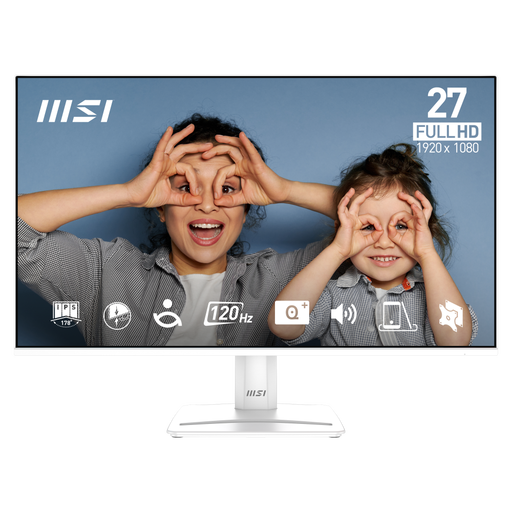
Why It Stands Out The MSI PRO MP275W E2 is an excellent all-rounder that bridges the gap between professional and personal use. Its 120Hz refresh rate provides a noticeable step up in smoothness over standard 60Hz displays, making it a capable monitor for work and gaming. The frameless monitor design on all four sides offers a modern look and is ideal for multi-monitor setups. A key focus is on user well-being, with a suite of EyesErgo features designed to reduce eye strain during long sessions.
Pros
Who is it for? This monitor is ideal for home office professionals, students and casual gamers who need a single, high-quality display for both productivity and entertainment.
View the MSI PRO MP275W E2 on Joybuy.co.uk
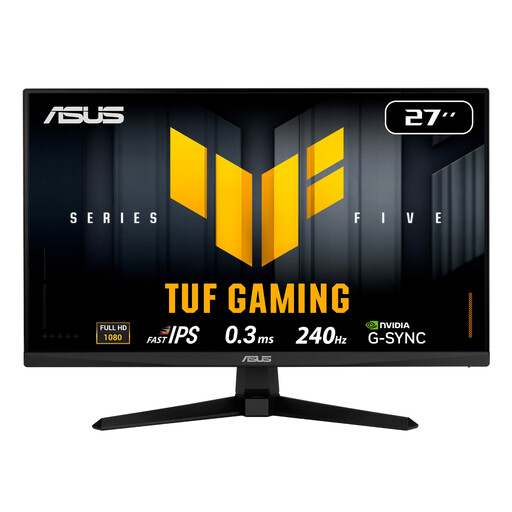
Why It Stands Out Built for competitive gaming, the ASUS TUF VG279QM5A prioritises speed above all else. Its blistering 240Hz refresh rate and ultra-low response time, which ASUS states can be as low as 0.3ms, deliver exceptionally fluid and sharp visuals. The inclusion of ASUS's Fast IPS technology ensures you don't have to sacrifice colour quality for speed. It also features ELMB SYNC, which combines motion blur reduction with adaptive sync for a clear, tear-free picture.
Pros
Who is it for? This monitor is aimed squarely at serious and competitive gamers who demand the highest level of performance and responsiveness to stay ahead of the competition.
View the ASUS TUF VG279QM5A on Joybuy.co.uk
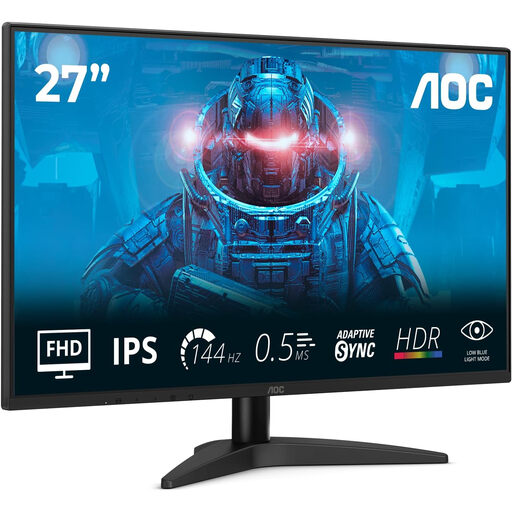
Why It Stands Out The AOC 27B36X hits a fantastic middle ground, offering strong gaming features at an accessible price point. As an FHD 144Hz monitor, it provides the fluid gameplay that many PC gamers look for. Its IPS panel delivers vibrant colours, with stated coverage of approximately 128% of the sRGB spectrum, making games and media look rich and lively. Support for HDR10 further enhances contrast, while the sleek, 4-sided frameless design gives it a premium feel.
Pros
Who is it for? This is an excellent choice for gamers and multimedia enthusiasts who want a high-performance monitor that offers a great balance of speed, visual quality and value.
View the AOC 27B36X on Joybuy.co.uk
While these three monitors represent strong choices across different needs and budgets, the market is full of great alternatives. If you haven't found the perfect fit here, or if you're interested in exploring other resolutions and sizes, we invite you to browse our complete collection.
Explore Our Full Range of FHD Monitors
Yes, a 27 inch 1080p monitor is a very popular choice for gaming. This combination allows modern graphics cards to achieve high frame rates more easily, which is essential for taking advantage of a high refresh rate. It offers a great balance between visual sharpness and performance, especially for fast-paced competitive titles.
A refresh rate of 120Hz is a solid entry point for a noticeably smoother gaming experience compared to standard 60Hz displays. For many gamers, 144Hz is the ideal sweet spot, offering excellent fluidity for a wide range of games. A 240Hz refresh rate is primarily beneficial for highly competitive esports players where every frame counts.
Absolutely. In fact, a quality gaming monitor can be an excellent monitor for work and gaming. An IPS gaming monitor typically offers superior colour accuracy, which is beneficial for creative tasks. Furthermore, features like flicker-free technology and low blue light modes, common in gaming displays, help reduce eye strain during long workdays, making them a comfortable and versatile choice for any desk.