
24/7 Customer Support

Free returns

Same-day & Next-day Delivery

Quality Guaranteed
Download the APP
Categories
A cluttered desk can lead to a cluttered mind. Wires for power, video and peripherals can quickly turn a clean workspace into a tangled mess. For professionals and creators in the UK, the search for a streamlined, high-performance setup often leads to one key component: a 27 inch USB-C monitor. This single-cable solution promises to deliver power, display and data, simplifying your desk and boosting your productivity.
But with so many options available, choosing the right one can be a challenge. This guide is designed to help you understand the key features to look for and to present a selection of monitors that cater to different professional needs, from creative design to everyday productivity.
Navigating the technical specifications of monitors can feel overwhelming. Here are a few practical points to focus on to ensure you find a display that fits your workflow.
The right combination of resolution and refresh rate is crucial for both comfort and performance.
The main appeal of a USB-C monitor is its ability to function as a hub. However, not all USB-C ports are created equal.
For anyone whose work depends on colour, this is non-negotiable. An IPS (In-Plane Switching) panel is the standard for wide viewing angles and good colour reproduction. For professional use, look for specifications that mention high coverage of colour gamuts like sRGB or DCI-P3. A colour accurate monitor ensures that the work you see on screen will translate correctly to print or other digital formats.
Here are our recommendations, selected to meet the demands of different professional users.
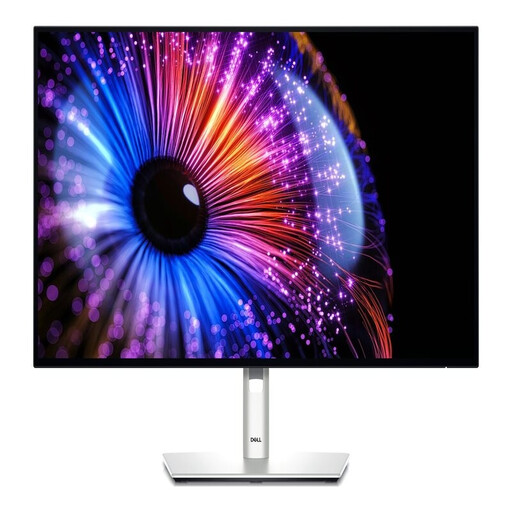
Why It Stands Out: The Dell U2724DE is engineered for the modern professional who needs a seamless and efficient workspace. Its standout feature is the combination of a 120Hz refresh rate on a QHD IPS Black panel, which delivers exceptionally smooth motion and deep contrast. It truly shines as a docking station, offering 90W Power Delivery via USB-C, an RJ45 Ethernet port and a comprehensive USB hub to connect all your peripherals with a single cable.
Pros:
Who is it for? This monitor is ideal for office professionals, developers and multi-taskers who want to create a clean, single-cable desk setup without compromising on performance or visual comfort.
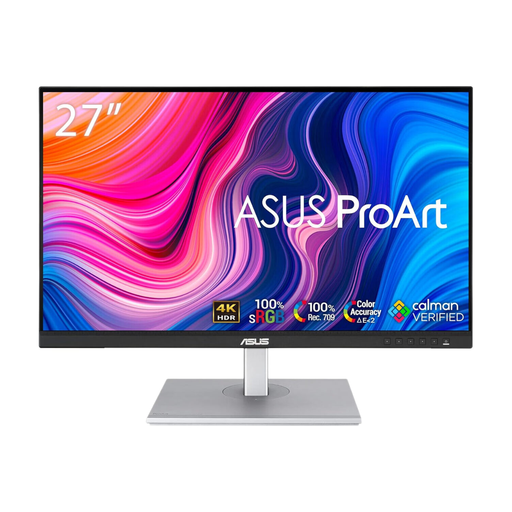
Why It Stands Out: The ASUS ProArt PA279CV is purpose-built for creative professionals. Its 4K Ultra HD resolution delivers incredible detail, essential for photo and video editing. As a factory-calibrated colour accurate monitor, it meets stringent industry standards for colour fidelity straight out of the box. The ProArt series is well-regarded for its focus on the needs of designers, photographers and video editors.
Pros:
Who is it for? Graphic designers, photographers, video editors and other content creators who require uncompromising colour accuracy and the fine detail that only a 4K display can provide.
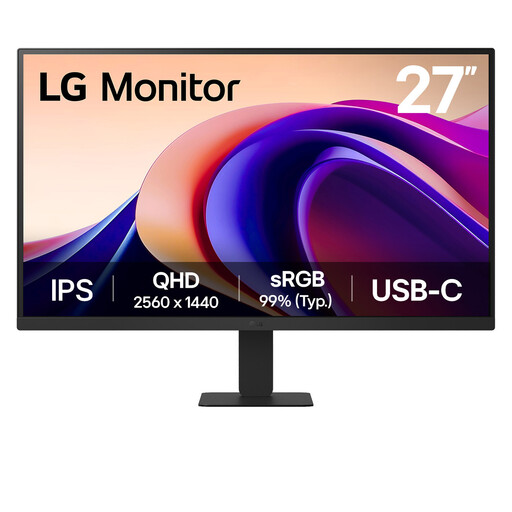
Why It Stands Out: The LG 27U631A offers a compelling blend of features for a wide range of users. It pairs a sharp QHD resolution with a smooth 100Hz refresh rate, making it a significant step up from standard 60Hz monitors for both work and light entertainment. Features like Flicker Safe and Reader Mode are designed to reduce eye strain during long sessions, while its slim design and USB-C connectivity make it a practical and stylish addition to any desk.
Pros:
Who is it for? Users looking for a high-quality, versatile monitor for a home office or general use. It’s a great option for those who want a noticeable upgrade in smoothness and clarity without needing the specialised features of a professional creative display.
While USB-C is the modern standard for a single-cable setup, we understand that not all devices or workstations are equipped with it. If your computer relies on HDMI or DisplayPort and you need to connect to different devices, having the right adapters is key.
For a wide range of connectivity solutions, explore our selection of USB to HDMI adapters and cables to ensure all your devices work together seamlessly.
1. Is a 27 inch monitor too big for QHD resolution? Not at all. Many users consider 27 inches to be the ideal size for a QHD (2560x1440) display. It provides a pixel density of around 109 pixels per inch (PPI), which offers a great balance of sharp text and ample screen real estate without typically needing to use display scaling in your operating system.
2. How much Power Delivery (PD) do I need from a USB-C monitor? This depends entirely on the power requirements of your laptop. A slim ultrabook might only need 45W to 65W to charge effectively. More powerful laptops, such as those with dedicated graphics, may require 90W or more. To be sure, check the wattage of the power adapter that came with your laptop.
3. Can I use a USB-C monitor with a computer that only has HDMI? Yes, you can. All the monitors listed here also include standard HDMI and DisplayPort inputs. You can connect your computer using an HDMI cable as you normally would. You will simply miss out on the single-cable benefits of USB-C, such as charging your laptop and transferring data through the same connection.