
24/7 Customer Support

Free returns

Same-day & Next-day Delivery

Quality Guaranteed
Download the APP
Categories
Navigating the world of 4K monitors can feel overwhelming. With a sea of technical specifications like refresh rates, panel types and colour gamuts, it’s easy to get lost. Whether you are a competitive gamer seeking fluid motion, a creative professional demanding absolute colour precision or someone looking for a stunning all-round display, choosing the right screen is a significant investment in your daily work and leisure.
As a Joybuy Product Recommendation Officer, my role is to help you cut through the marketing jargon. This guide is designed to clarify the essential features of a modern 4K monitor and present some carefully considered options to help you find the perfect match for your setup.
Before diving into specific models, let's break down the key factors that will influence your decision. Understanding these will empower you to select a monitor that truly fits your requirements.
The panel is the heart of your monitor, and the technology it uses dictates its core visual characteristics.
These two specifications are crucial for motion performance, especially in gaming and video playback.
A modern monitor should be a hub for your devices, not just a display.
Based on a balance of features, performance and user focus, here are our recommendations for your consideration.
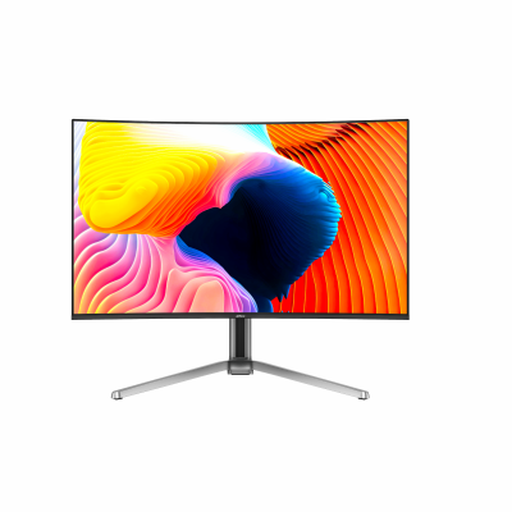
Why It Stands Out: This 32 inch 4K monitor combines the two most sought-after features for a high-end display: the breathtaking contrast of an OLED panel and the ultra-smooth motion of a 165Hz refresh rate. The result is an incredibly immersive experience that excels in both gaming and media consumption. Its 0.03ms GTG response time is virtually instantaneous, eliminating motion blur for a distinct competitive edge.
Pros:
Who is it for?: This monitor is aimed at the enthusiast who wants it all. It’s ideal for serious gamers with powerful hardware and for hybrid users who split their time between gaming and creative work like video editing.
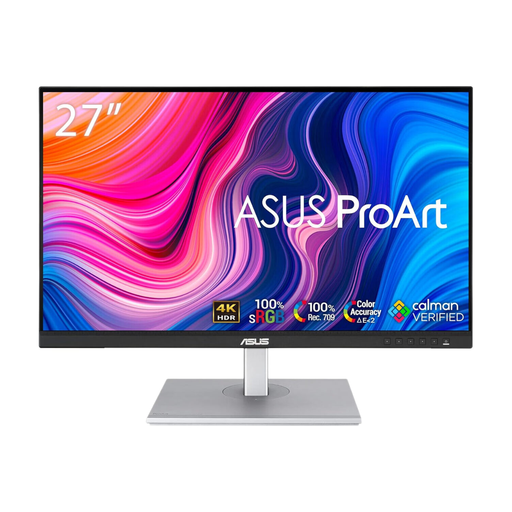
Why It Stands Out: The ASUS ProArt series is purpose-built for creative professionals, and the PA279CV is a prime example. Its strength lies in its uncompromising focus on colour accuracy. It comes factory-calibrated for a Delta E < 2 colour difference and is Calman Verified, giving designers and editors confidence that what they see on screen is true to life.
Pros:
Who is it for?: This is the workhorse for photographers, graphic designers and video editors. If your profession depends on precise colour representation, this monitor for content creation is an outstanding and reliable tool.
A powerful monitor often forms the heart of a productive setup. If you're connecting multiple peripherals like external drives, keyboards and card readers, a single USB-C port might not be enough. To expand your connectivity and create a truly streamlined workstation, consider exploring our range of high-performance hubs.
Explore Our Range of USB-C Hubs
Is a 4K monitor worth it for gaming? Absolutely, particularly for visually rich, story-driven games where detail and immersion are key. For competitive players, the combination of 4K resolution and a high refresh rate (like a 165Hz monitor) offers both stunning clarity and essential fluidity. Just ensure your graphics card is powerful enough to drive games at this resolution.
What is the difference between a 4K monitor for gaming and one for content creation? The primary difference lies in priorities. A 4K gaming monitor prioritises speed: high refresh rates (120Hz+) and low response times (<1ms). A monitor for content creation prioritises fidelity: superior colour accuracy (high sRGB/DCI-P3 coverage), greater colour depth (10-bit) and panel uniformity. However, premium models, especially OLED monitors, are increasingly bridging this gap to excel at both.
Do I need HDR on a 4K monitor? HDR (High Dynamic Range) is a feature that expands the range between the darkest blacks and brightest whites, while also displaying a wider array of colours. While not strictly essential, it provides a noticeable improvement for watching movies, playing HDR-enabled games and performing professional colour grading. For a guaranteed level of performance, look for VESA DisplayHDR certifications like HDR400 or higher.