What matters when choosing a monitor?
Start with screen position at both desk heights, then decide how much room you need for plans and whether your laptop connection must also provide charging.
| Concern |
What to check |
Who this matters to |
| Screen position when changing desk height |
Check the stand’s usable height adjustment or arm compatibility, and whether the screen reaches a comfortable position when seated and standing. |
If I alternate between sitting and standing, I need to move the screen rather than strain to see it. Around 36% of consumers put screen positioning first. |
| Space for plans and records |
Check native resolution and desk depth, then consider whether text remains comfortable to read at your intended viewing distance. |
Keeping a map, spreadsheet and calendar visible together matters more to me than a display chosen for occasional single-window work; around 29% of consumers prioritise planning workspace. |
| Laptop connections |
Confirm USB-C video support on the laptop, suitable monitor power delivery and the cable needed for the intended connection. |
When I connect a laptop each day, I want fewer cables without losing display output or charging. Laptop connection is the main concern for around 21% of consumers. |
| A proportionate setup for occasional use |
Check whether the stand and inputs meet your needs without an additional arm, dock or adapter. |
If I only update seed orders and records occasionally, I want a straightforward setup that still positions the screen comfortably; around 14% of consumers put this need first. |
Joybuy monitors for allotment planning
These monitors are options to assess for viewing allotment plans and records at a sit-stand desk. Check each model’s positioning and connections against your own workstation before choosing.
 No image available
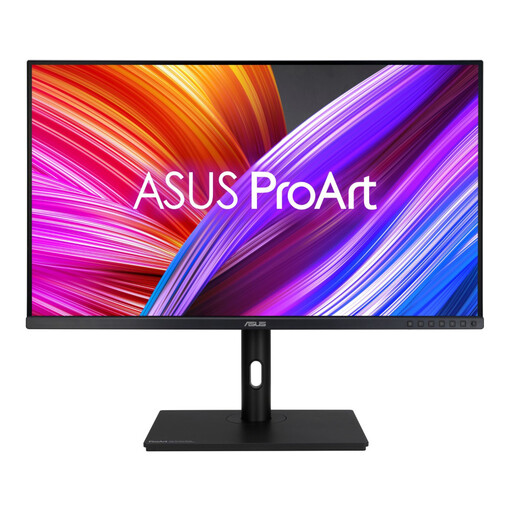
ASUS ProArt PA278CV IPS WQHD
Consider this WQHD model for keeping plot plans and records visible while you work. Check the stand’s usable height range at both desk heights; if connecting a laptop by USB-C, confirm its video support and the charging power you need.
View on Joybuy
 No image available
ASUS ProArt PA328QV IPS WQHD
Consider this WQHD model if you want to keep several planning views open. Check that the screen fits your desk depth and preferred viewing distance, and that its stand reaches the positions you need when seated and standing.
View on Joybuy
 No image available
ASUS ProArt PA278CFRV IPS QHD 100Hz
This QHD model is an option for viewing maps alongside planting records. Check the stand’s usable height range, and confirm the exact unit’s ports if USB-C is essential to your setup; availability of that connection varies by region.
View on Joybuy
 No image available
Dell P2425 24-inch monitor
For plot records on a desk where you prefer a 24-inch screen, check that you can position it comfortably at both working heights. Confirm the exact model’s ports and refresh rate before choosing a connection.
View on Joybuy
 No image available
Samsung Odyssey G6 S27DG612 27-inch QHD OLED
This gaming-oriented model can also be considered for displaying plot plans, provided its position and desk fit work for you. Its product name specifies 240 Hz and 0.03 ms; check the stand’s adjustment range and mounting compatibility rather than treating those gaming specifications as reasons to choose it for records.
View on Joybuy
Common questions
How should I position a monitor at a standing desk?
Position the screen for each working height: the Health and Safety Executive advises keeping its top at eye level and the display about an arm’s length away. Check the position again when you switch between sitting and standing.
Will any USB-C monitor charge my laptop and show its display?
No; both functions depend on the laptop and monitor’s supported connections. Confirm that the laptop’s USB-C port carries video and that the monitor’s power delivery suits the laptop, as well as checking the cable you intend to use.
Do UK workplace screen-assessment rules apply to personal allotment planning?
The Health and Safety Executive describes a UK employer duty to assess workstations for workers who use display screen equipment daily as part of their normal work, continuously for an hour or more. That workplace duty is distinct from a personal allotment-planning setup, although its screen-position advice can still help you arrange your desk.
What should I do with an old monitor in the UK?
Look for an electrical-waste collection or take-back route rather than putting the monitor in general waste. UK government guidance on waste electrical and electronic equipment describes recovery and recycling arrangements; ask your retailer or local authority which option is available to you.


