
24/7 Customer Support

Free returns

Same-day & Next-day Delivery

Quality Guaranteed

Unlock Your Welcome Offers: FREE Delivery | Up to 80% OFF | Free 30-day JoyPlus trial
Download the APP
The search for a single device that can handle work, study and creative pursuits can be a challenge. Laptops offer power but can be cumbersome, while premium tablets often come with a high price tag, with essential accessories like keyboards and styluses sold separately. This is where the Android tablet with keyboard and stylus bundle comes in, offering a versatile and cost-effective solution.
For students needing a portable note-taker, professionals setting up a home office or hobbyists exploring digital art, a 2 in 1 Android tablet provides the functionality of a laptop and the convenience of a tablet in one package. This guide is designed to help you understand the key features to look for and to highlight some excellent options that provide everything you need straight out of the box.
Navigating the specifications can feel overwhelming. Here are a few practical points to consider when choosing a productivity tablet that delivers value without compromising on performance.
A responsive tablet is essential for a smooth experience. Look for devices with an Octa-core processor, which is well-suited for multitasking between apps. Pay attention to RAM; many modern budget tablets use RAM expansion technology, which converts a portion of the internal storage into virtual RAM. This gives you a significant boost for running multiple applications or demanding games. For storage, 256GB is a solid starting point, but having a TF card slot for expansion is a major advantage for anyone storing large files, from university projects to photo libraries.
The screen is your main window to the world, so its quality matters. A resolution of 1920x1200 (Full HD) or higher will ensure crisp text and vibrant images. For streaming enthusiasts, check for Widevine L1 certification. This is a crucial feature that allows you to watch services like Netflix, Disney+ and Prime Video in high definition. Without it, you will be limited to standard definition, regardless of your screen's resolution. Screen size is also a key consideration, with a 10 inch tablet with keyboard offering great portability, while larger 11- or 12-inch screens provide more space for split-screen multitasking.
The primary appeal of these bundles is getting a complete tablet with detachable keyboard and stylus included. This saves you the hassle and extra cost of sourcing compatible accessories. For those interested in an affordable drawing tablet UK, look for a stylus with specified pressure sensitivity levels. A stylus with 4096 levels of pressure sensitivity, for example, can register subtle changes in pressure, allowing for more nuanced lines and shading in drawing applications.
Here are a few standout models that offer a compelling combination of features, performance and included accessories.

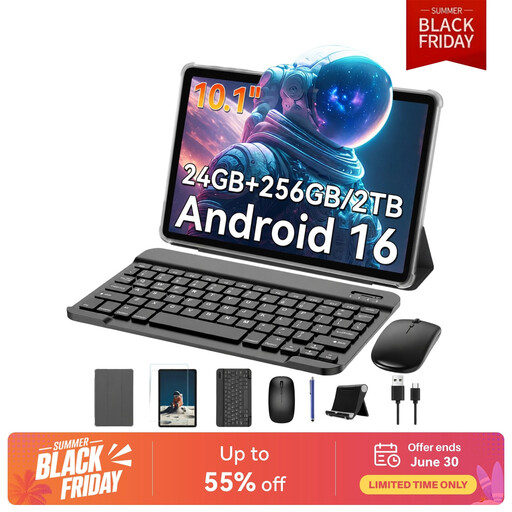
laptop tablet combo ready for action right away. Its standout feature is the impressive RAM expansion, offering up to 24GB of total RAM (8GB physical + 16GB virtual), making it a powerhouse for multitasking. The ability to expand storage up to 2TB via a TF card means you'll likely never run out of space.affordable tablet for work or study.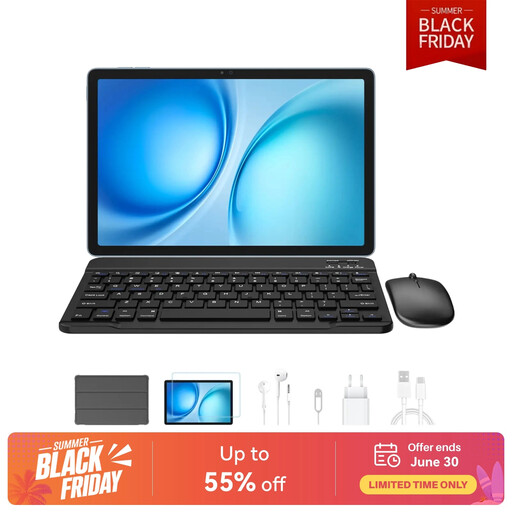
productivity tablet. Connectivity is also a strong point, with Dual SIM 4G and 5G WiFi.The market for Android tablets is vast, with models suited to every need and budget. If these specific recommendations aren't quite right for you or if you'd like to compare more specifications, there are many other bundles available.
Explore our full range of tablet, keyboard and stylus bundles to find the perfect match for your requirements.
For many everyday tasks—such as writing documents, managing emails, browsing the web and joining video calls—an Android tablet for students or professionals is an excellent and highly portable replacement. Features like the PC Mode found on some tablets further close the gap. However, for specialised, resource-intensive software like professional video editing or complex programming, a dedicated laptop may still be the more suitable choice.
Yes, absolutely. Many affordable tablets now come with styluses that offer high levels of pressure sensitivity (such as 4096 levels), which is more than sufficient for beginners and hobbyists to learn digital illustration and photo editing. They provide a low-cost entry point into digital art without the significant investment required for professional-grade equipment.
Widevine L1 is a security certification that allows a device to play protected content from streaming services in high definition (HD) or 4K. If a tablet only has Widevine L3, services like Netflix, Prime Video and Disney+ will limit video playback to standard definition (typically 480p). For anyone who plans to watch films or TV shows on their tablet, having Widevine L1 is essential to take full advantage of a high-resolution screen.