
24/7 Customer Support

Free returns

Same-day & Next-day Delivery

Quality Guaranteed

Unlock Your Welcome Offers: FREE Delivery | Up to 80% OFF | Free 30-day JoyPlus trial
Download the APP
Navigating the world of tablets can feel overwhelming. With so many models available, it’s easy to feel pressured into overspending on features you may not need. Whether you're a student looking for a lightweight note-taking device, a parent seeking an entertainment hub for the family or a creative individual ready to start digital drawing, finding the right balance of performance and price is key.
This guide is designed to cut through the clutter. We'll walk you through the essential features to consider and present a curated selection of Android tablets that deliver excellent value. Our goal is to help you make an informed choice that fits both your needs and your budget.
Before diving into specific models, let's outline a few key considerations. Focusing on these areas will help you identify which features are most important for you.
The screen is your window to everything you do on a tablet. A standard 10 inch tablet is a versatile choice, great for watching films, browsing the web and reading. For those interested in digital art or who need more space for multitasking, a larger 12-inch screen with a higher resolution (like 2K) will provide a more immersive and detailed canvas. Look for IPS (In-Plane Switching) displays, which offer better colour accuracy and wider viewing angles, making them ideal for sharing the screen with others.
A tablet's performance is determined by its processor, RAM (Random Access Memory) and storage. For smooth multitasking and running modern applications, a device with at least 4GB of RAM is advisable. The latest Android 15 tablet operating system offers improved security, more intuitive navigation and better power management.
Connectivity is another crucial factor. While Wi-Fi is standard, a 4G LTE tablet provides internet access wherever you have a mobile signal. This is incredibly useful for students, commuters and anyone who needs to stay productive while away from a Wi-Fi network.
Consider what you'll primarily use the tablet for. If you're an aspiring artist or a dedicated note-taker, a drawing tablet with pen support is essential. A tablet with stylus functionality, especially one with pressure sensitivity, can transform your device into a powerful creative tool. For media lovers, features like dual speakers and long battery life will significantly enhance the viewing experience.
Based on features, functionality and overall value, here are our recommendations for those seeking a capable and affordable Android tablet.
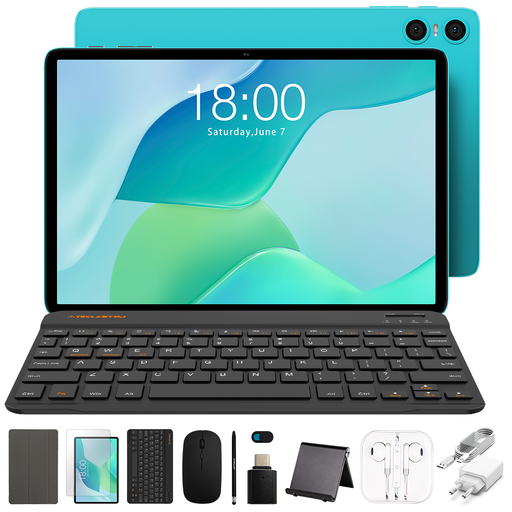
Why It Stands Out The TECLAST P33 is an excellent entry point into the world of modern tablets. It combines the latest Android 15 operating system with a practical 10.1-inch IPS display, making it a solid all-rounder for everyday tasks. It represents a fantastic option for anyone searching for a cheap tablet UK residents can rely on for daily entertainment and browsing without a hefty price tag.
Pros
Who is it for? This is a great choice for families needing a shared device for videos and light gaming, or for individuals looking for a straightforward affordable Android tablet for casual web browsing, social media and streaming services.
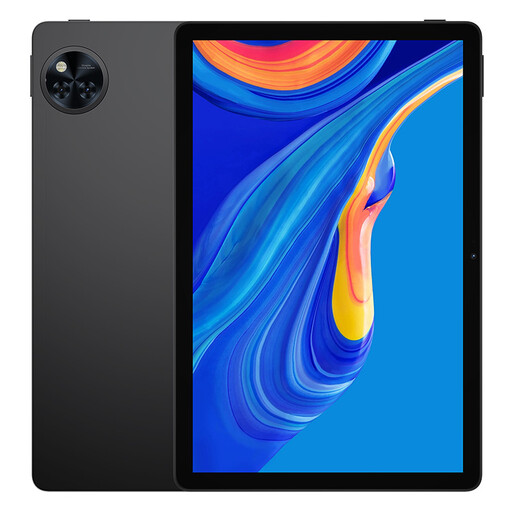
Why It Stands Out The DOOGEE U11 is built for an immersive entertainment experience. Its large 11-inch display features a 90Hz refresh rate, which makes scrolling and video playback noticeably smoother than standard 60Hz screens. Paired with a substantial 8580mAh battery, it’s designed for extended use, whether you're on a long flight or binge-watching a series at home.
Pros
Who is it for? This tablet is ideal for media enthusiasts who prioritise a fluid viewing experience and long battery life. It's also a strong contender as a tablet for students who need a reliable device for both online classes and downtime.
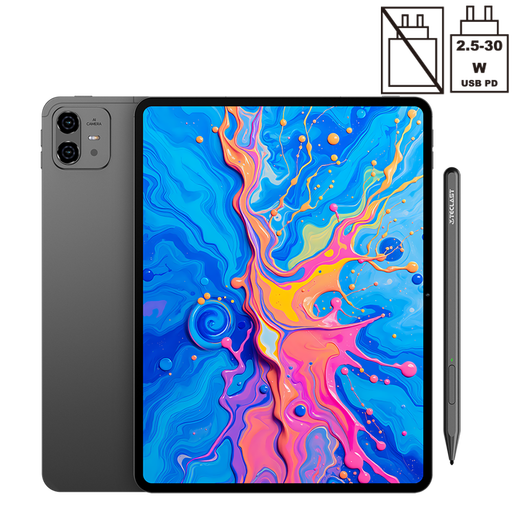
Why It Stands Out The TECLAST ArtPad Pro is a creative powerhouse disguised as a tablet. It comes equipped with a large 12.7-inch 2K display and an included stylus pen that supports 4096 levels of pressure sensitivity, offering remarkable precision for drawing and writing. The powerful Helio G99 processor and ample RAM ensure creative applications run smoothly, while dual SIM 4G LTE connectivity means your studio can be anywhere.
Pros
Who is it for? This is the perfect match for digital artists, designers and students who want a high-performance drawing tablet with pen without committing to a premium brand's ecosystem. Its combination of a large screen, precise stylus and mobile connectivity makes it a versatile tool for both work and play.
While these three tablets offer compelling features for different users, they are just a starting point. If your needs are different or you simply want to see what else is available, we invite you to explore our complete collection.
Discover more choices by browsing our full range of portable computing tablet models.
Can a cheap Android tablet be good? Absolutely. An affordable Android tablet can be an excellent choice, provided its specifications align with your intended use. For tasks like streaming video, reading e-books and casual web browsing, an affordable tablet offers great value. The key is to manage expectations and match the device's capabilities to your primary activities.
What is a good amount of RAM for an Android tablet in 2026? For general use, including web browsing and streaming, 4GB to 6GB of RAM is generally sufficient for a smooth experience. If you plan on heavy multitasking, using demanding creative apps or gaming, opting for a tablet with 8GB or more (often supplemented with virtual RAM) is recommended to prevent slowdowns.
Do I need a tablet with a stylus? A tablet with stylus support is a game-changer for certain users. It is invaluable for students who prefer taking handwritten notes, professionals who need to sign documents digitally and anyone interested in digital art or graphic design. If your primary use is media consumption or simple browsing, a stylus is a nice-to-have feature but not essential.