Overhead technique teachers
You need students to see the page, nib and hand position from above. Check that the camera can be mounted securely and that you can inspect the framing from your teaching position.


Plan the overhead mount and lighting before choosing a camera: a clear view of the writing area and control over shadows matter more to a white-paper lesson than recording resolution alone. A 4K/30p model can suit straightforward recorded demonstrations, while 4K/60p or advanced colour formats are worth considering if you will use them in editing. For live teaching, check the camera’s actual computer connection requirements separately from its recording specifications.
You need students to see the page, nib and hand position from above. Check that the camera can be mounted securely and that you can inspect the framing from your teaching position.
You want the paper to look evenly lit while ink strokes remain legible. The Calligraphy and Lettering Arts Society recommends lighting from both sides, so plan the lights alongside the camera.
You need a workable live connection as well as recordings you can keep or edit. Check the intended USB connection, voice-capture arrangement and recording options before choosing a model.
Start with the paper size, mounting position and lighting; then choose recording and live-connection features for the lessons you actually plan to make.
| Concern | What to check | Who this matters to |
|---|---|---|
| White paper and ink detail | Check whether you can set exposure and colour consistently, and position lights on both sides without glare or strong hand shadows. | If my paper looks grey or loses ink detail under the lights, a higher recording resolution will not solve the setup problem. Around 42% of consumers put white-paper appearance and legible strokes first. |
| Overhead framing | Check the support’s mounting fit and load limit, then test whether the lens frames the whole page at your planned height. | I need to see that my hand and the full writing area stay in frame without reaching awkwardly around the camera. Around 33% of consumers make dependable overhead framing their primary concern. |
| Live lessons and reusable footage | Check USB-streaming conditions and your voice-capture connection; choose advanced recording formats only if they fit your editing workflow. | When teaching live or preparing a course, I need students to hear me and the saved footage to suit later edits. Around 25% of consumers put that live-and-recorded workflow first. |
A camera body does not establish whether the lens can frame your paper from a safely supported position. The Calligraphy and Lettering Arts Society advises keeping the lens parallel to the work.
Measure the writing area and planned mounting height, then check the complete camera-and-lens load, support fit and field of view.
Allow for a separate overhead support and, if the framing requires it, a different lens.
Resolution does not remove shadows or glare falling across the page. The Calligraphy and Lettering Arts Society recommends two light sources positioned at 45 degrees.
Test your actual paper and ink under the intended lights, then adjust their positions and the camera exposure before filming a full lesson.
Changing the lighting arrangement may require additional lights or more setup time.
Sony states that the ZV-E10 II needs SuperSpeed USB 5 Gbps-compatible equipment for 4K or 1080p USB streaming; a USB 2.0 connection outputs HD 720p.
Check the camera’s streaming instructions against your computer port, cable and teaching platform before relying on it for live classes.
A suitable cable or a different computer connection may be needed for the intended live setup.
Body-only and lens-kit configurations differ. Canon also states that a USB-C charger is not included with its cited EOS R50 body listing.
Check the exact bundle for its lens and charging accessories, rather than relying on the camera model name alone.
The ZV-E10 II is an APS-C interchangeable-lens option for lessons that will use 4K/60p recording or a more involved editing workflow.
The EOS R50 offers a 4K/30p route for recorded lessons, while the video-focused EOS R50 V adds 4K/60p and Canon Log 3 for creators who will use those options.
The LUMIX G100D is a Micro Four Thirds interchangeable-lens option listed by Panasonic with a 12–32 mm kit lens and 4K/30p recording.
These cameras offer different approaches to recording a calligraphy lesson, from interchangeable-lens kits to a compact gimbal camera. For each one, check whether its complete mounting arrangement and field of view suit your writing area.
 No image available
Consider this kit if you plan to edit 4K/60p lesson footage or use its 10-bit 4:2:2 recording. Its stated lens is a 16–50 mm f/3.5–5.6 Power Zoom; check that it covers the full page at your mounting height and that the screen is visible from your working position.
 No image available
This interchangeable-lens kit is worth considering for recorded lessons if its supplied 16–50 mm Power Zoom lens frames your writing area from the available height. Check the mounting arrangement, screen position and exposure and white-balance controls you intend to use.
 No image available
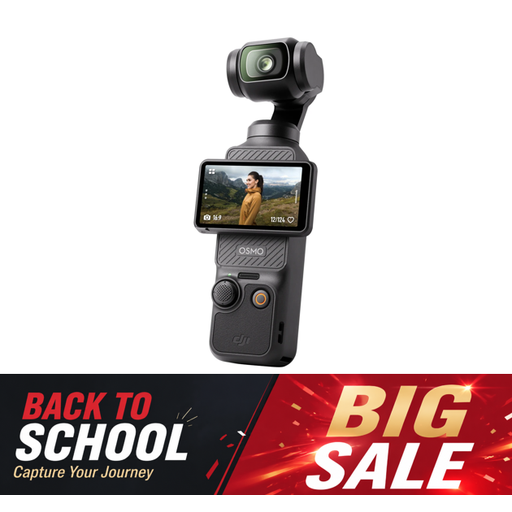
This compact camera is another option for recording lessons, provided you can secure and frame it above the page. Its stated features include a 1-inch CMOS sensor, 4K/120fps video and a 2-inch rotatable touchscreen; check the complete support arrangement and whether you can see the screen while teaching.
No, not solely for a normal-speed recording: Canon lists 4K/30p for the EOS R50, and Panasonic lists 4K/30p for the LUMIX G100D. Consider the 4K/60p modes listed for the Sony ZV-E10 II and Canon EOS R50 V if you have a specific editing or motion requirement for them.
Arrange and test the lighting before relying on camera settings. The Calligraphy and Lettering Arts Society recommends two lights at 45 degrees; keep the lens parallel to the page and check the actual ink and paper for shadows and glare.
Yes, Sony documents USB streaming for the ZV-E10 II, but the output depends on the connection. Sony specifies a SuperSpeed USB 5 Gbps-compatible computer and cable for 4K or 1080p USB streaming; USB 2.0 outputs HD 720p.
Check the exact lens and charging accessories, then plan the overhead support and lighting separately. For example, Canon states that a USB-C charger is not included with its cited EOS R50 body listing; that does not establish the contents of a different bundle.