
24/7 Customer Support

Free returns

Same-day & Next-day Delivery

Quality Guaranteed

Unlock Your Welcome Offers: FREE Delivery | Up to 80% OFF | Free 30-day JoyPlus trial
Download the APP
Transforming the mood of a room used to mean a fresh coat of paint. Today, it can be as simple as tapping your phone or saying a command. The right colour smart light bulb can change your living space from a focused work environment to a relaxing retreat or a vibrant party setting in seconds.
However, with so many options available, choosing the right E27 screw bulb can feel complicated. This guide is designed to help you understand the key features to look for and to present some carefully selected options that suit different needs and smart home setups.
Before diving into specific products, here are a few points to consider that will help you find the right fit for your home.
One of the first decisions is how your bulb will connect to your network.
To get the most out of your smart bulb, ensure it works with your preferred voice assistant. Whether you use Amazon Alexa, Google Assistant or Apple's Siri, check the product's compatibility. This allows you to use voice commands like "Hey Google, set the living room light to blue," making it a true alexa light bulb or google home light bulb.
A good colour changing light bulb should offer a wide spectrum of colours and also a range of white light, from warm to cool. This versatility is key for both ambience and practical tasks. Also, check the brightness, measured in lumens (lm). A bulb around 800lm is suitable for a table lamp, while a brighter 1100lm bulb might be better for lighting a whole room. All the options here are a fully dimmable led bulb, giving you complete control over intensity.
Here are our recommendations for a colour smart light bulb E27 to consider for your home.
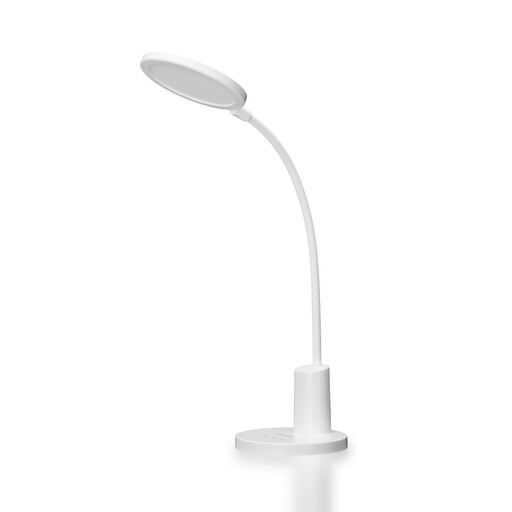
Why It Stands Out: The Yeelight W4 Lite is a strong contender for those who value simplicity and future-proofing. It connects directly to your Wi-Fi, so there's no hub required, and its support for the Matter protocol means it's designed to work seamlessly with a growing number of other smart home devices.
Pros:
Who is it for? This is an excellent choice for anyone starting their smart lighting journey or for tech-savvy users who want a reliable, Matter-compatible bulb that integrates easily into their existing setup.
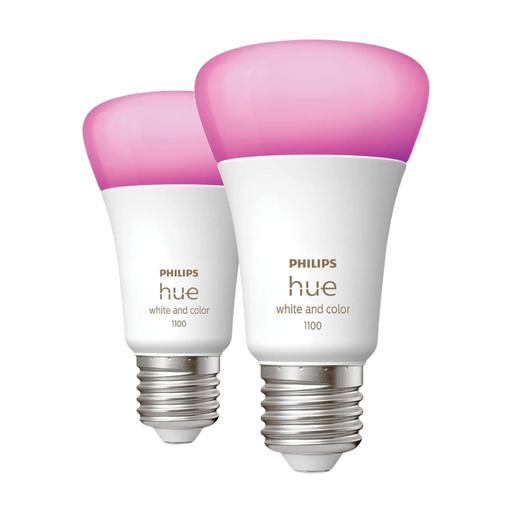
Why It Stands Out: Philips Hue is a well-established name in smart lighting, known for its quality and extensive ecosystem. This twin pack offers both Bluetooth for direct control and Zigbee for integration with a Hue Bridge, providing flexibility as your smart home grows. The 1100-lumen output makes it one of the brighter options available.
Pros:
Who is it for? Ideal for users who want a high-performance bulb and may want to build a comprehensive smart lighting system over time. It's also a great fit for those who prioritise entertainment and ambience synchronisation.
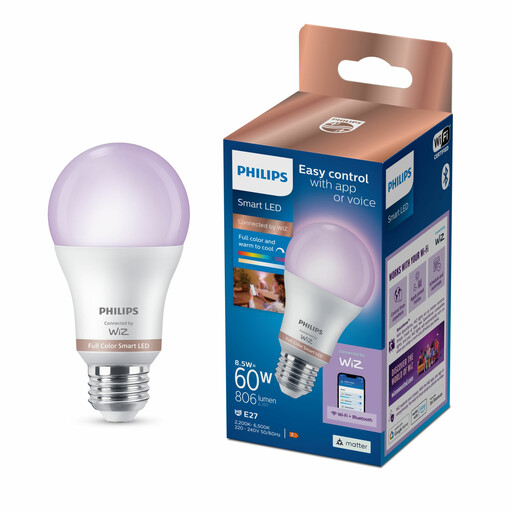
Why It Stands Out: This bulb, powered by WiZ, offers the simplicity of a direct Wi-Fi connection with the reliability of the Philips brand. It focuses on ease of use, with an intuitive app controlled light bulb experience and unique dynamic light modes like 'Ocean' or 'Fireplace' that create a continuously shifting ambience.
Pros:
Who is it for? Perfect for those who want a straightforward, plug-and-play smart bulb with fun, dynamic lighting effects without the need for any additional hardware.
If you haven't found the perfect match here or want to explore different fittings and features, there are many other choices available.
Browse our full collection of LED smart bulb options to find the right lighting for every room in your home.
1. Do I need a hub for a colour smart light bulb? Not always. Many modern smart bulbs, including the Yeelight W4 and Philips WiZ bulb mentioned above, connect directly to your Wi-Fi network and do not require a hub. Others, like some in the Philips Hue range, can use a hub to unlock more advanced features, but often offer basic control via Bluetooth as well.
2. Can I control a smart bulb with my voice? Yes. Most smart bulbs are designed to be compatible with popular voice assistants. The products listed here work with Amazon Alexa, Google Assistant and Siri, allowing you to change colours, dim the lights and turn them on or off with simple voice commands.
3. How do I install an E27 smart bulb? Installation is typically very simple. An E27 screw bulb fits into the standard large screw-in socket found in many UK lamps and ceiling fixtures. You just need to screw the bulb in, turn on the power and then follow the instructions in the manufacturer's app to connect it to your network.