What matters when choosing?
Decide whether your main need is room for survey material, a simpler laptop connection or an adjustable workstation. These needs can overlap, so check the other features you require after identifying your priority.
| Concern |
What to check |
Who this matters to |
| Workspace for survey material |
Compare 27-inch QHD with Full HD, and check that your computer supports the chosen monitor’s native resolution. |
If I keep a questionnaire, spreadsheet and dashboard open together, I want room to compare them without constant window switching. Around 42% of consumers put workspace first. |
| Laptop docking |
Check USB-C video support, the monitor’s charging wattage and the ports needed for your peripherals. |
When I move my laptop to a planning desk, I want to reconnect the display and desk devices with less cable handling. For around 33% of consumers, laptop docking is the primary concern. |
| Screen positioning |
Check stand adjustment and desk depth, or whether a suitable monitor arm will achieve the position you need. |
For long sessions or a desk shared by different users, I need to reposition the screen rather than work around a fixed stand. Screen adjustment comes first for around 25% of consumers. |
Joybuy monitors for this work
These monitors offer display options for working with survey forms, documents and dashboards. Compare their stated screen types and sizes with your desk space and computer connections; a product’s presence here does not establish laptop-docking compatibility.
 No image available
ASUS ProArt PA278CV IPS WQHD
Consider this for a desk where you compare survey forms and spreadsheets. Check that your computer supports its WQHD display mode; if you plan to connect a laptop through USB-C, confirm its video and charging requirements against the exact monitor configuration.
View on Joybuy
 No image available
ASUS ProArt PA278CFRV IPS QHD 100Hz
This QHD option is relevant when survey forms and reference material need to remain visible together. Check your computer’s QHD output and the exact regional connections before choosing it for laptop docking.
View on Joybuy
 No image available
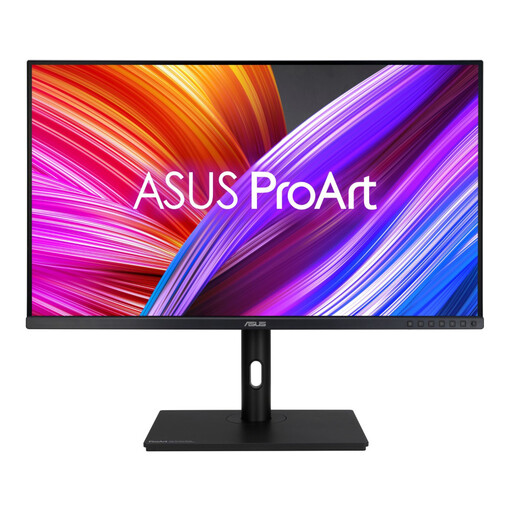
ASUS ProArt PA328QV IPS WQHD
Consider this WQHD display for viewing survey-planning material at a desk. Check its physical fit and your computer’s output, and confirm the exact connections if laptop charging or docking is part of your setup.
View on Joybuy
 No image available
Samsung Odyssey G6 S27DG612 27-inch QHD OLED 240Hz
Its QHD format is relevant if your survey work involves multiple documents and dashboards. Confirm your computer’s display output and check the exact connections separately if you need USB-C video or laptop charging.
View on Joybuy
 No image available
Dell P2425 24-inch monitor
This smaller-screen option is relevant when your planning work centres on documents and spreadsheets rather than a 27-inch QHD setup. Confirm the exact ports before relying on USB-C docking, and check the refresh-rate specification if it affects your choice.
View on Joybuy
Frequently asked questions
Can a USB-C monitor replace a separate laptop dock?
It can if the monitor provides the connections you need and your laptop supports the required video and charging functions. Dell UK, BenQ UK, Lenovo UK and LG UK list different combinations of USB ports, Ethernet and power delivery, so compare the exact monitor and laptop specifications.
How should I position a monitor for long planning sessions?
Place the top of the screen around eye level and the display about an arm’s length away, following Health and Safety Executive guidance. Check that the stand or a suitable arm lets you achieve that position at your desk.
Does display-screen-equipment law apply to community-survey work?
UK display-screen-equipment rules apply to workers who use such equipment daily for continuous periods of an hour or more, according to the Health and Safety Executive. Its guidance describes employer duties including workstation assessment and risk reduction; volunteers and occasional personal users should check how their working arrangement fits those rules rather than assume the same employer duty applies.
Should I compare energy labels when choosing a monitor?
Yes, for displays covered by UK energy-information rules, compare the label and product information sheet for the exact model. UK government guidance includes electronic displays among products covered by those rules; do not assume that similar-looking monitors have identical energy information.
What should I do with an old monitor?
Check a reuse, retailer take-back or local electrical-recycling route rather than putting it in ordinary household rubbish. UK government guidance places electrical and electronic equipment within the waste electrical and electronic equipment framework; available collection arrangements depend on the service you use.


