What matters when choosing?
Start with the accounting or EPOS software you need to run, then check the workspace, connections and backup plan. Treat memory and storage figures as configuration choices, not substitutes for software compatibility.
| Concern | What to check | Who this matters to |
|---|
| Sales and accounting tasks |
Confirm that the operating system supports your accounting or EPOS software; choose memory and SSD capacity for the applications and locally saved reports you use. |
When I move between sales reports, spreadsheets and accounting, I want the computer to handle those tasks without buying for an unrelated graphics workload. Around 31% of consumers may put this everyday workflow first. |
| Space and connections |
Check the number and type of monitor outputs and ports against your existing displays, printer, scanner and network connection. |
If the computer has to fit near a counter or in a small back office, I need it to work with equipment already there. For around 25% of consumers, workspace and peripheral fit may be the primary concern. |
| Data protection and recovery |
Plan where backups will be kept and how they will be restored; check whether staff need separate accounts. |
I need a way to recover sales records and control access when several people use the computer. Safeguarding that data may come first for around 25% of consumers. |
| Room to expand |
Decide whether future work requires more memory, local storage or internal add-in cards, and check upgrade access on the exact model. |
If our reporting tools or locally stored files grow, I would rather assess upgrade options before settling on a compact design. Around 19% of consumers may prioritise that flexibility. |
Brands to consider
These business-desktop ranges offer different sizes and configurations. Check a particular model rather than assuming a feature applies across a whole brand.
Dell
Dell’s OptiPlex Small Form Factor range is worth examining when a shop needs a relatively compact desktop with internal expansion options.
- Dell lists DDR5 memory options and up to three PCIe slots for the range.
- Processor, storage, graphics and operating-system options depend on the configuration selected.
HP
HP’s Pro Desktop range provides mini, small-form-factor and tower options for business computing.
- HP Store UK lists Pro desktop configurations with an Intel Core i5 processor, 16 GB RAM and a 512 GB SSD.
- Those figures describe listed configurations, not every HP Pro desktop; compare the exact form factor and specification.
Lenovo
Lenovo’s ThinkCentre Tiny range is relevant where desk space is limited but displays and existing peripherals still need attention.
- Lenovo describes the ThinkCentre M70q Gen 4 Tiny as a 1L desktop with support for up to four displays, subject to its configuration and display setup.
- Connection options differ between models, and a monitor, keyboard or mouse may be sold separately.
Joybuy desktop choices
These choices include mini desktops for space-limited sales-review areas and a tower for a shop with room for a larger computer. Compare each one with your software, monitor and peripheral requirements before choosing.
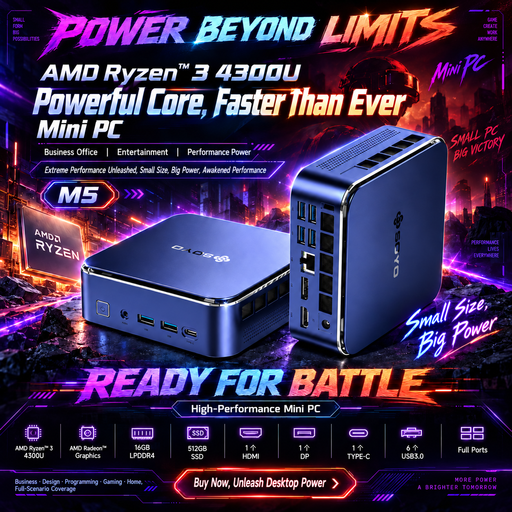 Image unavailable
SOYO M5 mini PC, AMD Ryzen 4300U
Consider this mini desktop where worktop space is limited and sales reviews use a compatible Windows application. Its listed configuration includes Windows 11, 16 GB LPDDR4 memory and a 512 GB SSD. The title identifies HDMI 2.0, Type-C and DP 1.4 display connections; confirm that these and the Windows edition meet your shop’s needs.
View on Joybuy
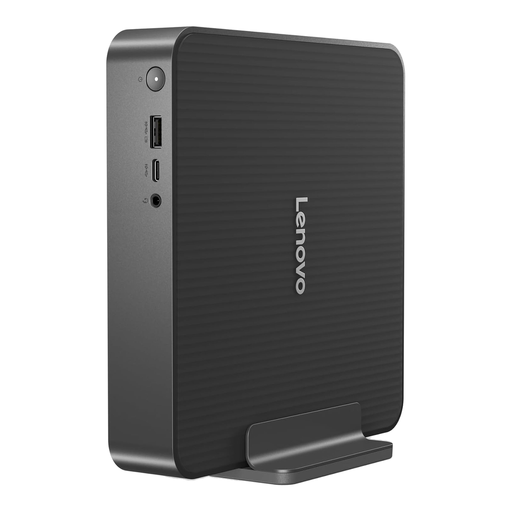 Image unavailable
Lenovo IdeaCentre Mini PC 01IRH10R, 91B2000XUK
This mini desktop is an option for a small office or counter workspace if its connections suit your equipment. The listed variant has an Intel Core 5 processor, 16 GB RAM and a 512 GB SSD. Confirm the monitor outputs and whether your accounting or EPOS software supports this exact configuration.
View on Joybuy
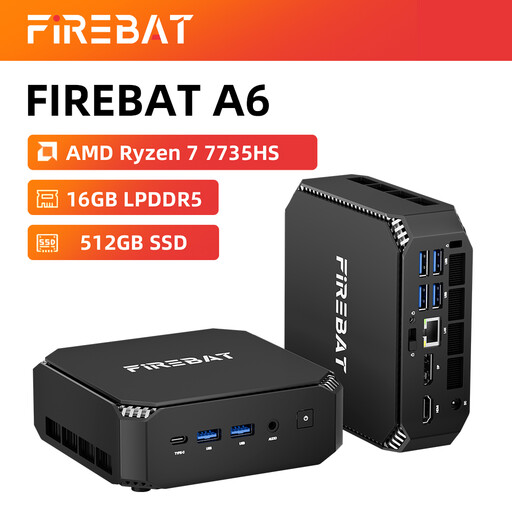 Image unavailable
FIREBAT mini PC, AMD Ryzen 7 7735HS
Its mini format may suit a limited workspace if the shop’s applications and devices are compatible. The product title lists 16 GB RAM, a 512 GB SSD, dual M.2 slots and support for three displays. Confirm the operating system and required monitor and peripheral connections before buying.
View on Joybuy
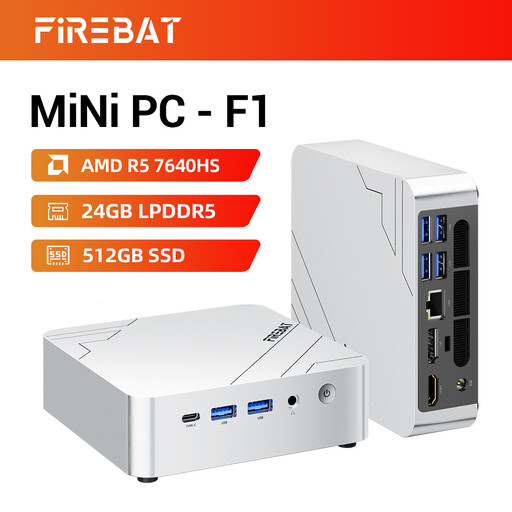 Image unavailable
FIREBAT F1 mini PC, AMD Ryzen 5 7640HS
This compact option is worth comparing if several report views are part of your workflow. The listed variant has 24 GB LPDDR5 RAM, a 512 GB PCIe 4.0 SSD and stated support for three displays. Check the exact display connections, operating system and shop-software compatibility before relying on that setup.
View on Joybuy
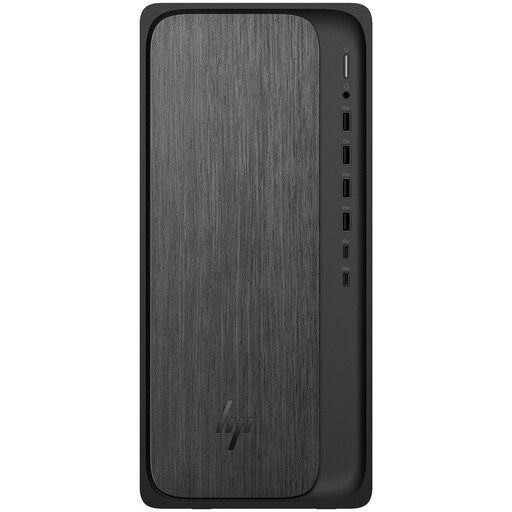 Image unavailable
HP M02-0005na OmniDesk, AMD Ryzen 5 8500
Consider this tower where there is room for a larger desktop and its configuration matches your reporting work. The listed variant has 8 GB RAM, a 1 TB SSD and Windows 11 Home. Assess whether 8 GB suits the applications you run together, and confirm software and monitor compatibility before choosing it.
View on Joybuy
Common questions
Do I need a high-performance desktop just to review shop sales?
Not necessarily: ordinary reports, invoices and browser-based accounting call for a computer that runs your software and has enough memory, storage and connections for your actual workload. Consider more internal expansion only if you expect larger local files or add-in hardware.
Can a mini desktop work in a retail back office?
Yes, if its software, display outputs and other connections match your setup. Lenovo describes its ThinkCentre M70q Gen 4 Tiny for retail and back-office use, but check the configuration and any separately sold accessories on the model you choose.
Which records should a self-employed shopkeeper keep?
GOV.UK says self-employed businesses need records of sales and income and business expenses, plus VAT records if VAT-registered and PAYE records if they employ people. Check that your chosen software and storage arrangements let you maintain the records relevant to your business.
Does owning a desktop satisfy digital VAT record rules?
No: the computer alone does not determine how VAT records must be kept. HMRC’s VAT Notice 700/21 says records forming part of an electronic account must be kept digitally in functional compatible software; check which VAT and Making Tax Digital requirements apply to your business.
How should I protect sales data on the desktop?
Set up regular backups rather than relying on the desktop’s internal drive alone. The Information Commissioner’s Office advises small businesses to back up data regularly; also plan who can access the records and how you would restore them if the computer became unavailable.


