
24/7 Customer Support

Free returns

Same-day & Next-day Delivery

Quality Guaranteed

Unlock Your Welcome Offers: FREE Delivery | Up to 80% OFF | Free 30-day JoyPlus trial
Download the APP
Running out of space on your phone or laptop is a familiar frustration. Moving files between a new USB-C tablet and an older USB-A computer can be equally challenging, often requiring a tangle of adapters. A dual USB flash drive offers a straightforward solution, bridging the gap between your devices and providing much-needed external storage.
Whether you're a student backing up coursework, a professional transferring large project files or a photographer needing a reliable photo stick on the go, the right memory stick can simplify your digital life. This guide will walk you through the key features to consider and present some of our top recommendations for 2026 to help you find a drive that fits your needs and budget.
Navigating the specifications can feel overwhelming. Here are a few practical points to help you make an informed choice.
The main appeal of a dual drive is its two connectors. Most feature the traditional rectangular USB-A port and the newer, smaller, oval-shaped USB-C port. This combination allows you to plug the same drive into older laptops, desktop PCs and modern devices like MacBooks, Android smartphones and the latest iPhones. A USB C flash drive is particularly useful as a thumb drive for phone, letting you quickly offload photos and videos without needing a computer.
Not all drives are created equal when it comes to speed. The USB standard, such as USB 3.2 or the older USB 2.0, indicates its potential transfer rate.
Capacity is measured in gigabytes (GB) or terabytes (TB). A 64GB drive is ample for documents and a moderate number of photos. If you work with high-resolution images, 4K video or want to back up your entire laptop, you might consider a 512GB or even a 1TB USB stick for substantial external storage for laptop use.
Here are a few options that cater to different needs, from high-performance power users to everyday carry.
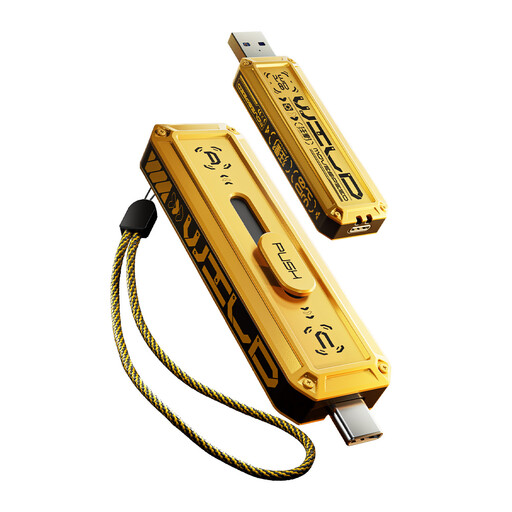
Why It Stands Out: This drive is built for pure performance. With a USB 3.2 Gen 2x1 interface, it delivers read and write speeds of up to 1090MB/s and 1030MB/s respectively. This means a 1GB file can be transferred in about a second. The massive 1TB capacity and robust zinc alloy housing make it a powerhouse for demanding tasks.
Pros:
Who is it for? Content creators, video editors, gamers and professionals who regularly work with massive files and cannot afford to wait on slow transfers.
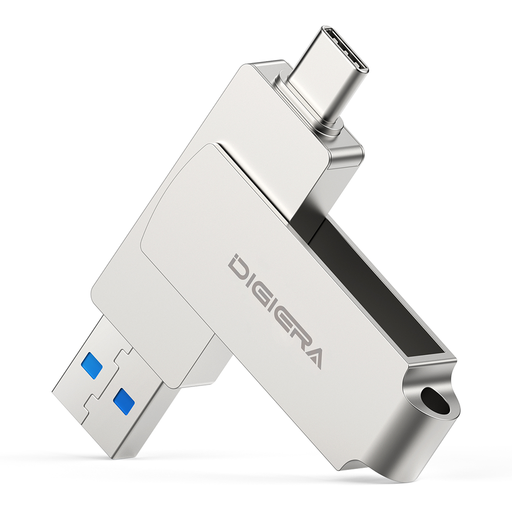
Why It Stands Out: The DigiEra drive strikes an excellent balance between performance, capacity and practical design. It offers respectable USB 3.2 Gen 1 speeds (up to 500MB/s read) and features a clever 360° swivel cap that protects the connectors without getting lost. Its dual interface and solid metal construction make it a reliable workhorse.
Pros:
Who is it for? Students, office workers and general users looking for a dependable and versatile dual USB flash drive for daily backups, file sharing and portable storage.
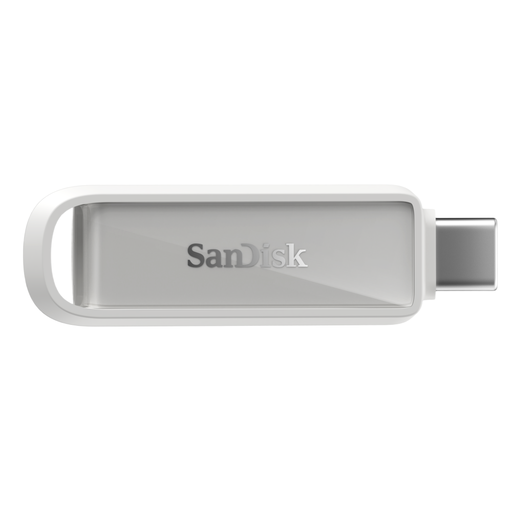
Why It Stands Out: This drive is specifically tailored for users within the Apple ecosystem. While it only has a single USB-C connector, it’s designed to work seamlessly with modern iPhones, iPads and Macs. The companion SanDisk app enables automatic photo backups, making it incredibly simple to free up space on your device.
Pros:
Who is it for? iPhone, iPad and MacBook users who need a simple, elegant solution for expanding their device's storage and backing up precious memories.
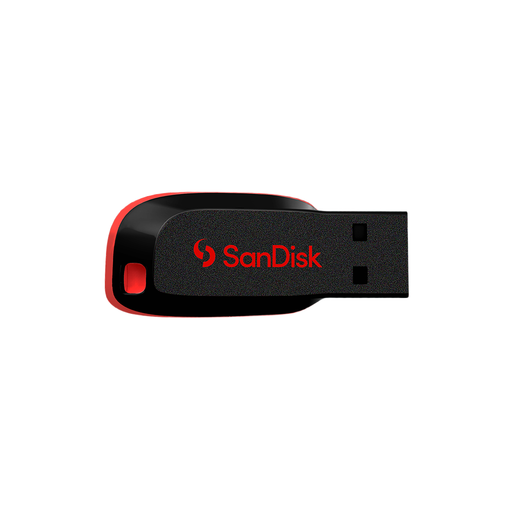
Why It Stands Out: Sometimes, all you need is a simple, affordable and reliable way to move files. The Cruzer Blade is a classic for a reason. Its ultra-compact design fits on any keychain, and its 64GB capacity is perfect for documents, presentations and music. It uses the older USB 2.0 standard, so it's best for smaller files where speed is not the top priority.
Pros:
Who is it for? Anyone needing a basic, low-cost USB-A drive for light use, such as students sharing documents, storing music for the car, or keeping essential files handy.
If these recommendations aren't quite what you're looking for, don't worry. There is a wide variety of drives available with different features, capacities and designs. Explore our complete range of memory sticks to find the perfect match for your specific needs.
A dual USB flash drive is a portable storage device equipped with two different connectors, most commonly a traditional USB-A port and a modern USB-C port. This allows it to connect to a wide variety of devices, from older computers to new smartphones and tablets, without needing an adapter.
Yes, provided your smartphone has a USB-C port, which is standard on most modern Android phones and newer iPhone models. Using a USB C flash drive is an excellent way to quickly back up photos, videos and other files to free up internal storage on your phone.
A 1TB USB stick is a significant investment, but it can be well worth it for certain users. If you are a photographer, videographer or content creator working with large 4K video files, or if you want to create a full backup of your computer, the vast space is invaluable. For everyday users who only store documents and a few photos, a smaller and more affordable capacity like 128GB or 256GB is often more than sufficient.