
24/7 全天候客户支持

免费退货

当日/次日达

品质保障

开启新人专享福利: 全场免邮 | 低至 2 折 | 免费试用 30 天 JoyPlus 会员
下载 Joybuy
Juggling files between a new USB-C laptop and an older USB-A desktop can be a frustrating exercise in finding the right adapters. Perhaps you need to quickly move photos from your phone to your computer or share a large presentation without relying on slow cloud uploads. The constant need for dongles and different cables creates unnecessary clutter and complication.
A dual USB flash drive offers a streamlined solution. By featuring both USB-A and USB-C connectors in a single, compact device, it bridges the gap between your modern and legacy gadgets. This guide is designed to help you navigate the options and find a reliable drive that simplifies your digital life. As your Joybuy Product Recommendation Officer, I've filtered through the specifications to highlight practical choices that deliver on their promises.
Before diving into our recommendations, here are a few key factors to consider to ensure you select the right drive for your needs.
Not all flash drives are created equal when it comes to speed. The performance of a high speed USB stick is largely determined by its USB standard. For instance, USB 3.2 offers significantly faster data transfer rates than older USB 2.0 or 3.0 standards. If you frequently work with large files like 4K videos, high-resolution photo libraries or complex project files, opting for a drive with higher read and write speeds (measured in megabytes per second, or MB/s) will save you considerable time.
Consider how you'll use the drive. A 128GB drive might be sufficient for documents and presentations, while photographers and video editors may need 512GB or more. It's also crucial to ensure the drive works with all your devices. A good thumb drive for phone and computer should support OTG (On-The-Go), which allows it to connect directly to compatible Android smartphones and tablets. For seamless use between different operating systems, look for a memory stick for macbook and pc that is pre-formatted with a compatible file system like exFAT.
A flash drive is a portable device, so durability is important. Models with metal casings tend to offer better protection against drops and bumps than plastic ones. They also help dissipate heat during intensive file transfers. Pay attention to the design of the connector protection. A 2 in 1 flash drive often uses a 360-degree swivel cap or a sliding mechanism to shield the connectors when not in use, preventing dust and damage without the risk of losing a separate cap.
Here are a few standout options that offer a great combination of performance, compatibility and design.
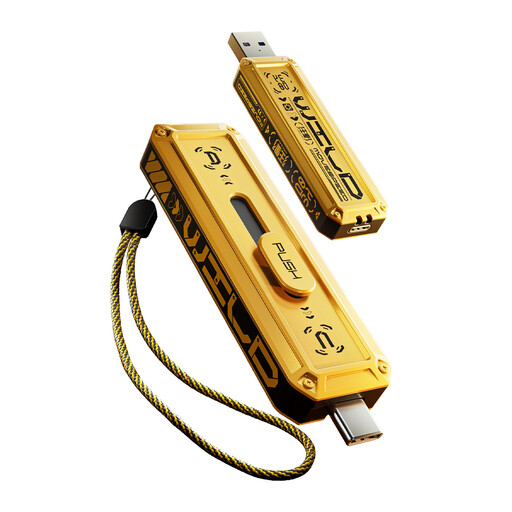
Why It Stands Out: This drive is all about raw performance. With read and write speeds that rival some internal SSDs, it’s built for users who cannot afford to wait. The combination of a USB 3.2 Gen 2x1 interface and 3D NAND flash technology allows it to transfer massive files in seconds, not minutes.
Pros:
Who is it for?: Content creators, video editors and professionals who need the fastest possible transfer speeds for moving large files between their high-performance workstations, laptops and other devices.
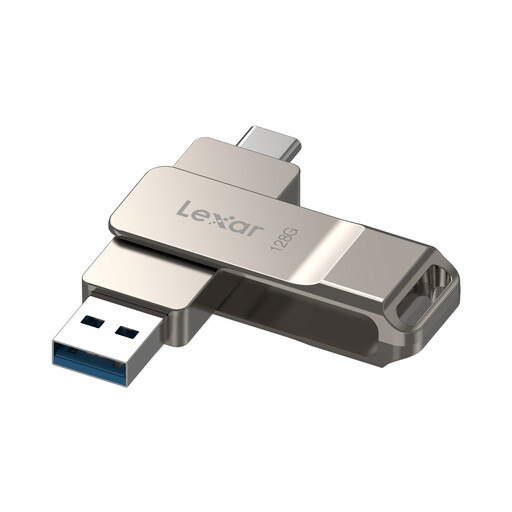
Why It Stands Out: The Lexar D40E combines reliable performance with an important security feature. It includes access to an advanced security software solution with 256-bit AES encryption, allowing you to create a password-protected vault for your sensitive files. Its sturdy metal construction and swivel design make it a dependable choice for daily use.
Pros:
Who is it for?: Business professionals, students and anyone who handles sensitive information and prioritises data security alongside convenience and durability.
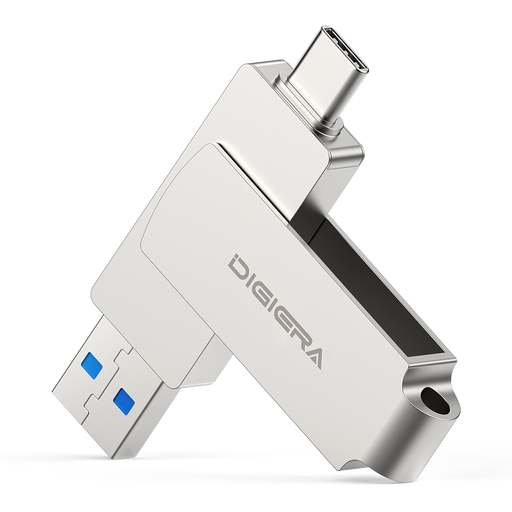
Why It Stands Out: This DigiEra drive offers a fantastic balance of speed, capacity and practical design. With read speeds of up to 500MB/s, it’s more than fast enough for most everyday tasks, from backing up documents to transferring media libraries. The compact metal body and swivel casing make it a durable and convenient travel companion.
Pros:
Who is it for?: Everyday users, including students and office workers, who need a reliable and speedy USB C flash drive for a variety of tasks without needing top-tier, professional-grade performance.
While these three drives represent excellent choices for different users, your specific needs for capacity or design might vary. If you're searching for a different storage size or feature set, feel free to browse our wider collection of high-performance drives.
Explore more options in our USB stick 3.2 category.
An OTG flash drive (which stands for On-The-Go) is a drive equipped with a connector, such as USB-C or Micro-USB, that allows it to plug directly into a compatible smartphone or tablet. This enables you to access, manage and transfer files from the drive on your mobile device without needing a computer as an intermediary.
Yes. The vast majority of dual USB drives, including the ones recommended here, come pre-formatted with the exFAT file system. This file system is fully readable and writable on both Windows and macOS, making it easy to use the same memory stick for macbook and pc to transfer files seamlessly between the two platforms.
Metal casings generally offer superior durability and are more resilient to accidental drops, pressure and daily wear and tear. They also tend to be more effective at dissipating heat that builds up during sustained high-speed file transfers, which can help maintain consistent performance and prolong the life of the drive's internal components.