
24/7 Customer Support

Free returns

Same-day & Next-day Delivery

Quality Guaranteed

Unlock Your Welcome Offers: FREE Delivery | Up to 80% OFF | Free 30-day JoyPlus trial
Download the APP
Spending hours at a desk, whether for work or study, can take a toll on your body. The persistent lower back ache, stiff neck and general discomfort are common complaints for many UK professionals and students. A standard chair simply isn't designed for prolonged use, but finding a supportive and affordable ergonomic office chair can feel like navigating a maze of marketing claims and confusing specifications.
This guide is designed to cut through the clutter. As the Joybuy Product Recommendation Officer, my role is to provide clear, practical advice to help you find a chair that genuinely supports your posture and productivity, without the premium price tag. We will explore key features to look for and highlight a few models that offer a strong balance of comfort, adjustability and value.
Before diving into specific models, let's outline a few key considerations. A good computer desk chair is an investment in your daily comfort and well-being.
There is no one-size-fits-all solution for seating. An effective adjustable office chair should allow you to tailor it to your body. Key adjustments to look for include:
desk chair with flip up arms is an excellent feature for saving space or for tasks that require more freedom of movement.The material of your chair affects both comfort and maintenance. A mesh office chair with lumbar support is a popular choice in modern offices for good reason. The mesh material is breathable, which helps regulate temperature during long sessions and it conforms well to the body's shape. The seat cushion should be made of high-density foam to provide support without flattening over time.
Do you prefer to recline during breaks? An office chair with footrest can provide a significant comfort boost, allowing you to stretch out and relieve pressure. If you are taller or prefer full-body support, a high back office chair with an integrated or adjustable headrest will offer better support for your neck and shoulders.
Based on features, user-focused design and overall value, here are our recommendations for individuals seeking a reliable ergonomic office chair.
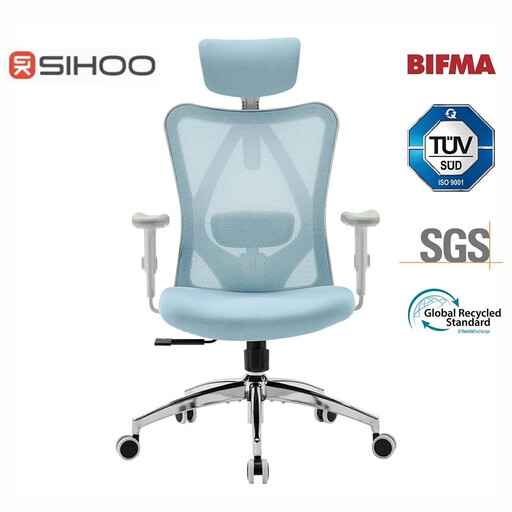
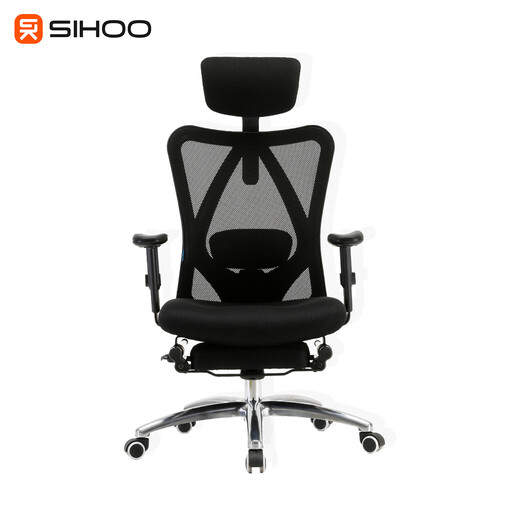
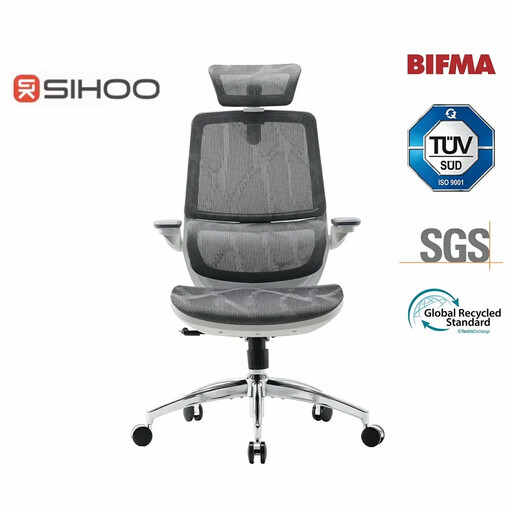
If these models don't quite match what you're looking for, or if you'd like to compare more styles, we have a wider selection available.
? Explore our full range of office and computer chairs to find the perfect fit for your needs and budget.
While it's a combination of factors, the most critical feature is adjustability. The ability to customise the lumbar support, seat height, armrests and backrest tilt to your specific body shape and size is what transforms a generic chair into a truly ergonomic one.
A high back office chair is generally better for individuals who spend many hours seated or for taller users. It provides additional support for the upper back, shoulders and neck, which can help reduce strain, especially when reclining. A mid-back chair may suffice for shorter periods of use.
Even with a supportive chair, it is advisable to take short breaks every 30-60 minutes to stand, stretch and move around. An ergonomic chair is designed to provide optimal support during the hours you are seated, but regular movement remains important for overall health.