Document-heavy event coordinators
If schedules, registration lists, calendars and messages need to stay visible together, compare the available screen space and stand adjustment rather than choosing by diagonal size alone.


For a laptop-based planner who regularly keeps schedules, registrations and messages open together, a 27-inch QHD monitor with an adjustable stand is a useful starting point; USB-C can simplify connections if the laptop supports display output and the monitor supplies enough charging power. Choose 4K when detailed maps or artwork are a primary task, or Full HD when planning mainly involves calls and simple documents. Check desk space, stand movement and laptop connections before choosing a model.
If schedules, registration lists, calendars and messages need to stay visible together, compare the available screen space and stand adjustment rather than choosing by diagonal size alone.
If your laptop supports video over USB-C, a monitor with suitable USB-C connections may carry the display signal and charge the laptop through one connection. Check the laptop’s charging requirement against the particular monitor.
If you spend substantial time reviewing venue maps, posters, photographs or presentation materials, compare 4K models and their connections with the computer you will use.
Start with the planning task you most need the screen to handle, then check whether its connections and stand work at your desk.
| Concern | What to check | Who this matters to |
|---|---|---|
| Space for planning windows | Compare 27-inch QHD at 2560 × 1440 with Full HD at 1920 × 1080; check the stand’s height adjustment. | I need schedules, registration details and messages visible while I cross-check them. Around 36% of consumers would put workspace for simultaneous planning windows first. |
| Laptop connections | Confirm USB-C video output on the laptop and compare its charging requirement with the monitor’s stated power delivery. | Moving between laptop work and calls is simpler for me if the display and charging connections fit my setup. Roughly 27% of consumers would prioritise a compatible one-cable connection. |
| Detailed visual review | Check whether 3840 × 2160 resolution suits the material and whether the computer supports the intended display connection. | Venue maps or artwork are central to my planning, so I want to inspect fine details on screen. Around 19% of consumers would make visual detail their primary concern. |
| Basic planning tasks | Decide whether Full HD meets your needs for calls and straightforward documents, and check the available video input and stand movement. | I mainly need a separate screen for email, calls and simple documents, without making fine visual detail the priority. About 18% of consumers would put that straightforward use first. |
USB-C charging varies by model: BenQ lists 65 W for the GW2790QT, LG lists up to 65 W for the 27UP83AK-W, and Dell lists 90 W for the P2725DE. The laptop must also support video output through its USB-C port.
Check the laptop’s display capability and charging requirement against the exact monitor and cable you intend to use.
A separate charger, dock or compatible cable may still be needed if the connections do not cover your setup.
Screen size does not tell you how much detail the display can show. The cited Full HD models have 1920 × 1080 resolution, compared with 2560 × 1440 for Dell’s QHD P2725DE and 3840 × 2160 for LG’s 4K 27UP83AK-W.
Think about how many planning documents you need to view at once before settling on a resolution.
The UK Health and Safety Executive’s home-working guidance calls for attention to a comfortable, sustainable working position; a display feature alone does not position the screen or arrange the desk.
Check the stand’s height and tilt range, and consider pivot or a compatible mount if your layout calls for it.
A riser or monitor arm may be needed if the included stand cannot place the screen where you need it.
The Video Electronics Standards Association describes DisplayHDR in terms of HDR display characteristics, including luminance, colour gamut and bit depth. That label does not settle whether a monitor’s resolution, stand or connections suit event planning.
Give those everyday requirements priority; consider visual-display features when reviewing artwork is a substantial part of the task.
Dell’s cited professional models offer different desk-based laptop setups: the P2725DE is QHD with USB-C power delivery and Ethernet, while the P2726HE is a Full HD USB-C option.
BenQ’s cited GW models cover distinct planning needs: the GW2790 is a 27-inch Full HD option, while the GW2790QT offers QHD and a USB-C laptop connection.
LG’s cited UltraFine 27UP83AK-W is a 27-inch 4K model to consider when detailed visual material is central to the work.
These models cover QHD and 4K planning screens as well as a Full HD option for simpler tasks. Check each model’s connections and adjustment against your own desk and laptop.
 Image unavailable
Consider this model if detailed event materials and a USB-C laptop connection are both important to your setup.
The product name specifies an IPS 4K UHD display, Google TV and USB-C with 65 W power delivery. Confirm that your laptop supports USB-C video output and that 65 W meets its charging needs.
 Image unavailable
This Mac-focused option is relevant if you review detailed maps or artwork at a home-office desk.
Its name specifies a USB-C connection and height-adjustable stand. Confirm display operation and charging compatibility with your particular laptop before choosing it.
 Image unavailable
Consider QHD if keeping schedules and other documents visible together matters more to you than choosing a 4K screen.
The product name specifies IPS, QHD and 100 Hz. Check the ports on the exact regional model before planning a USB-C laptop connection or charging setup.
 Image unavailable
This 4K model is worth considering if reviewing detailed maps or event artwork is a regular task.
Its name specifies 60 Hz, HDMI and DisplayPort connections. Confirm that your computer has a suitable video output for the 4K setup you intend to use.
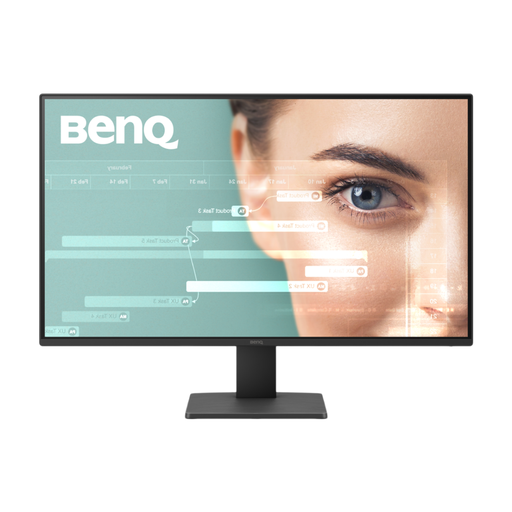 Image unavailable
Consider this Full HD screen if your event planning mainly involves calls, email and straightforward documents rather than detailed visual review.
The product name specifies a 100 Hz refresh rate. Check that the available connections and screen positioning suit your desk; Full HD provides fewer pixels than the QHD and 4K options discussed above.
No: Full HD can suit calls, email and simple documents. Consider QHD when you regularly view several planning windows together, or 4K when detailed maps and artwork are a primary part of the work; also check the stand and connections on the model you choose.
Only if the laptop supports video output over USB-C and the monitor’s connection provides suitable charging power. Compare the exact monitor’s power-delivery rating with your laptop’s requirements, and check the cable you will use.
They can apply to workers who work at home on a permanent or long-term basis, according to the UK Health and Safety Executive. Discuss your working arrangement and workstation with your employer rather than assuming that a particular monitor feature settles the question.
No: position the monitor and arrange the workstation for comfortable use as well. The UK Health and Safety Executive’s home-working guidance addresses the working setup, so check stand adjustment and desk layout alongside any display features.