
24/7 全天候客户支持

免费退货

当日/次日达

品质保障

开启新人专享福利: 全场免邮 | 低至 2 折 | 免费试用 30 天 JoyPlus 会员
下载 Joybuy
As our digital lives expand, from family photos and important documents to large work projects and entire media libraries, the storage on our computers can quickly run out. An external hard drive is a straightforward solution, providing the extra space you need for backups, archiving or simply taking your files on the go.
However, the market is filled with options. Deciding between a high-capacity desktop model and a speedy portable SSD can be confusing. This guide is designed to help you understand the key differences and identify the right type of external storage for your specific needs, whether you're a student, a creative professional or managing your family's digital memories.
Before looking at specific models, it helps to understand the main factors that will influence your decision. Focusing on these three areas will narrow down your options considerably.
The first choice is often between a desktop drive and a portable one.
The technology inside the drive is critical to its performance.
How the drive connects to your computer matters for both speed and convenience.
Here are our recommendations, selected to meet a range of common storage needs, from home archiving to professional creative work.
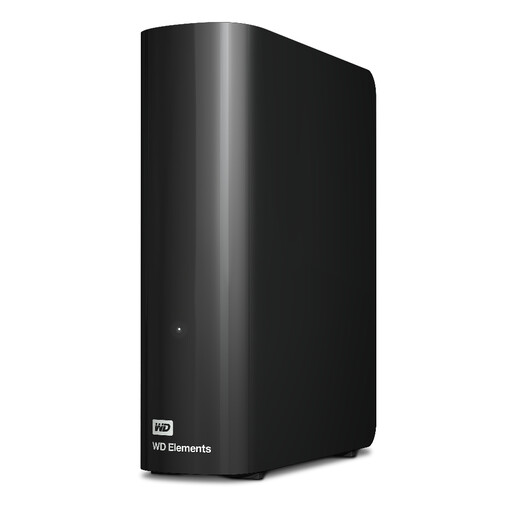
Why It Stands Out: This drive is all about maximum storage for a minimal outlay. It offers an enormous amount of space, making it an excellent set-and-forget solution for backing up your entire digital life.
Pros:
Who is it for?: Home users who need to back up multiple computers, or anyone with a vast collection of media files like films, music and high-resolution photos that needs a permanent home.
View the WD Elements 12TB Desktop Drive

Why It Stands Out: The My Passport Ultra combines a generous capacity with a sleek, modern design and robust security features. It’s a versatile and stylish companion for those who need their data on the move.
Pros:
Who is it for?: Students, business travellers and anyone who needs a reliable and secure way to carry large files between home, university and the office.
View the WD My Passport Ultra 5TB Portable Drive
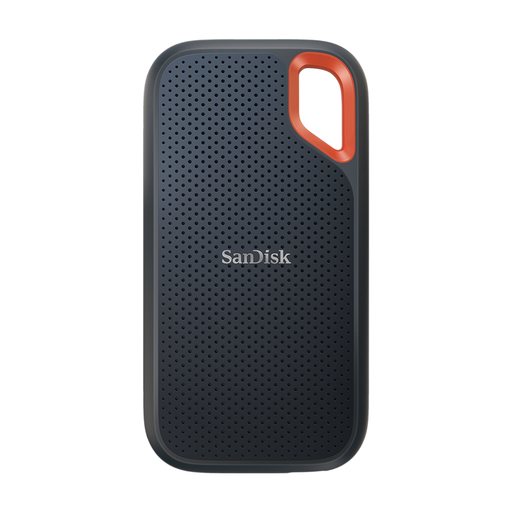
Why It Stands Out: When speed and durability are non-negotiable, this portable SSD delivers. It is built to handle the demands of creative professionals working with large files in fast-paced environments.
Pros:
Who is it for?: Photographers, videographers and content creators who need to transfer and edit high-resolution files quickly, whether in the studio or out in the field.
View the SanDisk Extreme 1TB Portable SSD
If these selections don't quite match what you're looking for, there are many other capacities and models available. Whether you need more storage, a different form factor or a specific feature, you can find a solution that fits.
Explore our full range of external storage drives to find your perfect match.
This depends entirely on your use case. For general document storage and a moderate photo library, 1-2TB is often sufficient. For backing up your entire computer or storing a larger media collection, a 5TB portable hard drive is a great starting point. For archiving vast amounts of data, such as 4K video footage or backups from multiple machines, a desktop hard drive of 8TB or more is advisable.
One is not inherently "better" than the other; they serve different purposes. An SSD is superior for speed, durability and portability, making it ideal for actively working on files or for frequent travel. An HDD offers far more storage capacity for a lower price, making it the logical choice for bulk storage, archiving and stationary backups where speed is less of a concern.
Yes, you can. Most external drives are pre-formatted for Windows (NTFS). To use the drive seamlessly between both Windows and macOS for reading and writing files, you can reformat it to the exFAT file system. This process will erase all data on the drive, so be sure to back up any existing files before you begin.