What matters when choosing?
Settle the game and platform match before comparing charging arrangements. Then decide whether extra controls matter enough to check their support on that particular device and connection.
| Concern |
What to check |
Who this matters to |
| Platform and game compatibility |
Match the exact console generation or operating system and the game’s controller support; check whether a USB receiver is needed. |
If my superhero game runs on a particular console or PC, I need a controller that works with both before its other features matter. Around 46% of consumers put that match first. |
| Power and charging |
Check the battery type, included cable and whether an existing powered USB port or dock can provide the required charging connection. |
With few spare sockets, I want a practical way to keep playing without reserving another mains adapter. Avoiding a dedicated charging plug is the priority for around 36% of consumers. |
| Controls and longer sessions |
Assess the layout and grip; check the exact game, device and connection for haptics, motion controls or remapping. |
For extended exploration and repeated actions, I care about how the controls feel and which added functions I can actually use. Around 18% of consumers give those controls their highest priority. |
Joybuy controllers for different setups
These controllers cover several possible Xbox, Switch 2, PS5 and PC setups. Choose by the device and game you actually use, then confirm each model’s charging arrangements; the original Switch Pro Controller advice above does not establish specifications for the Switch 2 model below.
 No image available
Microsoft Xbox Elite Wireless Controller Series 2
Consider this Xbox One, Xbox Series X|S or PC-labelled option if its controls suit your game. Confirm support for your exact setup and check how this Series 2 controller charges; the standard Xbox Wireless Controller’s AA-battery arrangement should not be assumed to apply.
View on Joybuy
 No image available
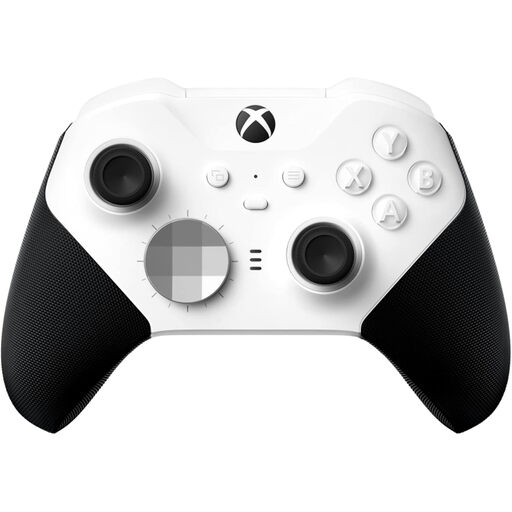
Xbox Elite Wireless Controller Series 2 Core – White
For an Xbox-style setup, check that the Core variant works with your device and superhero game. Compare its included charging accessories and available powered USB connection with the first Series 2 listing rather than assuming the two bundles contain the same items.
View on Joybuy
 No image available
Nintendo Switch 2 Pro Controller – Black
This is the Switch 2-labelled choice if your superhero game supports that controller. Confirm the charging accessories for this exact model and where you will connect them; specifications for the original Nintendo Switch Pro Controller should not be carried over.
View on Joybuy
 No image available
Sony DualSense Wireless Controller – HYPERPOP Remix Green
For PS5 or a compatible PC, Mac or mobile game, check both controller support and which DualSense features work on that device. Sony says supported-game haptic feedback on PC requires USB. Confirm the charging cable and accessories supplied with this particular variant.
View on Joybuy
 No image available
Machenike G3 V2 Tri-mode Controller – White
Consider this tri-mode model for PC play only after confirming the game, connection method and exact device compatibility. Check the charging connection and which cable or receiver comes with the product before planning to use an existing USB port.
View on Joybuy
Frequently asked questions
Can one wireless controller work with every console and device?
No: choose against the stated platform list and your game’s controller support. Microsoft lists the cited Xbox Wireless Controller for Xbox consoles, Windows PC, iOS and Android, while 8BitDo lists the cited Ultimate 2C for Windows and Android; those lists do not establish support for every game or every controller variant.
How can I charge a controller without taking another wall socket?
Use a suitable powered USB port or dock you already have if the chosen controller supports that charging arrangement. Check the exact product’s cable and accessories: PlayStation Direct UK says the cable is not included with its cited DualSense White listing, whereas Nintendo Store UK lists a USB-C cable with the original Switch Pro Controller.
Will DualSense haptics work wirelessly in a PC superhero game?
Do not count on wireless haptics for that setup: Sony PlayStation Support says DualSense haptic feedback on PC requires USB and a supported game. Check the game’s PC controller information for the other features you want as well.
Does the standard Xbox Wireless Controller need AA batteries?
Microsoft Xbox Support says the standard Xbox Wireless Controller uses AA batteries or a compatible rechargeable battery pack. Rechargeable AA cells need an external charger rather than charging inside the controller; check the battery arrangement separately for Elite and other Xbox controller models.


