
24/7 全天候客户支持

免费退货

当日/次日达

品质保障

开启新人专享福利: 全场免邮 | 低至 2 折 | 免费试用 30 天 JoyPlus 会员
下载 Joybuy
Bringing the big-screen experience home is no longer a luxury reserved for dedicated cinema rooms. Whether you're planning a family movie night, an immersive gaming session on your PS5 or want to watch the big match in the garden, a modern home cinema projector offers a versatile and high-quality solution. However, the market is filled with technical terms and features, making it a challenge to choose the right one.
As the Joybuy Product Recommendation Officer, my role is to help you navigate these options. This guide cuts through the clutter, focusing on the practical features that matter for UK homes, so you can find a projector that fits your entertainment needs and budget.
Before we look at specific models, let's break down a few key considerations. Understanding these will help you identify what to look for.
Image quality comes down to two main factors: resolution and brightness.
How you plan to watch content will determine the connections you need.
Consider where you'll be using your projector. A lightweight and portable projector offers the flexibility to move it from the living room to the garden or take it to a friend's house. Features that make setup easier include:
Based on features, user-friendliness and versatility, here are a few standout models to consider.
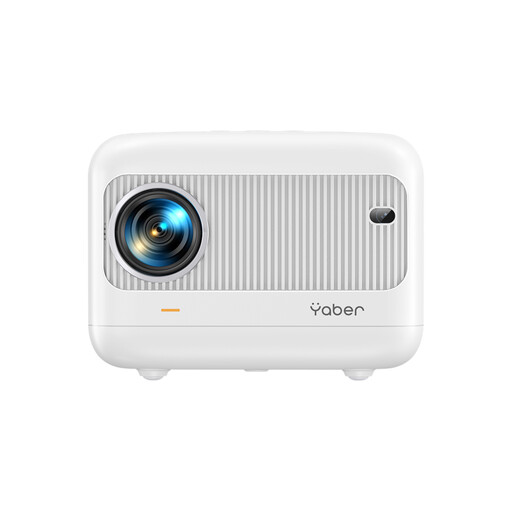
Why It Stands Out The Yaber E1 is a compact and highly portable projector that makes setup incredibly simple. Its standout feature is the electric motorised focus, allowing you to get a sharp image using just the remote control. Combined with fast 5G WiFi and a lightweight design, it's a fantastic option for flexible use around the home and garden.
Pros
Who is it for? This mini projector is ideal for families or individuals seeking a simple, no-fuss device for casual movie nights, kids' entertainment, or as a first projector for phone streaming.
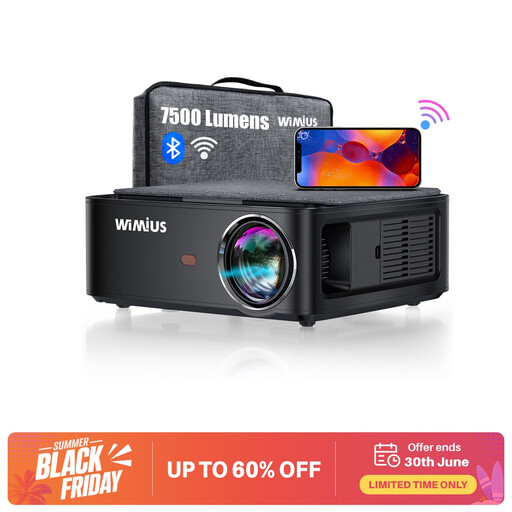
Why It Stands Out For those who prioritise picture quality, the Wimius K1 delivers with its native 1080p projector resolution. It offers a bright, detailed image that can be projected up to a massive 300 inches. Its advanced 4D keystone correction is a significant advantage, allowing you to place the projector off-centre without distorting the picture.
Pros
Who is it for? This model is aimed at home cinema enthusiasts and gamers who want a high-performance projector for a more dedicated setup and demand a crisp, bright Full HD picture.
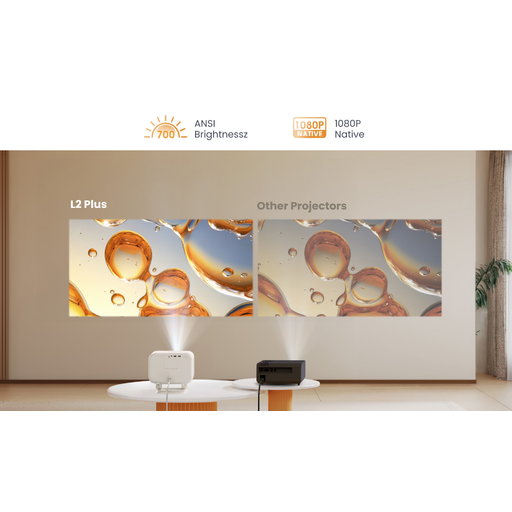
Why It Stands Out The Yaber L2 Plus is a true all-in-one smart projector. With a built-in TV operating system and officially licensed Netflix, you can stream your favourite shows directly without any external devices. Its suite of automated setup features—including auto-focus, auto-keystone and even obstacle avoidance—makes it exceptionally user-friendly. The integrated JBL speakers with Dolby Audio also deliver impressive sound quality straight out of the box.
Pros
Who is it for? This is the perfect choice for anyone who values convenience and a premium, integrated experience. It’s ideal for tech-savvy users who want a powerful outdoor projector and indoor cinema that works seamlessly without extra cables or devices.
These recommendations cover a range of popular needs, but every home is different. If you're looking for a different set of features or want to compare more models, there are many other projectors available.
Explore our full range of projectors and home entertainment systems in the Audio & Video Accessories category to find the perfect fit for your space.
1. Can I use a home cinema projector for gaming? Yes, absolutely. Many modern projectors are well-suited for gaming. For the best experience, look for a projector for gaming that has a dedicated HDMI port for your console and check for any mention of low input lag. A native 1080p resolution will also ensure your games look sharp on the big screen.
2. How do I connect my phone to a projector? The simplest method is with a WiFi projector that supports wireless screen mirroring. Most models are compatible with both iOS (AirPlay) and Android (Miracast/Smart View) devices, allowing you to cast your screen with just a few taps. Alternatively, you can use a wired connection with an appropriate adapter (e.g., Lightning-to-HDMI for an iPhone).
3. Do I need a special screen for an outdoor projector? While a dedicated projector screen will always provide the most uniform and bright image, it isn't essential for casual viewing. For an outdoor projector setup in the garden, a smooth, plain, light-coloured wall or even a tautly hung white bedsheet can serve as a perfectly good screen, especially after sunset.