
24/7 Customer Support

Free returns

Same-day & Next-day Delivery

Quality Guaranteed
Download the APP
Categories
A well-chosen monitor is the centrepiece of any productive home office. Staring at a small, dim laptop screen for hours can lead to eye strain, neck discomfort and a frustratingly cramped digital workspace. If you find yourself constantly switching between windows or struggling to read fine text on a spreadsheet, it might be time for an upgrade.
This guide is designed to help you navigate the key features of a modern home office monitor. We will break down what truly matters for productivity and comfort, helping you find a display that streamlines your workflow and enhances your work from home setup.
Before diving into specific models, let's cover a few essential considerations that make a significant difference in day-to-day use.
While 4K resolution offers incredible sharpness, the physical size and shape of the screen are just as important for productivity. An ultrawide monitor for multitasking, with its 21:9 aspect ratio, provides a panoramic canvas that can replace a dual-monitor setup. This is particularly useful for viewing long timelines in video editing software or managing multiple columns in a monitor for spreadsheets without constant horizontal scrolling. For most professional tasks, a 27-inch screen with QHD (2560x1440) resolution hits a sweet spot between screen real estate and clarity.
Desk clutter is a common complaint in home offices. A USB-C monitor with power delivery is a simple solution. This technology allows a single cable to transmit video from your laptop, handle data transfer (for built-in USB hubs) and deliver power to charge your laptop simultaneously. It’s the key to a clean, one-cable setup, freeing up desk space and power sockets.
Long hours at a desk demand an ergonomic monitor. Look for stands that offer height, tilt and swivel adjustments. This allows you to position the screen at eye level, promoting better posture and reducing neck strain. Alternatively, ensure the monitor is a VESA mount monitor, meaning it has standard mounting holes (e.g., 100x100mm) on the back. This gives you the flexibility to attach it to a monitor arm for a fully customised and ergonomic workspace.
Here are our recommendations, selected to meet a range of professional needs and budgets.
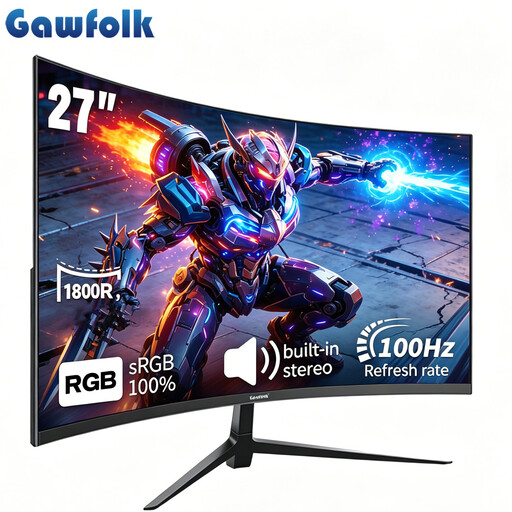
Why It Stands Out: The Gawfolk 27" monitor offers an immersive viewing experience without a premium price tag. Its 1800R curvature gently wraps around your field of view, which can help reduce eye movement and strain during long work sessions. The 100Hz refresh rate provides noticeably smoother scrolling and motion than standard 60Hz monitors, making everyday tasks feel more fluid.
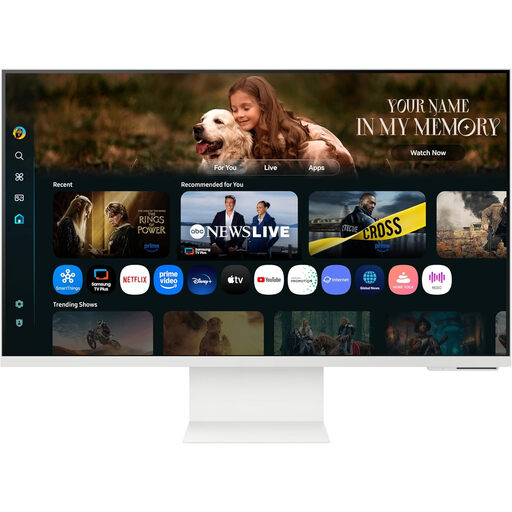
Why It Stands Out: This is more than just a display; it's a 4K smart monitor. The Samsung M8 runs on its own Tizen operating system, giving you direct access to streaming apps like Netflix and work tools like Microsoft 365 without needing to connect a PC. Its 3840 x 2160 resolution delivers exceptionally sharp text and detailed images, while the USB-C port provides 65W of power delivery for a single-cable connection to your laptop.
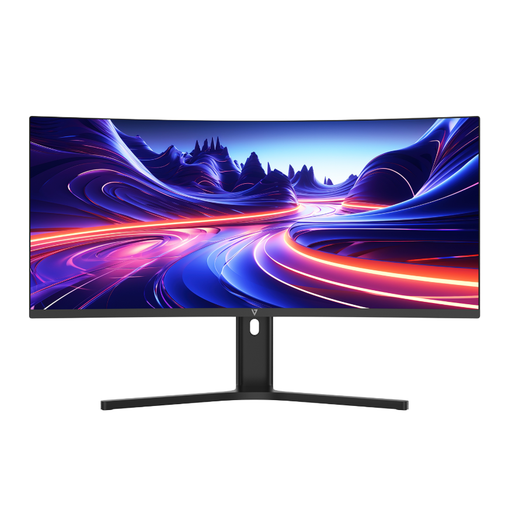
Why It Stands Out: The V7 34" is a true productivity monitor built for serious multitasking. Its 3440 x 1440 ultrawide screen provides 30% more horizontal space than a standard widescreen monitor, allowing you to comfortably place three full-sized application windows side-by-side. Features like Picture-by-Picture (PBP) let you display content from two different computers simultaneously, while the 65W USB-C Power Delivery ensures your workspace remains tidy and efficient.
The recommendations above are tailored for specific productivity needs, but every workspace is unique. If a clean, minimalist desk is your top priority, a monitor with integrated audio can make a big difference.
To discover more displays that help reduce clutter, explore our selection of monitors with built-in speakers.
A curved monitor for work can enhance comfort, especially on larger screens (27 inches and above). The curve is designed to match the natural field of view of your eyes, which can reduce eye strain and make the edges of the screen feel closer and more in focus. For ultrawide displays, a curve is almost essential for an immersive, comfortable experience.
A 4K monitor provides exceptional text clarity and image detail, which is highly beneficial for graphic design, photo editing and reading large amounts of text. However, for general office tasks like email and word processing, a QHD (1440p) or even a high-quality Full HD (1080p) monitor is often perfectly adequate and more affordable.
USB-C with Power Delivery (PD) is a feature that allows a single USB-C cable to handle multiple functions at once: transmitting video and audio to the monitor, transferring data via the monitor's USB ports and delivering electrical power to charge your connected laptop. It is incredibly useful for creating a minimalist and highly efficient work from home setup with just one cable.