What to check before buying
Start with the software and equipment your work cannot do without, then compare the exact laptop configuration for calls, desk use and time away from the mains.
| Priority |
What to check |
Your needs |
| Office multitasking |
Compare the processor, memory and storage in the exact configuration sold. Use independent speed and usability testing where available. Check that the camera, microphone and speakers suit the calling setup. |
I want browser tabs, office apps, messaging and meetings to run together without choosing only by a processor family name. |
| Video calls |
Confirm a working camera, microphone, speakers and screen resolution for the calling platform. Microsoft Learn lists a camera, microphone, speakers, 4GB RAM and a 1024 × 768 display as baseline Teams desktop requirements. |
I need dependable meeting hardware for regular calls, while recognising that lighting, network quality and the exact hardware still affect practical results. |
| Desk compatibility |
Compare USB-C or Thunderbolt, USB-A, HDMI, charging and Ethernet connections with existing equipment. Check documented external-display and dock support, plus power-delivery requirements where relevant. |
I want my monitor, dock, headset, wired network adapter and storage devices to work at the home desk without unexpected adapters. |
| Operating-system fit |
List every required application, security tool and storage workflow. For Chromebook Microsoft 365 editing, Google Chromebook Help states that OneDrive is required in the Microsoft 365 app. For older Windows devices, check Windows 11 eligibility. |
I need the laptop to run the tools my employer or clients require, not merely an operating system that appears convenient or affordable. |
| Longer workdays |
Compare battery life only on a consistent independent test basis. Review screen quality and ease of use for document work and calls, then confirm warranty and trader support for refurbished units. |
I want a laptop that remains useful away from the desk and is not chosen solely from a manufacturer battery claim or a low headline price. |
Joybuy laptop options
Joybuy product options for home-office work, regular video calls and desk setups. Confirm operating-system compatibility, external-display arrangements and independently tested battery evidence for the exact configuration before buying.
 No image available
Microsoft Surface Laptop 7 15-Inch Copilot+ PC, Snapdragon X Elite, 16GB/256GB
A Windows option for office multitasking, calls and a larger-screen desk setup, subject to employer software compatibility.
Specified with a 15-inch 2496 × 1664 touchscreen, 16GB LPDDR5x memory, 256GB SSD, 1080p camera, dual microphones, speakers, two USB4 Type-C ports, USB-A and a 3.5mm audio jack. Confirm required employer tools on this Snapdragon-based Windows configuration and verify monitor and dock support.
Joybuy
 No image available
Apple MacBook Pro 14.2-Inch M5 Pro, 24GB/2TB, Silver
A macOS option for demanding multitasking, file-heavy work and home-office peripherals where required applications support macOS.
The listed configuration has 24GB unified memory, a 2TB SSD, a 12MP camera, three microphones, six speakers, three Thunderbolt 5 ports, HDMI and SDXC. A USB-C or USB-PD power adapter rated at least 70W is stated as required separately.
Joybuy
 No image available
Apple 13-inch MacBook Air (2026) M5, 24GB/1TB, Midnight
A portable macOS option for office applications, documents and video meetings when the required work tools support macOS.
Specified with 24GB unified memory, a 1TB SSD, 12MP Center Stage camera, two Thunderbolt 4 ports, MagSafe 3 and a headphone jack. It has USB-C ports rather than built-in HDMI or USB-A, so existing accessories may require an adapter or dock.
Joybuy
 No image available
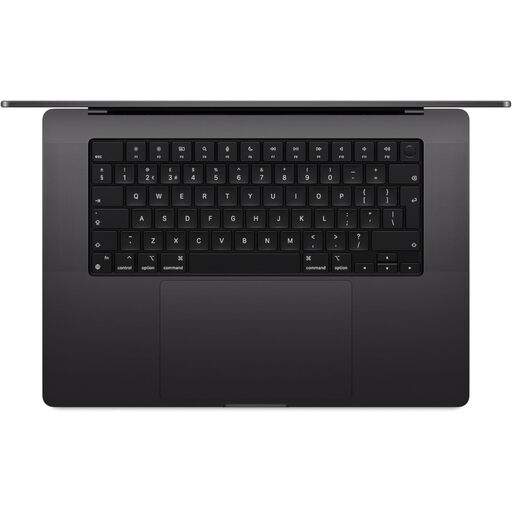
Apple MacBook Pro 16.2-Inch M5 Max, 36GB/2TB, Space Black
A macOS option for demanding desk-based multitasking, creative workloads and several connected peripherals, where macOS is approved.
The listing specifies 36GB unified memory, a 2TB SSD, 12MP Center Stage camera, three microphones, six speakers, HDMI, SDXC and three Thunderbolt 5 ports. It requires a separately supplied USB-C or USB-PD charger capable of at least 94W.
Joybuy
 No image available
Lenovo LOQ Essential 15ARP11, Ryzen 7, 16GB/1TB
A Windows option for desk-based home-office work needing local storage, wired Ethernet and several physical connections.
The exact configuration lists 16GB DDR5 memory, a 1TB NVMe SSD, HDMI 2.1, USB-C with Power Delivery, two USB-A ports, Gigabit Ethernet, a 720p webcam, dual microphones and a UK keyboard. At 2.30kg, it may be less convenient for frequent carrying.
Joybuy
Frequently asked questions
Do I need a Windows laptop to work from home?
Not always. Choose Windows when essential work programs, employer management tools, peripherals or support processes require it. A Mac can suit work where required tools support macOS, while a Chromebook can suit approved browser-based work; confirm every essential application and security workflow before buying.
Can a Chromebook edit Word, Excel and PowerPoint files for work?
Yes, ChromeOS can open, edit, download and save Microsoft 365 files through the Microsoft 365 app. Google Chromebook Help states that OneDrive is required to open and edit files in that app, so confirm that this storage and browser-based workflow is accepted for the job.
What should I check for regular Teams video calls?
Check the exact laptop has a working camera, microphone, speakers and sufficient screen resolution for the calling platform. Microsoft Learn lists a USB 2.0 video camera, standard laptop camera, microphone, speakers, 4GB RAM and a 1024 × 768 or higher display as baseline Teams desktop requirements; practical call quality also depends on lighting, network and the software setup.
What ports should a home-office laptop have?
Start with the equipment already in use: monitor, dock, wired Ethernet adapter, USB-A devices, headset and storage. Then compare the exact laptop’s port list and documented display support. Apple UK lists two Thunderbolt 4 USB-C ports and MagSafe on the current 13-inch MacBook Air, so HDMI or USB-A equipment may need compatible adapters or a dock.
Is a refurbished laptop a sensible choice in the UK?
It can be, when bought from a reputable trader with clear condition information, warranty and return terms, after checking the exact configuration and current operating-system support. Which? advises comparing the individual refurbished unit because stock, condition and prices vary; keep the listing, invoice and warranty information for any faulty-goods issue.


