For occasional walking itineraries and everyday paperwork, choose a compact wireless all-in-one that can print, scan and copy. If the flat’s router is difficult to use, look for Wi-Fi Direct; if you regularly print multi-page route packs, prioritise automatic two-sided printing and check how much room the printer needs.
Who needs which setup?
Occasional itinerary printer
If you print a few A4 routes alongside forms or booking confirmations, a compact print, scan and copy device may cover those tasks without dedicating space to separate equipment. Canon UK lists these functions for its PIXMA TS3750i series.
Phone-first flat resident
If route files live on your phone and connecting a printer to shared Wi-Fi is awkward, check for a direct-print option. Epson says its XP-2200 supports Wi-Fi Direct printing without a wireless network.
Frequent multi-page route planner
If you repeatedly print longer packs or share the printer with flatmates, automatic two-sided output and paper capacity deserve closer attention. Canon UK lists automatic two-sided printing for the PIXMA TS5350i series; Brother UK lists it alongside a 150-sheet enclosed tray for the DCP-J1050DW.
What matters when choosing?
Start with the space and functions you need, then decide whether router-independent phone printing or automatic two-sided output matters more for your route sheets.
| Concern |
What to check |
Who this matters to |
| Occasional printing in limited space |
Check A4 support, print, scan and copy functions, and room to access the paper feed. |
If I only print the odd walking route and need to scan university paperwork, I want one device that fits where I can use it. Around 33% of consumers would put straightforward occasional use first. |
| Phone printing without the router |
Check for Wi-Fi Direct and compatibility with your phone or tablet. |
When the shared router is inconvenient, I need to send a route from my phone without joining that network; roughly 25% of consumers would prioritise router-independent printing. |
| Multi-page route packs |
Confirm that the exact model supports automatic two-sided printing for the paper and job settings you intend to use. |
For longer itineraries, I would rather not turn and re-feed every sheet myself. Around 25% of consumers would make automatic two-sided output their primary concern. |
| Recurring or shared use |
Check compatible ink supplies and paper capacity; if flatmates will share the printer, agree how supplies will be managed. |
If several of us print routes regularly, I need paper loading and ink replacement to remain manageable. Roughly 17% of consumers would put recurring shared use first. |
Mistakes to avoid
-
Assuming every wireless printer works without the flat’s router
Ordinary Wi-Fi connectivity does not, by itself, establish a router-independent print option. Epson separately specifies Wi-Fi Direct for the XP-2200.
If router access is uncertain, check whether the exact printer supports Wi-Fi Direct or another suitable direct-print method for your device.
-
Taking two-sided printing to mean automatic two-sided printing
Automatic operation is model-specific: Canon UK lists it for the PIXMA TS5350i series, and Brother UK lists it for the DCP-J1050DW.
For longer itinerary packs, confirm automatic two-sided printing and the relevant paper settings on the exact model before buying.
Manual two-sided printing can mean turning and re-feeding sheets during each longer print job.
-
Leaving disposal until moving day
An unwanted printer is electrical equipment, so it needs an appropriate collection or recycling route rather than an assumed place in general household waste.
Check the local authority’s or retailer’s electrical-equipment collection options before you leave the flat.
Printer brands and model lines to consider
Canon
Canon’s PIXMA range includes compact all-in-one inkjets relevant to occasional student-flat printing.
- Canon UK lists Wi-Fi, print, copy, scan, Canon PRINT, AirPrint and Mopria for the PIXMA TS3750i series.
- Automatic two-sided printing is listed for the PIXMA TS5350i series; check the specific model rather than assuming it applies across the range.
Epson
Epson’s XP-2200 is an A4 all-in-one to consider when phone printing without access to the flat’s wireless network matters.
- Epson states that the XP-2200 supports wireless printing and scanning, Wi-Fi Direct and mobile operation through Smart Panel.
- Epson says its individual-colour inks let you replace the colour used; check the supplies for the exact printer rather than treating that feature as a complete measure of ink use.
Brother
Brother’s DCP-J1050DW is relevant when longer documents or recurring shared printing make paper handling important.
- Brother UK lists wireless and mobile connectivity, automatic two-sided printing and a 150-sheet enclosed paper tray for the DCP-J1050DW.
- Those tray and two-sided-printing specifications describe the DCP-J1050DW, not every Brother inkjet.
Joybuy printers for this task
These printers offer two starting points for the same student-flat task: consider the Epson XP-2200 when printing from a phone without the flat’s router is important, and assess the Canon MAXIFY GX6150 against the space and paper-handling needs of more regular printing.
 No image available
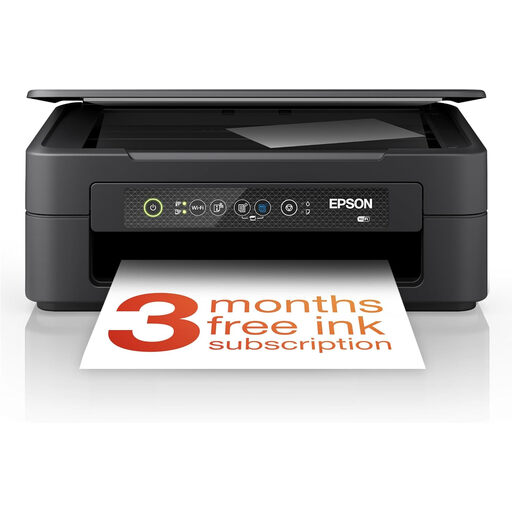
Epson Expression Home XP-2200 3-in-1
For routes kept on a phone when the flat’s router is inconvenient, Epson says the XP-2200 can print through Wi-Fi Direct without a wireless network.
It is an A4 all-in-one with wireless printing and scanning. Check compatibility with your device and confirm the exact two-sided-printing settings if you expect to print longer packs.
View on Joybuy
 No image available
Canon MAXIFY GX6150
If route printing will be regular or shared, assess this model against the paper-handling needs of the flat.
Before choosing it, confirm the automatic two-sided settings, paper capacity and room needed for placement and access.
View on Joybuy
Frequently asked questions
Can I print a walking itinerary directly from my phone?
Yes, if the printer supports a print method compatible with your phone. Canon UK lists Canon PRINT, AirPrint and Mopria for the PIXMA TS3750i series, while Epson lists phone and tablet operation through Smart Panel for the XP-2200; check the method your device uses before buying.
Do I need access to the flat’s Wi-Fi router?
Not for every printer setup: Epson says the XP-2200 supports Wi-Fi Direct printing without a wireless network. Check the exact printer’s connection options and setup instructions if router access is uncertain.
Will any inkjet automatically print on both sides?
No; automatic two-sided printing depends on the model. Canon UK lists it for the PIXMA TS5350i series and Brother UK for the DCP-J1050DW, so confirm the specification and supported paper settings for the printer you choose.
What should I do with an old printer when I leave the flat?
Use an appropriate electrical-equipment collection or recycling route. UK waste electrical and electronic equipment rules cover this type of equipment; check the local authority’s or retailer’s options for the address where you keep the printer.


