Who this is for

Students on general coursework-based degrees

For lectures, writing, research, virtual-learning platforms and online meetings, start with a portable laptop, a supported operating system, a webcam and microphone, and practical everyday storage. The University of Edinburgh and UWE Bristol both note that course requirements should guide the choice.

Engineering, computing and technical-course students

Check the exact programme software before choosing macOS, ChromeOS, Linux or an ARM-based Windows device. The University of Bath, the University of Nottingham and Loughborough University identify Windows-only tools, hardware interfaces and conventional Intel or AMD systems as relevant considerations for some technical courses.

Architecture, design and media-production students

Rendering, visualisation and production workflows can require more memory, SSD capacity and dedicated graphics than ordinary coursework. Ravensbourne University London specifies 16GB memory, 512GB storage and dedicated graphics for its architecture course; requirements vary by programme.

Buying priorities

Windows for broad compatibility

Choose it when: your course uses specialist engineering, CAD, programming or hardware-interface tools, or macOS compatibility has not been confirmed.

Consider: the required specification still depends on the course, and some ARM-based Windows devices may not support every application or interface.

macOS for confirmed-compatible courses

Choose it when: your programme confirms macOS support and your work is mainly online learning, research, writing or compatible creative work.

Consider: some specialist applications are unavailable on macOS, and Apple-silicon Macs cannot use Boot Camp to install Windows.

Higher specification for specialist workloads

Choose it when: published requirements call for rendering, visualisation, advanced programming, video production or graphics-accelerated work.

Consider: more capacity can add weight and power demand, so buy to the named programme requirement.

Priority What to check Your needs
Software compatibility Check named applications, operating-system versions, processor architecture, graphics requirements and hardware connections. Confirm whether Windows-only tools are required. I need my laptop to install and run the software used throughout my course, including any equipment interfaces.
Performance and storage Match memory, SSD capacity, processor class and graphics to routine work. Check whether 16GB RAM, 512GB SSD or dedicated graphics are specified. I want enough capacity for programming, editing, data work, CAD or rendering without paying for performance my course will not use.
Campus portability Consider weight, screen size, webcam, microphone, battery expectations, ports and any adapter needed for displays or peripherals. I need to carry the laptop between accommodation and campus and join meetings or tutorials reliably.
Repair and continuity Check the seller’s repair process, exact manufacturer service terms and the university’s access to campus PCs, loans or virtual desktops. I want a practical fallback if a repair interrupts coursework during term.

Mistakes to avoid

  • Choosing an operating system before checking the software list

    Some engineering and specialist applications are Windows-only, while some tools are unavailable on macOS. Apple-silicon Macs cannot use Boot Camp to install Windows.

    Ask your programme leader or review pre-arrival guidance for named applications, operating-system versions, processor architecture, graphics and peripheral requirements before purchasing.

    A Windows virtual machine, cloud service or another laptop may be needed if required applications do not run on your device.

  • Buying for basic writing when the course has intensive workloads

    A laptop that handles web browsing and documents may not meet the routine requirements of CAD, rendering, production or development work.

    Choose the configuration for the most demanding regular task in your course, using the programme’s published requirements.

    Insufficient capacity can limit use of required creative, CAD, rendering or development tools and may lead to reliance on external storage.

  • Treating university facilities as an automatic substitute

    Virtual desktops, campus rooms and laptop loans can provide a fallback, but remote access depends on a stable connection and may not suit hardware-based activities.

    Check access rules, availability and whether your course needs local software or physical hardware connections before relying on these services.

  • Assuming a manufacturer warranty replaces retailer rights

    Manufacturer service coverage varies by model and service description. Apple states that its voluntary warranty is separate from consumer-law rights.

    Before buying, save the seller listing and confirm the service route, repair logistics and return process. Keep the order confirmation and proof of delivery.

    Unclear service terms can mean avoidable downtime or paid support during a busy teaching period.

Relevant brand references

Apple

A macOS option for courses that explicitly confirm Mac compatibility. Apple’s UK MacBook Air specifications list configurations with 16GB unified memory, 512GB SSD storage, two Thunderbolt 4/USB-C ports and up to 18 hours of video-streaming battery life.

  • Apple’s specifications describe configurable memory and storage in a portable macOS laptop range.
  • Check course software first: some specialist applications do not run on macOS, and Apple-silicon Macs cannot use Boot Camp for Windows.
  • Apple states that its UK two-year limited warranty is voluntary and additional to Consumer Rights Act 2015 rights.

Lenovo

A Windows-focused option to consider where a conventional Windows laptop, portable business-oriented design or a particular ThinkPad configuration fits course requirements.

  • Lenovo describes ThinkPad options including 2-in-1 designs, webcam privacy shutters, durability testing and rapid charging; these are manufacturer descriptions.
  • Lenovo’s UK ThinkPad information states that new ThinkPads have a standard one-year warranty, so check the exact configuration, seller and service upgrade options.

Dell

A Windows-laptop option where the support route merits close attention, particularly for students who may need repairs while living away from home.

  • Dell says its products are offered with some form of support service, such as Basic or Limited Hardware Service, Collect & Return or At Home Service.
  • Coverage, exclusions, remote diagnosis and availability vary by service description and product, so check the specific model’s terms.

Joybuy laptop options

Joybuy laptop options for Windows-based university coursework, including lighter general-study models and higher-specification laptops for programmes with confirmed specialist software or graphics requirements.

ASUS Vivobook 15 X1504VA laptop in Cool Silver

ASUS Vivobook 15 X1504VA, Core 5, 24GB RAM, 1TB SSD

A Windows option for general coursework, multitasking and local course files.

15.6-inch Full HD IPS display; Intel Core 5 120U; 24GB RAM; 1TB SSD; Windows 11 Home; webcam with microphone; HDMI, USB-A and USB-C; 1.70kg.

Check named course software, hardware interfaces and graphics requirements. The listing states up to 8 hours of standby time rather than coursework-use battery life.

Joybuy

Lenovo IdeaPad Slim 3 15.3-inch WUXGA laptop in Grey

Lenovo IdeaPad Slim 3 15.3-inch, Ryzen 5, 24GB RAM, 512GB SSD

A portable Windows choice for coursework, online study and regular multitasking.

15.3-inch WUXGA anti-glare display; Ryzen 5 7535HS; 24GB DDR5 RAM; 512GB PCIe SSD; Windows 11 Home; Wi-Fi 6; USB-C; microSD reader; 1.59kg.

Check whether your course needs HDMI, Ethernet, dedicated graphics or a particular display connection. Verify whether required applications can be installed with the supplied Windows 11 Home in S Mode configuration.

Joybuy
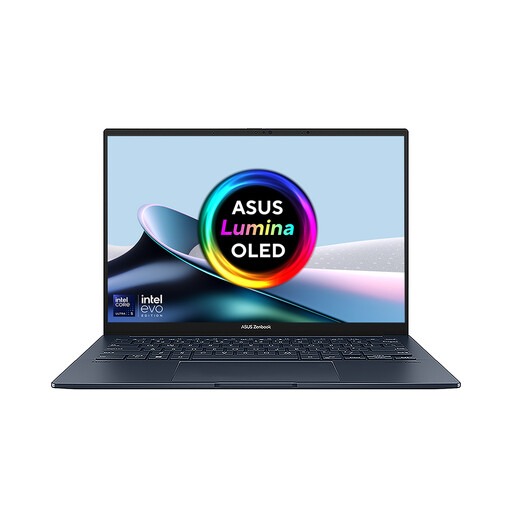
ASUS Zenbook DUO UX8406CA-QL135W dual-screen laptop

ASUS Zenbook DUO UX8406CA-QL135W, Core Ultra 7, 16GB RAM, 1TB SSD

A Windows laptop with expanded desk-based workspace for research, coding or creative multitasking.

Intel Core Ultra 7 255H; 16GB LPDDR5X RAM; 1TB PCIe 4.0 SSD; two Thunderbolt 4 ports; HDMI; detachable keyboard; Windows 11 Home; 1.65kg total weight.

Confirm the display resolution before purchase: the description refers to 3K screens while the detailed specification states dual 1920 × 1200 displays. Check whether your programme needs dedicated graphics.

Joybuy

Lenovo LOQ Essential 15ARP11 laptop

Lenovo LOQ Essential 15ARP11, Ryzen 7, RTX 5050, 16GB RAM

A higher-specification Windows option for courses that explicitly require graphics-accelerated work.

AMD Ryzen 7 170; GeForce RTX 5050 laptop GPU with 8GB GDDR7; 16GB DDR5 RAM; 1TB PCIe 4.0 SSD; HDMI 2.1; USB-C; USB-A; Ethernet; Windows 11 Home; 2.30kg.

Its dedicated GPU and weight suit a specific requirement rather than ordinary coursework. Check the required graphics-driver version, named applications and UK warranty arrangements.

Joybuy
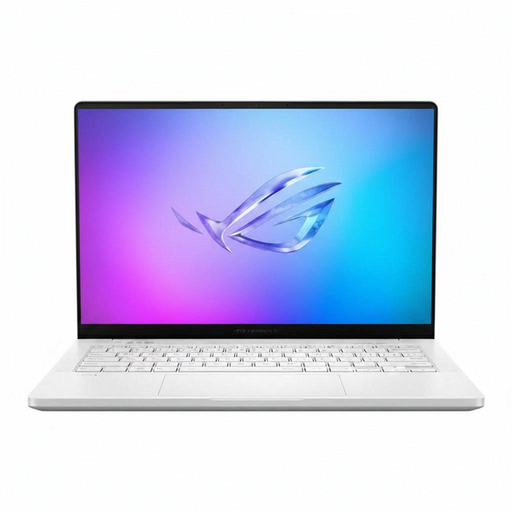
ASUS ROG Zephyrus G14 GA403WR-QS088W laptop in German Grey

ASUS ROG Zephyrus G14 GA403WR-QS088W, RTX 5070 Ti, 32GB RAM

A compact higher-specification Windows laptop for specialist creative, rendering, visualisation or development workloads.

14-inch WQXGA+ display; AMD Ryzen AI 9 HX 370; RTX 5070 Ti laptop GPU; 32GB LPDDR5X RAM; 2TB SSD; Wi-Fi 7; Windows 11 Home.

Verify the delivered keyboard layout, as the title includes German Grey, plus the webcam, ports, battery and UK warranty details. Confirm that your programme genuinely requires this level of graphics and memory.

Joybuy

Frequently asked questions

Should I choose Windows or macOS for university?

Choose Windows where your course uses Windows-only specialist software, engineering tools or hardware interfaces, or has not confirmed macOS support. macOS can work well for many courses, but some specialist applications are unavailable and Apple-silicon Macs cannot use Boot Camp to install Windows. University guidance from Bath, Nottingham, UWE Bristol and Loughborough supports checking the course software list first.

Are Chromebooks or tablets suitable as my main university computer?

Use one as your main device only if your course confirms that browser-based tools are sufficient. The University of Edinburgh, UWE Bristol and Loughborough University warn that Chromebooks and tablets may not install or support specialist applications.

When should I choose 16GB RAM, 512GB SSD or dedicated graphics?

Choose these specifications when your programme regularly uses intensive programming, production, visualisation or specialist software. University guidance links 16GB memory and 512GB SSD storage to heavier workloads, while Ravensbourne University London specifies dedicated graphics for its architecture course; they are not universal requirements.

Can a university virtual desktop or campus computer room replace a powerful laptop?

It can be a useful contingency, but it is not always a full replacement for a compatible personal laptop. The University of Nottingham notes that virtual-desktop access needs a stable connection and is not suitable for every hardware-based activity; check availability, access rules and whether your work needs local software or physical connections.

What happens if a newly bought laptop is faulty in the UK?

GOV.UK states that a retailer must offer a full refund when goods are faulty, not as described or do not do what they should. Where the statutory right to repair or replacement applies, the Consumer Rights Act 2015 requires it within a reasonable time and without significant inconvenience; keep your order records and contact the trader.