
24/7 Customer Support

Free returns

Same-day & Next-day Delivery

Quality Guaranteed

Unlock Your Welcome Offers: FREE Delivery | Up to 80% OFF | Free 30-day JoyPlus trial
Download the APP
Long hours staring at a screen can take their toll. Many of us in the UK, whether working from home, studying or gaming, are familiar with the tired eyes, headaches and cluttered desks that often accompany our digital lives. A traditional desk lamp can help, but it often creates screen glare and takes up valuable surface area. This is where a monitor light bar offers a streamlined and effective solution.
These clever devices mount directly onto your monitor, casting an even, downward light across your workspace without illuminating the screen itself. The result is reduced eye strain, a cleaner desk and a more focused environment. As your Joybuy Product Recommendation Officer, my role is to help you navigate the options. This guide will walk you through the key features to consider and present some of our top recommendations for 2026 to help you find the right fit for your setup.
Selecting the right screen bar light involves more than just picking one that looks good. To ensure you get a product that genuinely improves your comfort and productivity, consider these key factors.
The primary purpose of a monitor light is to provide better illumination. Look for models that offer adjustable brightness and colour temperature.
A key advantage of a USB light for monitor is its space-saving design. However, you need to ensure it fits your specific screen.
The overall user experience is defined by the product's construction and ease of use.
After analysing the features that matter most to UK users, here are our recommendations for enhancing your desk setup.

Why It Stands Out: The Xiaomi Monitor Light Bar is a popular choice for its combination of minimalist design, high-quality construction and user-friendly features. Its standout component is the wireless remote control, a sleek puck-like dial that allows for effortless adjustment of both brightness and colour temperature without adding clutter to your desk.
Pros:
Who is it for? This is an excellent all-rounder for professionals, students and general home office users who prioritise a clean aesthetic and the convenience of a wireless remote.
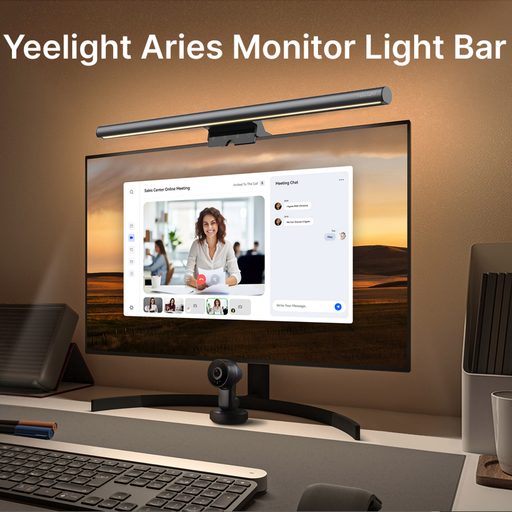
Why It Stands Out: The Yeelight Aries is engineered with a strong focus on visual health and colour fidelity. It features a high CRI of Ra95, making it a superb choice for creative professionals. According to the manufacturer, it is also RG0-certified to reduce harmful blue light. Its anti-glare optical design ensures your screen remains reflection-free.
Pros:
Who is it for? Ideal for designers, video editors, photographers and dedicated gamers. Anyone who spends long hours in front of a screen and requires superior colour accuracy and advanced eye-care features will find this gaming setup light to be a significant upgrade.
A monitor light bar is a specialised tool for a specific job. If your needs are more varied, or if you're looking for a portable lighting solution, other options may be more suitable. For instance, the Yeelight 4-in-1 All Purpose Cordless Desk Lamp offers versatility as a rechargeable torch, a clip-on reading light and a wall-mounted lamp.
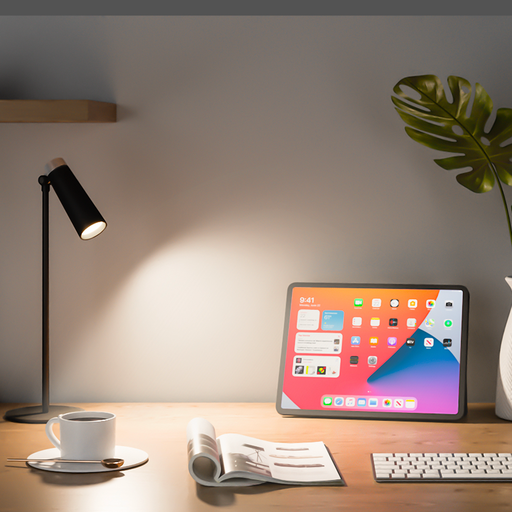
For those interested in exploring a broader range of desk, ambient and functional lighting, we invite you to browse our complete collection.
? Explore our full range of easy fit light solutions here.
For individuals who spend significant time at their computer, a monitor light bar is a worthwhile investment. It helps reduce eye strain by balancing the light between your screen and your desk, saves valuable workspace by eliminating the need for a traditional lamp and minimises screen glare thanks to its specialised optical design.
A well-designed screen bar light should not cause glare. Quality models use an asymmetrical lighting design that directs the beam of light downwards and forwards onto the desk surface, specifically avoiding the monitor screen. This prevents the reflections and glare commonly caused by overhead room lights or poorly positioned desk lamps.
Many modern monitor light bars are designed with adjustable mounting clips to accommodate a variety of screen shapes and sizes, including many curved monitors. Before purchasing, it is always best to check the product's specifications for the supported monitor thickness and curvature to ensure a secure and stable fit.